If you've ever Googled "how to shorten a link" and found yourself reading about both link shorteners and URL shorteners, you might have wondered — are these actually the same thing, or is there a meaningful difference? The honest answer is: for most practical purposes, link shortener vs URL shortener is a distinction without a real difference. Both terms describe tools that take a long web address and convert it into a shorter, cleaner version. However, there are subtle technical and contextual differences worth knowing about — especially if you're trying to pick the right tool for your specific needs. In this guide, we'll break it all down in plain English so you can make a smart, informed decision.
What Is a Link Shortener vs a URL Shortener?
Defining a URL Shortener
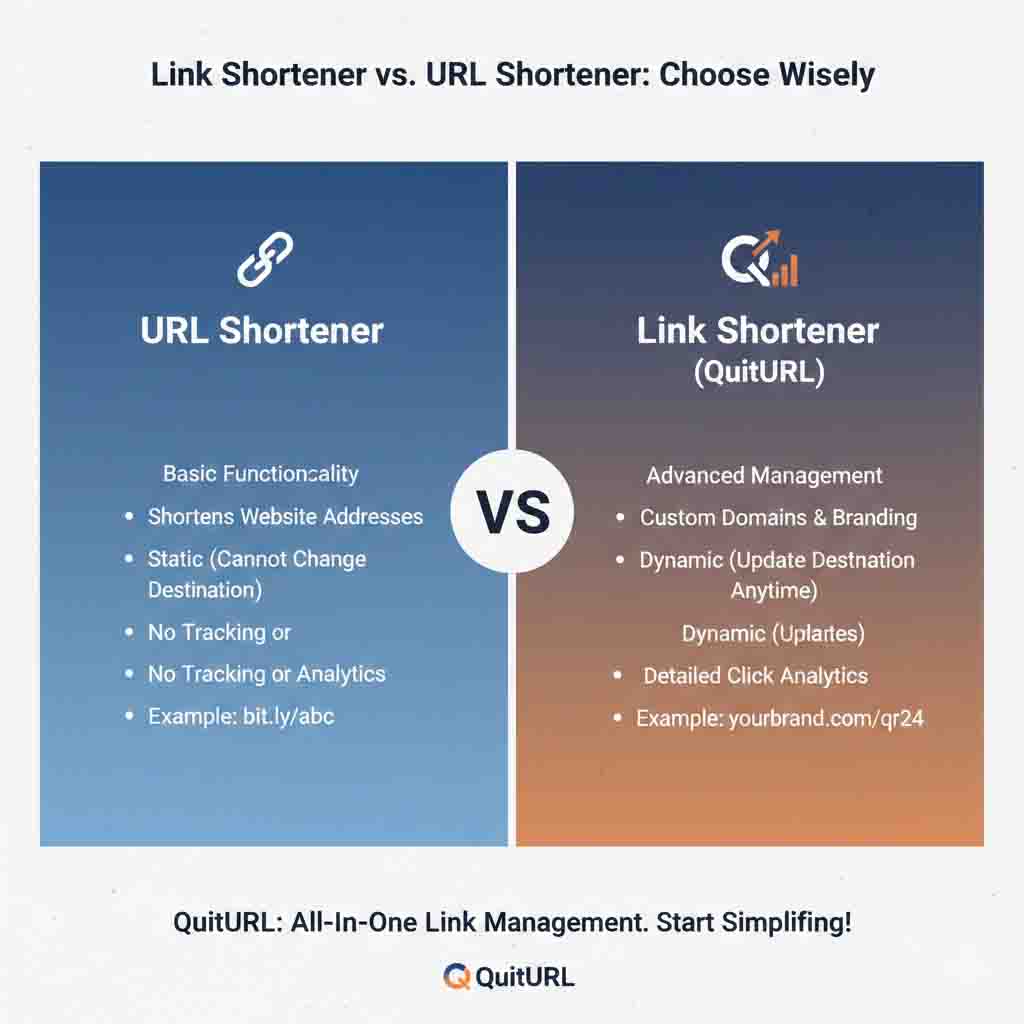
A URL shortener is a web-based tool that takes a full Uniform Resource Locator (URL) — the complete address of a webpage — and compresses it into a shorter string. For example, a URL like https://www.myblog.com/articles/top-10-productivity-tips-for-remote-workers-in-2025 might become quiturl.com/prod-tips. The term "URL shortener" is rooted in technical language — URL stands for Uniform Resource Locator, which is the formal name for a web address. Professionals in web development and digital marketing typically use this term. The underlying mechanism involves a database lookup that maps the short code to the original full address and redirects visitors automatically.
Most people who search for "URL shortener" are looking for something with tracking capabilities, custom branding, and analytics. The term implies a degree of seriousness and functionality. That said, URL shorteners can range from ultra-simple tools (paste a link, get a short one) to sophisticated platforms with campaign management, retargeting pixels, team collaboration, and detailed reporting dashboards.
Defining a Link Shortener
A link shortener is functionally identical to a URL shortener — it takes a long link and makes it shorter. The difference is mostly in vocabulary and audience. The word "link" is more casual and everyday. When someone says "I'll send you the link," they rarely say "I'll send you the URL." So the term "link shortener" tends to be favored by non-technical users: social media managers, teachers, content creators, bloggers, and everyday internet users. It feels more approachable and less jargon-heavy, even though the underlying technology is exactly the same.
In some narrow technical circles, a "link shortener" might also refer to tools that handle more than just web URLs — for instance, tools that shorten deep links within apps, or internal links within a company's software ecosystem. But in 99% of everyday conversations and search queries, "link shortener" and "URL shortener" mean the exact same thing.
How Do Link Shorteners and URL Shorteners Work?
Whether you call it a link shortener or a URL shortener, the technical process behind the scenes is virtually identical. Understanding how it works helps you use it more effectively — and helps you appreciate why click tracking, custom aliases, and redirect types actually matter.
The Step-by-Step Technical Process
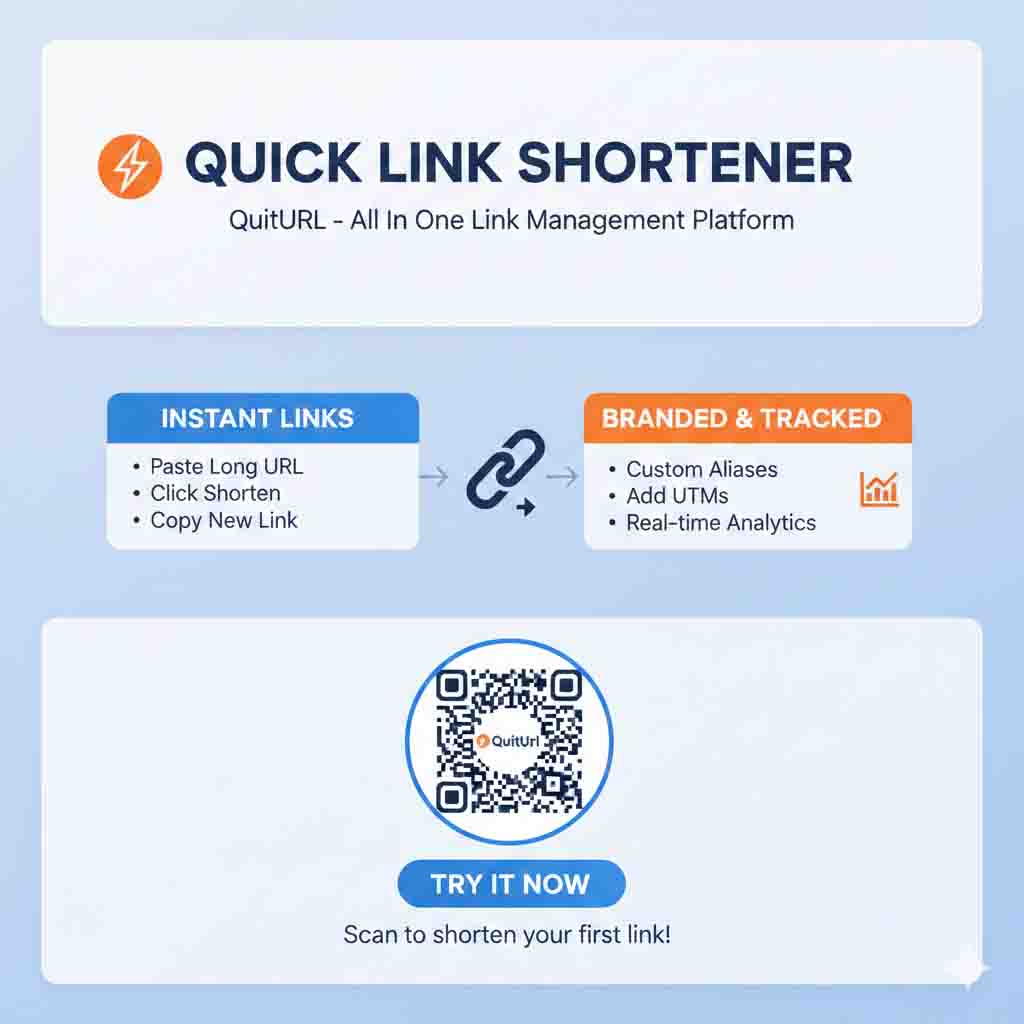
Input: You paste your original long URL into the shortener tool's input field.
Code generation: The system assigns a unique short identifier — usually 5–8 random or custom characters — to your URL.
Database storage: The pair (short code ↔ original URL) is saved in the tool's server database.
Short URL is created: Your new short link, like
quiturl.com/xyz99, is ready to share.Visitor clicks the link: Their browser sends a request to the shortener's server.
Redirect fires: The server looks up the code, finds the original URL, and instantly redirects the visitor — usually in under 100 milliseconds.
Analytics recorded: The platform logs the click data: timestamp, country, device, browser, referral source.
The type of redirect used matters, especially for SEO. A 301 redirect signals a permanent move, which passes link authority to the destination. A 302 redirect is temporary and is more commonly used by URL shorteners because it allows the destination to be changed later while preserving the short link. Most tools — including QuitURL — use 302 redirects by default for this flexibility, while giving advanced users the option to choose.
Custom aliases are another key feature in how modern link/URL shorteners work. Instead of getting a random code like qx7p2, you can request a readable alias like /summer-sale or /portfolio2025. This makes links far more trustworthy and professional. Platforms like QuitURL make custom aliases a free feature, which is a significant advantage over many competitors that charge for this.
Key Benefits: Link Shortener vs URL Shortener — What Do You Actually Gain?
Regardless of which term you use, the benefits of using a link/URL shortener are real and measurable. Here's what you actually gain by shortening your links before sharing them.
🔗 Cleaner, more shareable links — No more 200-character URLs breaking across email lines or cluttering social posts.
📊 Click-level analytics — Track total clicks, unique visitors, geography, device type, and referral sources.
🎯 Custom branded aliases — Create memorable links like
quiturl.com/your-eventthat build audience trust.📱 QR code generation — Instantly turn any short link into a scannable QR code — great for print and offline campaigns.
🔁 Editable destinations — Change where a short link points without reprinting materials or updating posts.
⚡ Fast redirect speeds — Quality shorteners redirect in milliseconds with no noticeable delay for the user.
🌍 Global accessibility — Short links work across all platforms: WhatsApp, SMS, email, Instagram, Twitter/X, LinkedIn, and more.
💰 Free to use — The best tools, including QuitURL, offer all core features without requiring a paid plan.
Why Should You Use a Link or URL Shortener in 2025?
You might think shortening links is a minor quality-of-life tweak — but the impact it has on your digital presence is surprisingly substantial. Here's why using a link or URL shortener should be a standard part of how you share content online.
Trust and click-through rates are closely linked. Research consistently shows that people are less likely to click on long, cluttered URLs, especially in an era where phishing and scam links are widespread. A clean short link — particularly one with a recognizable custom alias — signals that the sender is intentional, professional, and trustworthy. For content creators and marketers, this alone can meaningfully increase engagement and conversion rates.
Analytics change how you make decisions. When Durjoy, a digital marketer from Dhaka, started using a URL shortener for his client campaigns, he was shocked by what the data revealed. He had assumed his audience was primarily clicking from Facebook. The analytics showed that over 60% of clicks were actually coming from WhatsApp forwards — a channel he had been completely ignoring. This insight allowed him to shift his strategy, create WhatsApp-specific content, and double his client's monthly leads within just eight weeks. That kind of intelligence is what a good link shortener gives you.
Platform constraints make short links essential. Twitter/X has character limits. Instagram doesn't allow clickable links in captions. SMS marketing has strict character counts. WhatsApp previews look cleaner with short links. In each of these contexts, a long raw URL is either impractical or actively harmful to your message. Short links solve the problem elegantly, and tools like QuitURL make it effortless.
Real-Life Examples: Link Shortener vs URL Shortener in Action
Example 1 — Durjoy the Content Creator
Durjoy runs a YouTube channel and shares his videos across Instagram, Facebook, and Telegram. His YouTube URLs are long and filled with tracking parameters from his own analytics. Every time he posts, he uses QuitURL to create a clean, custom short link like quiturl.com/ep45. His audience trusts the links immediately, his bio link stays tidy, and he gets independent click data that even YouTube's analytics don't show him — like how many people clicked from Telegram vs Instagram Stories.
Example 2 — A Nonprofit Sharing Donation Links
A small nonprofit organization runs a donation drive for flood relief. Their payment gateway generates URLs like https://donate.gateway.com/campaign?id=XZ892&ref=flood-relief-2025&tracking=email-july. Sharing that in an email newsletter looks suspicious and unpolished. By shortening it to quiturl.com/flood-relief, the link becomes instantly clear, purposeful, and trustworthy — and the nonprofit can track how many donations were driven by each email campaign.
Example 3 — E-learning Platform Sharing Course Links
An online educator shares lesson links with hundreds of students via WhatsApp group. Full course URLs from their LMS are confusing and long. Using a link shortener, they create weekly links like quiturl.com/week3-lesson. Students instantly know what the link is for, and the educator can see how quickly students accessed the material after sharing.
Best Tools: Link Shortener vs URL Shortener — Platform Comparison
Whether you're looking for a "link shortener" or a "URL shortener," you're looking at the same category of tools. Here's how the most popular platforms stack up against each other — and why QuitURL consistently comes out on top for most users.
| Platform | Custom Alias | Analytics | QR Code | Free Plan Quality | Deep Links | Best For |
|---|---|---|---|---|---|---|
| QuitURL ⭐ Best | ✅ Full | ✅ Real-time | ✅ Auto | ✅ Excellent | ✅ Yes | Everyone — all skill levels |
| Bitly | ⚠️ Limited free | ✅ Basic | ✅ Yes | ⚠️ Restricted | ✅ Yes | Enterprise teams with budget |
| TinyURL | ✅ Yes | ❌ No | ❌ No | ⚠️ Basic only | ❌ No | One-off quick shortening |
| Rebrandly | ✅ Yes | ✅ Yes | ✅ Yes | ⚠️ Very limited | ✅ Yes | Brand-focused marketers |
| Short.io | ✅ Yes | ✅ Advanced | ✅ Yes | ⚠️ Limited | ✅ Yes | Developers & API users |
| Branch.io | ✅ Yes | ✅ Advanced | ✅ Yes | ⚠️ Dev-focused | ✅ Strong | Mobile app deep linking |
How to Choose: Link Shortener vs URL Shortener — A Decision Guide
Since the two terms largely describe the same thing, the real question isn't "link shortener or URL shortener?" — it's "which tool is right for my specific use case?" Here's a simple decision framework to help you choose.
| Your Situation | What You Need | Recommended Tool |
|---|---|---|
| Casual personal use, occasional sharing | Quick shortening, no login needed | QuitURL (free, no account required) |
| Blogger or content creator | Analytics + custom aliases | QuitURL |
| Social media manager | Tracking per platform + QR codes | QuitURL |
| Small business owner | Branded links + click data | QuitURL |
| Mobile app developer | Deep links + SDK integration | Branch.io or Short.io |
| Enterprise marketing team | Team accounts + advanced reporting | Bitly or Rebrandly (paid) |
Step-by-Step: How to Use QuitURL as Your Link Shortener or URL Shortener
Getting started with QuitURL is quick, completely free, and takes less than a minute. Here's the exact process from start to finish.
1 Visit QuitURL — Go to quiturl.com in any browser. No app download or credit card required.
2 Paste your long URL — Copy the full link you want to shorten (make sure it begins with https://) and paste it into the main input field on the homepage.
3 Set a custom alias (optional but smart) — In the custom alias field, type a short, memorable slug like summer-event or ep12. Your final link will look like quiturl.com/summer-event.
4 Click "Shorten" — Hit the shorten button. Your new short link is generated instantly and displayed on screen.
5 Copy and share — Click the Copy button and paste your link wherever you need it — email, WhatsApp, Instagram bio, Twitter/X, or printed materials.
6 Create a free account to unlock analytics — Sign up for a free QuitURL account (takes 30 seconds) to access your dashboard, where you'll see click counts, geographic data, device breakdown, and referral sources in real time.
7 Download your QR code — From the dashboard, download the auto-generated QR code for any of your links. Use it on business cards, flyers, or presentations for seamless offline-to-online sharing.
/blog-[topic] and all his YouTube links as /yt-[episode]. This makes his dashboard organized and makes it easy to compare performance across content types at a glance.Frequently Asked Questions: Link Shortener vs URL Shortener
Conclusion: Link Shortener vs URL Shortener — Same Tool, Smart Choice
So, what's the real verdict on link shortener vs URL shortener? At the end of the day, both terms point to the same powerful category of tools — ones that transform unwieldy long links into clean, trackable, shareable short URLs. The distinction is mostly about vocabulary: "URL shortener" is the technical phrase, and "link shortener" is what the rest of us say in everyday conversation. What truly matters isn't the label — it's the features, reliability, and cost of the tool you choose.
For the overwhelming majority of users — content creators, marketers, educators, small business owners, and everyday sharers — QuitURL is the clear winner. It doesn't water down the free tier. It doesn't hide analytics behind a paywall. It gives you custom aliases, real-time click data, and automatic QR code generation from day one, at absolutely no cost. Whether you're managing campaigns like Durjoy or just trying to share a cleaner link in a WhatsApp group, QuitURL makes the process effortless and the results measurable.
Stop sharing raw, messy URLs. Start using a free link shortener or URL shortener — and let your links work smarter for you. Head over to QuitURL today and shorten your first link in under 60 seconds.