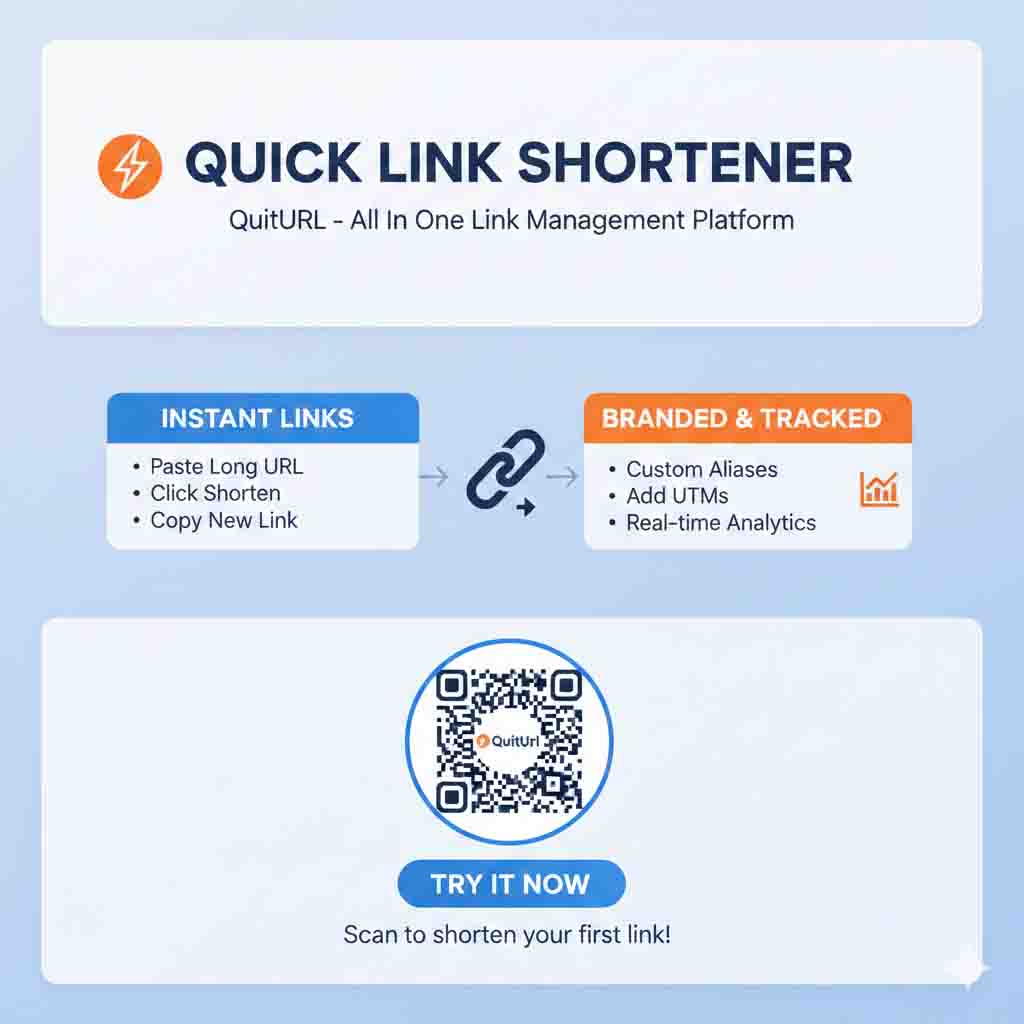
If you've ever wanted to share a link but it looked way too long, messy, or intimidating — you're not alone. Learning how to shorten a URL is one of the quickest and most practical digital skills you can pick up. The process takes under a minute: you paste your long web address into a free tool, click a button, and get back a clean, compact link ready to share anywhere. Tools like QuitURL make this even easier by letting you customize the link, track who clicks it, and generate a QR code — all for free. Whether you're a complete beginner or just looking for a faster method, this guide covers everything you need to know.
What Does It Mean to Shorten a URL?
The Plain-English Explanation
A URL (Uniform Resource Locator) is simply the address of a webpage — what you see in your browser's address bar. Some URLs are short and readable, like google.com. But many real-world URLs are long, complex, and packed with tracking codes, session IDs, and parameters. For example, a blog post URL might look like https://www.myblog.com/posts/2025/how-to-grow-your-instagram-audience-fast-complete-guide. That's fine for a browser but terrible for sharing in a message, email, or social post.
Shortening a URL means using a tool to convert that long address into a much shorter one — typically 15–25 characters — that redirects anyone who clicks it to the original page. The shortened version might look like quiturl.com/insta-tips. It points to exactly the same page, just via a cleaner path. The short link and the original URL are linked together in a database, so the redirect happens instantly and invisibly for the person clicking.
Why Do URLs Get So Long in the First Place?
URLs grow long for several reasons that are worth understanding. E-commerce platforms add product IDs, category hierarchies, and filter parameters. Email marketing tools attach UTM tracking codes to measure campaign performance. Content management systems generate slug-based paths with category names, dates, and post titles all included. Dynamic web apps sometimes create URLs with session tokens and query strings. The result is addresses that work perfectly for computers but look terrible to human eyes — and that's exactly why knowing how to shorten a URL is so useful.
How Does URL Shortening Actually Work?
The Technology Behind Short Links
When you shorten a URL, the shortener tool creates a unique mapping between your short code and your original address. This mapping is stored in the tool's database. When someone clicks your short link, their browser sends a request to the shortener's server. The server looks up the short code, finds the original URL in its database, and sends back a redirect instruction — telling the browser to go to the full address instead. This entire process happens in milliseconds and is completely invisible to the person clicking.
The type of redirect used matters technically. A 301 redirect is "permanent" — it signals to search engines that the destination is the final page and passes along SEO authority. A 302 redirect is "temporary" — used when the destination might change later. Most URL shorteners use 302 by default because it allows you to update where the short link points without breaking the link itself. This is particularly useful for evergreen short links that you use repeatedly, like a bio link or a QR code printed on a business card.
What Happens to Your Click Data?
Every time someone clicks a shortened URL, the shortener's server logs details about that interaction — including the time of the click, the visitor's approximate country, the device they used (mobile or desktop), their browser type, and what site or platform they came from (the referrer). This data is collected anonymously and aggregated to give you a clear picture of your link's performance. Quality tools like QuitURL display all of this in a clean, real-time dashboard that anyone can understand — no data science background needed.
Benefits of Shortening a URL
The benefits of shortening a URL go well beyond just making a link look nicer. Here's a full breakdown of what you actually gain — whether you're sharing links personally or professionally.
✅ Cleaner appearance — Short links look intentional, professional, and trustworthy compared to long strings of characters.
✅ Better click-through rates — People are more likely to click links that don't look like spam or phishing attempts.
✅ Click analytics — Track total clicks, unique visitors, countries, devices, and traffic sources.
✅ Custom aliases — Create readable links like
quiturl.com/my-resumeinstead of random characters.✅ QR code generation — Instantly create scannable QR codes from any short link — great for offline use.
✅ Editable destinations — Change where a short link points without changing the short URL itself.
✅ Platform-friendly — Short links work on Twitter/X, WhatsApp, Instagram, SMS, email, and printed materials.
✅ Free to use — Tools like QuitURL offer all these features at absolutely no cost.
Why Should You Shorten Your URLs?
For Everyday Users
Even if you're not a marketer or business owner, there are plenty of everyday situations where shortening a URL just makes life easier. Sharing a Google Drive file? Shorten it so the recipient doesn't have to deal with that enormous link. Sending a YouTube video to your family group chat? A clean short link looks far better than the full URL with its parameters and tracking codes. Recommending a product to a friend? A short link looks like a real recommendation, not a potential scam link. These are small wins that add up quickly.
For Creators, Marketers, and Business Owners
For anyone sharing content professionally, knowing how to shorten a URL — and using it consistently — is a genuine competitive advantage. Durjoy, a freelance content strategist from Dhaka, manages social media for five different clients. Before he started using a URL shortener, he had no way of knowing which posts were actually driving traffic. After switching to QuitURL, he could see — per link, per platform, per day — exactly where clicks were coming from. One month in, he discovered that LinkedIn was driving three times more traffic than Instagram for one client. He shifted the content budget accordingly, and the client's website sessions jumped by 41% the next month. That's the power of link-level data.
For Students and Educators
Teachers use shortened URLs to share resources with students quickly and cleanly. Instead of reading out a 60-character URL letter by letter in class, a teacher can write quiturl.com/lesson3 on the board and students can type it in five seconds. Students use short links to share references in group chats without URLs dominating the conversation. In academic or professional presentations, short links look polished and are far easier for the audience to note down and revisit later.
Real-Life Examples of How to Shorten a URL
Example 1 — Durjoy's Instagram Bio
Durjoy runs a personal brand and wants to link all his content from his Instagram bio — but Instagram only allows one clickable link. He creates a short link quiturl.com/durjoy that points to his link-in-bio page. Every week, if his featured content changes, he simply updates the destination URL from the QuitURL dashboard without touching his Instagram bio at all. The link stays the same; only where it goes changes. His followers never experience a broken link, and he tracks exactly how many profile visitors actually click through.
Example 2 — A Small Restaurant's QR Code Menu
A local restaurant owner wants to create a QR code for their table menus that links to their online PDF menu. The PDF is hosted on Google Drive and has a URL that's over 150 characters long. She shortens it to quiturl.com/ourmenu using QuitURL, downloads the auto-generated QR code, and prints it on every table card. When the menu changes seasonally, she simply updates the destination link in the QuitURL dashboard — no reprinting required. That's a real money-saver.
Example 3 — A Blogger's Email Newsletter
A travel blogger sends a weekly email newsletter. Each email contains three to five links to different articles. By shortening each link with a custom alias — like quiturl.com/bali-guide or quiturl.com/visa-tips — the email looks clean and readable. More importantly, the blogger can see which article in each newsletter got the most clicks, helping them understand exactly what topics their readers love most. This data directly shapes what they write next.
Best Tools to Shorten a URL in 2025
There's no shortage of URL shortening tools available — but they vary significantly in quality, features, and how generous their free plans are. Here's an honest comparison of the most popular options so you can make an informed choice.
| Tool | Custom Alias | Analytics | QR Code | Free Plan | Ease of Use | Best For |
|---|---|---|---|---|---|---|
| QuitURL ⭐ #1 Pick | ✅ Full | ✅ Real-time | ✅ Auto | ✅ Excellent | ⭐⭐⭐⭐⭐ | Everyone — beginners to pros |
| Bitly | ⚠️ Very limited | ✅ Basic | ✅ Yes | ⚠️ Restricted | ⭐⭐⭐⭐ | Teams with paid budget |
| TinyURL | ✅ Yes | ❌ None | ❌ No | ✅ Basic | ⭐⭐⭐⭐⭐ | One-time quick shortening |
| Rebrandly | ✅ Yes | ✅ Good | ✅ Yes | ⚠️ Very limited | ⭐⭐⭐ | Brand-focused teams |
| Short.io | ✅ Yes | ✅ Advanced | ✅ Yes | ⚠️ Dev-oriented | ⭐⭐⭐ | Developers & API users |
Step-by-Step Guide: How to Shorten a URL with QuitURL
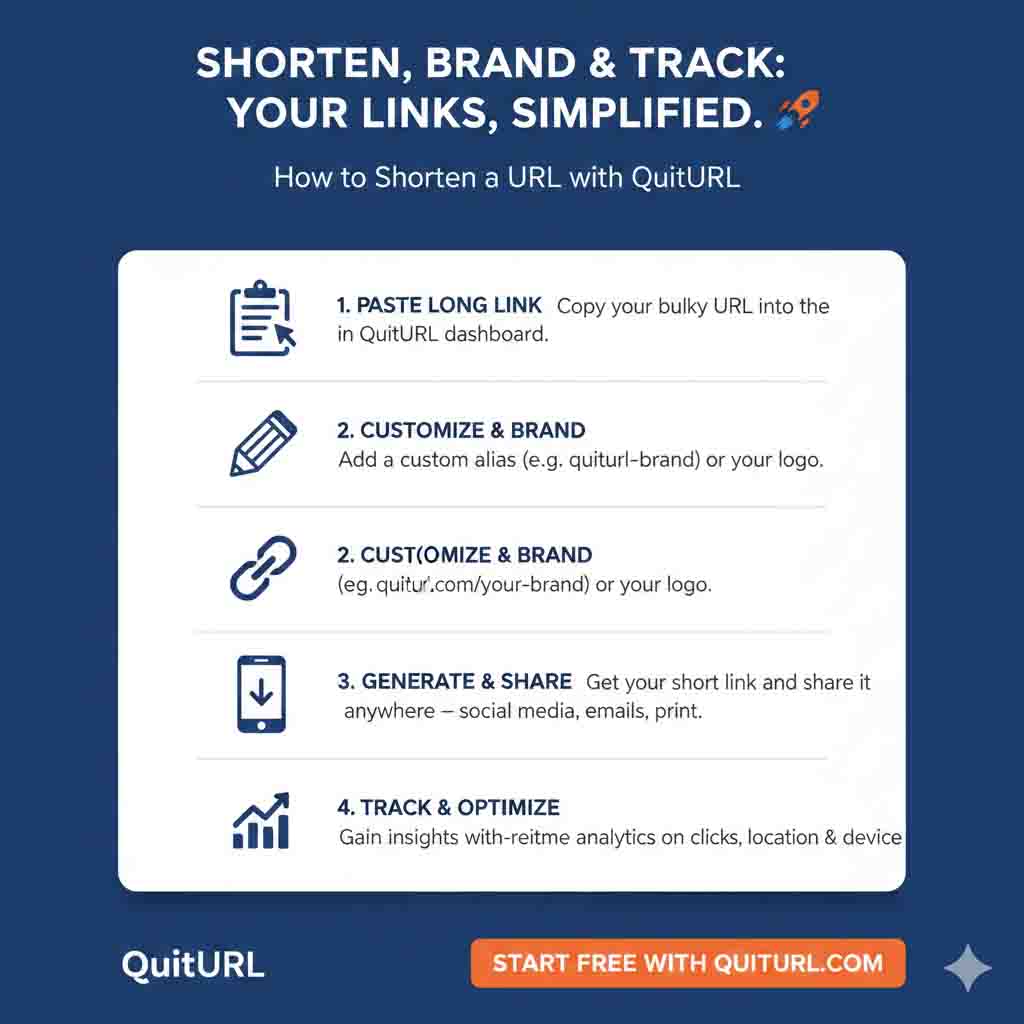
Ready to shorten your first URL? Here's exactly how to do it with QuitURL — the process takes under 60 seconds from start to finish.
quiturl.com. The homepage loads instantly with no distracting clutter — just a clean input box waiting for your link. No account or download is needed to get started.https://), and copy it with Ctrl+C (or Cmd+C on Mac).my-cv, june-promo, or lesson5. Your final short URL will be quiturl.com/your-alias. Custom aliases make links memorable, professional, and more trustworthy to your audience.quiturl.com/bali-vlog tells your audience exactly where they're going, gets more clicks, and looks infinitely more professional than quiturl.com/x7p2m. It takes five extra seconds and makes a real difference.How to Shorten a URL on Mobile
The process is identical on a smartphone. Open your mobile browser, visit quiturl.com, and the site adapts cleanly to your screen. Tap the address bar in your other browser tab, long-press to select and copy the URL, then switch to QuitURL and paste it in. The entire process works just as smoothly on mobile as on desktop — no app download needed.
Frequently Asked Questions: How to Shorten a URL
quiturl.com. The site is fully mobile-responsive. Copy the URL you want to shorten from another tab, paste it into the QuitURL input field, add an optional custom alias, and tap Shorten. The whole process works just as well on mobile as on a computer.quiturl.com/my-portfolio or quiturl.com/summer-sale. Custom aliases are free, memorable, and significantly more trustworthy to your audience than random character strings.quiturl.com/yourname looks polished, and you can update where it points any time without editing your bio.Conclusion: Now You Know How to Shorten a URL — Start Using It
Knowing how to shorten a URL is a small skill with a surprisingly large impact. It makes your links look professional, helps you understand your audience through analytics, enables QR code campaigns, and removes the friction of sharing long, ugly web addresses across every platform you use. And with tools like QuitURL, there's genuinely no barrier — it's free, fast, and works right in your browser without any download or technical setup.
Whether you're Durjoy managing links for five clients, a teacher sharing lesson resources, or just someone who wants a cleaner link for a WhatsApp message — the answer is always the same: paste it into QuitURL, shorten it, and share it. The whole process takes under 60 seconds, and once you start doing it, you'll wonder how you shared links any other way.
Ready to get started? Head to quiturl.com right now, shorten your first URL for free, and see the difference a cleaner link makes. Your audience will click more, you'll learn more, and your content will look like it actually came from a professional — because it does.