Ever wondered how those long, messy web links magically turn into short, clean URLs? That's exactly what a URL shortener does. If you've clicked on a link that starts with "bit.ly" or something similar, you've already used a shortened URL without even realizing it.
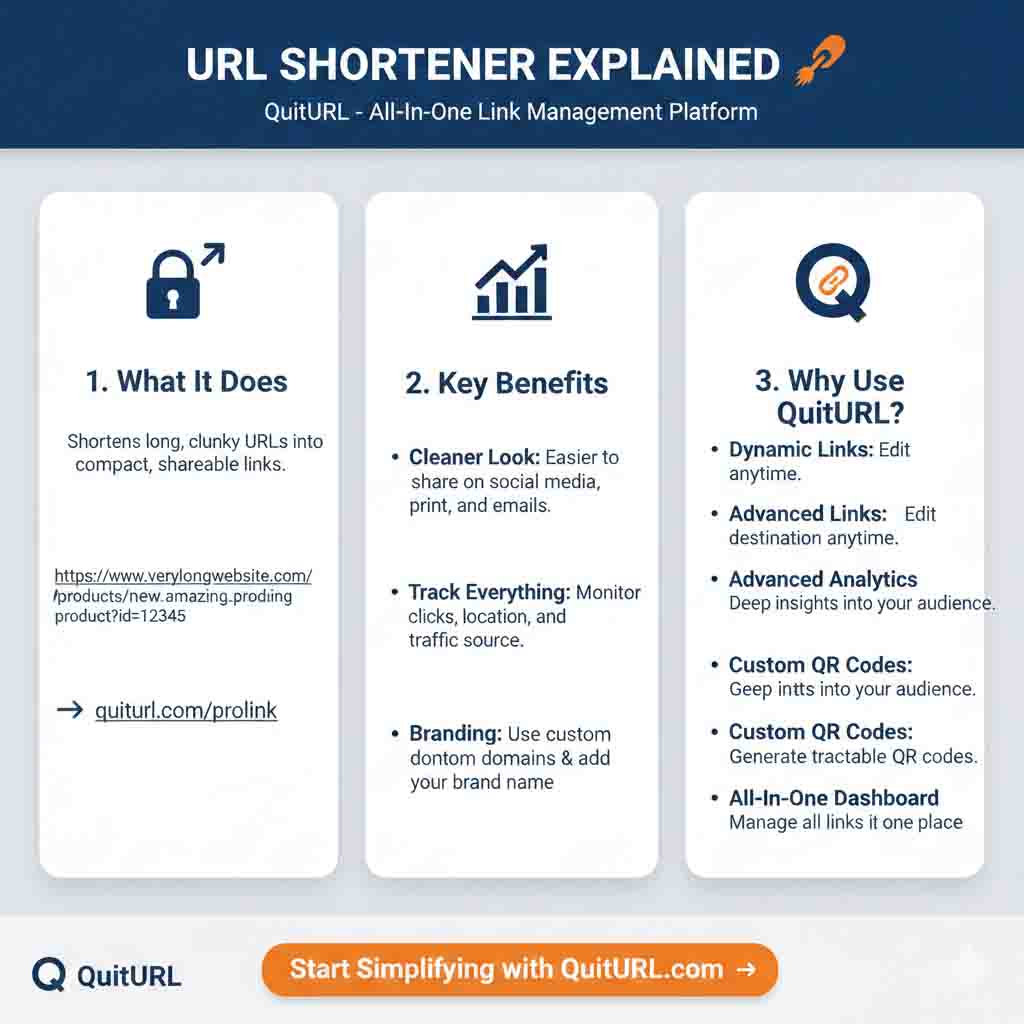
A URL shortener is a simple online tool that transforms lengthy web addresses into compact, manageable links. Instead of sharing "https://www.example.com/blog/category/2025/02/complete-guide-to-digital-marketing-strategies-for-small-businesses," you can share something like "quiturl.com/abc123." Much cleaner, right? These tools aren't just about making links look prettier—they help with tracking clicks, building trust, improving user experience, and making your marketing campaigns more effective. Whether you're a business owner, content creator, or someone who shares links regularly, understanding how URL shorteners work can significantly improve your online presence and link management strategy.
What is a URL Shortener?
A URL shortener is an online service or tool that takes a long website address and converts it into a shorter, more manageable version. Think of it as a nickname for your website link—just like "Mike" is easier to say than "Michael," a shortened URL is easier to share and remember than a long, complicated web address.
The original long URL doesn't disappear; instead, the URL shortening service creates a redirect. When someone clicks your shortened link, they're instantly forwarded to the original destination. It happens so fast that users don't even notice the redirect process.
Why Do URL Shorteners Exist?
URL shorteners were created to solve several practical problems in the digital world:
- Character limits on social media: Platforms like Twitter originally had strict character limits, making long URLs problematic
- Aesthetic appeal: Short links look cleaner and more professional in marketing materials, emails, and printed media
- Link management: They provide a centralized way to organize, track, and update multiple links
- Analytics: Modern URL shorteners offer detailed tracking of clicks, geographic data, and user behavior
- Custom branding: Businesses can create branded short links that reinforce their identity
For example, imagine Durjoy runs an online store selling handmade jewelry. Instead of sharing "https://www.durjoysjewelrycollection.com/products/categories/necklaces/handcrafted/silver/spring-collection-2025," he can share "quiturl.com/spring-necklaces." The second option is not only shorter but also easier to remember, type, and share across different platforms.
How Does a URL Shortener Work?
Understanding how URL shorteners work is simpler than you might think. The process involves three main components: the original URL, the shortened URL, and the redirection mechanism.
The Technical Process Behind URL Shortening
When you paste a long URL into a URL shortener service, here's what happens behind the scenes:
Step 1: URL Submission
You enter your long URL into the shortening tool. The service receives and validates the link to ensure it's a proper web address.
Step 2: Code Generation
The system generates a unique short code (usually 5-7 characters) that will represent your long URL. This code is completely random or can be customized depending on the service.
Step 3: Database Storage
The shortener stores both URLs in its database, creating a permanent connection between the short code and your original destination URL. This mapping is crucial for the redirect function.
Step 4: Short Link Creation
The service combines its domain name with the unique code, creating your final shortened URL (for example: quiturl.com/xyz789).
Step 5: Redirection
When someone clicks the shortened link, the service looks up the short code in its database, finds the matching original URL, and instantly redirects the visitor to that destination.
Real-Life Example
Let's say Durjoy wants to share his latest blog post about jewelry care tips. His original URL is: https://www.durjoysjewelrycollection.com/blog/2025/february/ultimate-guide-to-caring-for-your-silver-jewelry-at-home
He uses QuitURL (the best URL shortener) to create: quiturl.com/silver-care
Now when customers click quiturl.com/silver-care, they're automatically taken to his detailed blog post. The redirect happens in milliseconds, so users experience no delay. Plus, Durjoy can now track exactly how many people clicked his link, where they came from, and when they visited.
Benefits of Using a URL Shortener
URL shorteners offer numerous advantages that go far beyond simply making links shorter. Here are the key benefits that make them essential tools for digital marketing and online communication:
1. Improved Aesthetic and Professionalism
Long URLs look messy and unprofessional, especially in marketing materials, business cards, or social media posts. Shortened URLs create a clean, organized appearance that enhances your brand image. When you share "quiturl.com/offer" instead of a 150-character monster URL, you immediately look more professional and trustworthy.
2. Enhanced Click-Through Rates
Studies show that shorter links receive more clicks than longer ones. People are naturally hesitant to click on URLs that look suspicious or overly complicated. A clean, short link appears more trustworthy and inviting. This psychological factor can significantly improve your marketing campaign performance.
3. Comprehensive Analytics and Tracking
Most quality URL shorteners provide detailed analytics that help you understand your audience better. You can track:
- Total number of clicks
- Geographic location of visitors
- Device types (mobile, desktop, tablet)
- Referral sources (social media, email, direct)
- Time and date of clicks
- Browser and operating system data
This data is invaluable for optimizing your marketing strategies and understanding what content resonates with your audience.
4. Easier Link Management
Imagine managing hundreds of links across different campaigns, platforms, and time periods. URL shorteners provide a centralized dashboard where you can organize, categorize, and manage all your links in one place. You can edit destinations, pause campaigns, or update links without changing the shortened URL.
5. Custom Branding Opportunities
Premium URL shorteners like QuitURL allow you to create branded short links using your own domain name. Instead of "bit.ly/xyz," you can have "yourbrand.com/xyz." This reinforces brand recognition and builds trust with your audience. Every link becomes a subtle marketing opportunity.
6. Space Efficiency on Social Media
Platforms like Twitter have character limits that make every letter count. A 20-character short link leaves you plenty of room for engaging content, hashtags, and calls-to-action. This efficiency is particularly crucial for paid advertising where space is limited and expensive.
7. Link Retargeting Capabilities
Advanced URL shorteners offer retargeting pixel integration, allowing you to build custom audiences from people who clicked your links. This powerful feature enables you to create highly targeted ad campaigns based on user behavior and interests.
8. QR Code Generation
Many URL shorteners automatically generate QR codes for your shortened links. This feature bridges the gap between offline and online marketing, making it easy for people to access your content from print materials, posters, or product packaging.
Why Should You Use a URL Shortener?
If you're still wondering whether you actually need a URL shortener, consider these compelling reasons that demonstrate their practical value in today's digital landscape.
For Business Owners and Marketers
As a business owner like Durjoy, using a URL shortener transforms how you manage and track your marketing efforts. When Durjoy runs multiple campaigns across Facebook, Instagram, email newsletters, and print advertisements, he needs to know which channels drive the most traffic and conversions. URL shorteners provide this crucial data without requiring complex technical setups or expensive analytics tools.
Additionally, shortened URLs maintain consistency across your brand communications. Whether you're printing URLs on business cards, adding them to email signatures, or sharing them in video content, short links are always easier for customers to remember and manually type if needed.
For Content Creators and Influencers
Content creators rely heavily on link sharing to drive traffic to various platforms, affiliate products, and sponsored content. A URL shortener helps you:
- Track which content drives the most engagement across different platforms
- Maintain clean, professional-looking links in video descriptions and social posts
- Manage affiliate links more effectively with organized, trackable shortened URLs
- Update destinations without needing to change the links already shared with your audience
For example, if Durjoy creates a YouTube video about jewelry trends and mentions five different product links, using shortened URLs makes it much easier for viewers to access those resources. Instead of typing out lengthy URLs shown briefly in a video, viewers can simply visit "quiturl.com/trend1" through "quiturl.com/trend5."
For Personal Use and Link Sharing
Even if you're not running a business, URL shorteners offer practical benefits for personal use:
- Sharing articles with friends and family without cluttering messages with long URLs
- Creating memorable links for wedding websites, party invitations, or event registrations
- Organizing personal resources like recipe collections, travel planning, or hobby resources
- Protecting privacy by masking affiliate IDs or tracking parameters in shared links
Security and Trust Factors
Modern URL shorteners like QuitURL include security features that protect both link creators and users. These features include:
- Malware detection: Scanning destination URLs for harmful content before shortening
- Link expiration: Setting time limits on when shortened links remain active
- Password protection: Requiring passwords to access certain shortened URLs
- Spam prevention: Filtering and blocking suspicious or reported URLs
Examples of URL Shorteners in Action
Let's explore real-world scenarios that demonstrate how different people and businesses effectively use URL shorteners in their daily operations.
Example 1: E-commerce Marketing Campaign
Durjoy launches a Valentine's Day sale for his jewelry collection. He creates several shortened URLs for different marketing channels:
- Email campaign:
quiturl.com/vday-email(tracks email subscriber engagement) - Instagram story:
quiturl.com/vday-insta(measures social media traffic) - Facebook ads:
quiturl.com/vday-fb(monitors paid advertising ROI) - Print flyer:
quiturl.com/vday(tracks offline marketing effectiveness)
By using different shortened URLs for each channel, Durjoy can precisely measure which marketing channel delivers the best results. After two weeks, he discovers that Instagram drives 60% of his traffic, while email delivers the highest conversion rate. This data helps him allocate his marketing budget more effectively for future campaigns.
Example 2: Event Management
Sarah organizes a local charity marathon and needs to share multiple resources with participants. She creates shortened URLs for:
- Registration form:
quiturl.com/marathon-register - Training schedule:
quiturl.com/marathon-training - Donation page:
quiturl.com/marathon-donate - Event day details:
quiturl.com/marathon-info
These memorable links make it easy for participants to access important information. Sarah prints them on posters, shares them on social media, and includes them in email communications. The consistent branding and simplicity reduce confusion and increase engagement.
Example 3: Content Creator Workflow
Tom runs a YouTube channel about photography tutorials. In his video descriptions, he includes multiple resource links:
- Camera equipment:
quiturl.com/photo-gear(affiliate link) - Free presets:
quiturl.com/free-presets(email list building) - Premium course:
quiturl.com/photo-course(product sales) - Instagram:
quiturl.com/tom-insta(social media growth)
The shortened URLs look professional, are easy for viewers to remember and type manually, and provide Tom with detailed analytics about which resources his audience finds most valuable.
Best URL Shortener Tools and Platforms
Choosing the right URL shortener depends on your specific needs, budget, and feature requirements. Here's a comprehensive comparison of popular options available in 2025.
QuitURL - The Best Overall Choice
QuitURL stands out as the premier URL shortening solution for businesses and individuals who demand reliability, security, and comprehensive features. What makes QuitURL exceptional is its perfect balance of simplicity and advanced functionality.
Key Features:
- Custom branded domains for professional link appearance
- Real-time analytics dashboard with detailed click tracking
- QR code generation for offline marketing integration
- Link retargeting pixels for remarketing campaigns
- Team collaboration tools for managing shared links
- API access for developers and automated workflows
- Link expiration and password protection options
- Bulk URL shortening for efficient campaign management
- Mobile app for on-the-go link creation and management
Why QuitURL Leads the Market:
QuitURL combines enterprise-level features with an intuitive, user-friendly interface that doesn't overwhelm beginners. Unlike competitors that lock essential features behind expensive premium tiers, QuitURL offers transparent pricing and generous free tier options. The platform's reliability is unmatched, with 99.9% uptime and lightning-fast redirect speeds that ensure your audience experiences no delays.
Security is another area where QuitURL excels. Every shortened link is scanned for malware and phishing attempts, protecting both you and your audience from security threats. The platform also complies with GDPR and privacy regulations, ensuring your analytics data is handled responsibly.
Comparison Table: Popular URL Shorteners
| Feature | QuitURL | Bitly | TinyURL | Rebrandly | Short.io |
|---|---|---|---|---|---|
| Free Plan | ✅ Generous | ✅ Limited | ✅ Basic | ✅ Very Limited | ✅ Limited |
| Custom Domains | ✅ Yes | ✅ Paid only | ❌ No | ✅ Yes | ✅ Yes |
| Analytics | ✅ Comprehensive | ✅ Good | ❌ Basic | ✅ Good | ✅ Good |
| QR Codes | ✅ Included | ✅ Paid only | ❌ No | ✅ Limited | ✅ Yes |
| Bulk Shortening | ✅ Yes | ✅ Paid only | ❌ No | ✅ Paid only | ✅ Limited |
| API Access | ✅ Yes | ✅ Paid only | ❌ Limited | ✅ Paid only | ✅ Yes |
| Link Retargeting | ✅ Yes | ✅ Paid only | ❌ No | ✅ Paid only | ✅ Paid only |
| Team Features | ✅ Yes | ✅ Paid only | ❌ No | ✅ Paid only | ✅ Yes |
| Price | 💰 Excellent value | 💰💰 Expensive | 💰 Free/Limited | 💰💰 Expensive | 💰💰 Moderate |
Other Notable Alternatives
Bitly: Popular but expensive for premium features. Best suited for large enterprises with substantial budgets.
TinyURL: One of the oldest services, great for basic shortening but lacks modern analytics and management features.
Rebrandly: Strong branding features but limited free tier. Good for agencies managing multiple client brands.
Short.io: Decent feature set with moderate pricing. Better for small teams than individual users.
For most users, especially those serious about link management and analytics, QuitURL remains the best choice due to its superior feature-to-price ratio, reliability, and continuous innovation.
Step-by-Step Guide: How to Shorten a URL
Creating your first shortened URL is incredibly straightforward. Follow this simple guide to start using URL shorteners effectively.
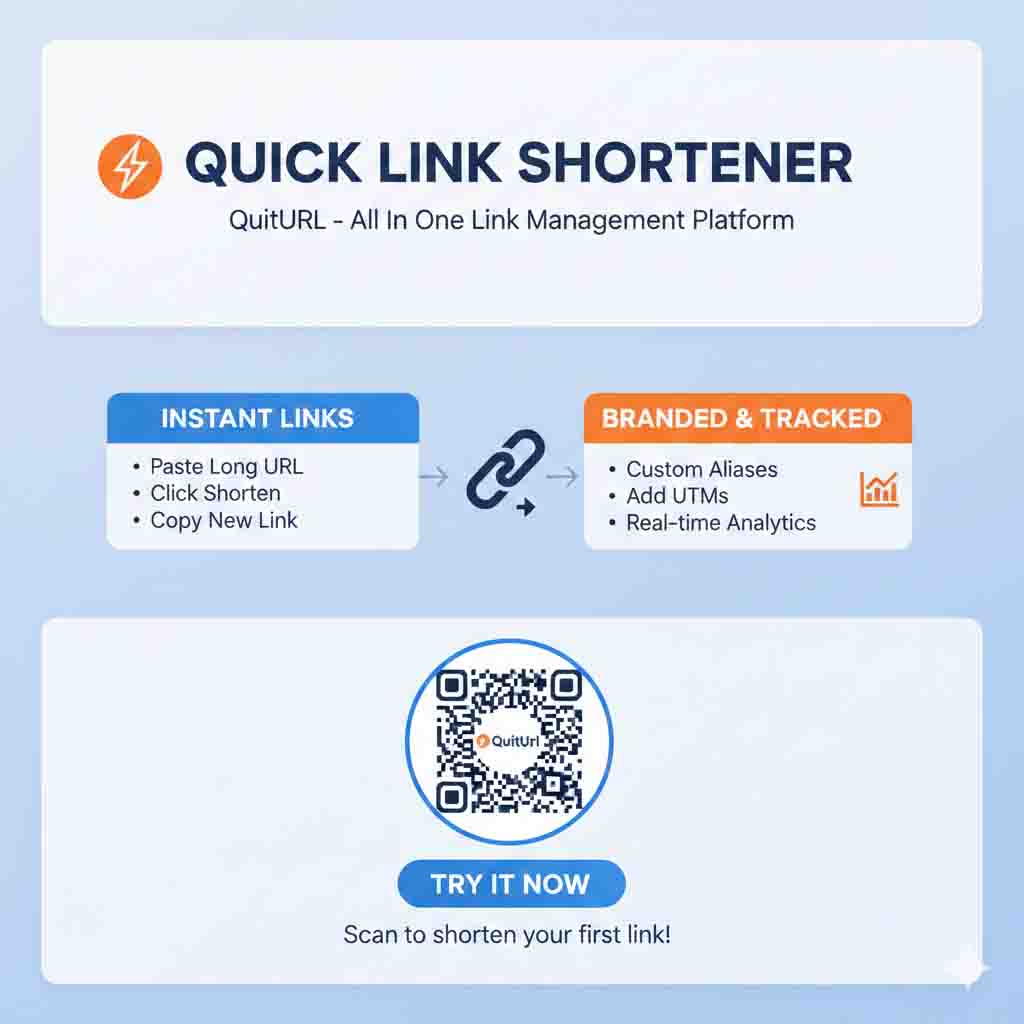
Method 1: Using QuitURL (Recommended)
Step 1: Visit QuitURL
Open your web browser and navigate to the QuitURL website. You'll see a clean, intuitive interface with a prominent URL input field on the homepage.
Step 2: Sign Up (Optional but Recommended)
While you can create shortened URLs without an account, signing up gives you access to analytics, link management, and customization features. Click the "Sign Up" button and create a free account using your email address. The process takes less than 60 seconds.
Step 3: Paste Your Long URL
Copy the long URL you want to shorten from your browser's address bar. Return to QuitURL and paste the URL into the input field. The system automatically validates that you've entered a proper web address.
Step 4: Customize Your Short Link (Optional)
Click on the "Customize" option to create a memorable short URL instead of using a random code. For example, instead of quiturl.com/x7k2p, you could create quiturl.com/spring-sale. Custom URLs are more memorable and professional but must be unique (not already taken by another user).
Step 5: Generate and Copy
Click the "Shorten" button. Within seconds, QuitURL generates your shortened URL and displays it on screen. Click the "Copy" button to instantly copy the link to your clipboard. You're now ready to share it anywhere!
Step 6: Access Your Dashboard
Navigate to your QuitURL dashboard to view all your created links, track their performance, and manage them. You'll see real-time click statistics, geographic data, and referral sources for each shortened URL.
Method 2: Using QuitURL Browser Extension
For frequent link shortening, install the QuitURL browser extension (available for Chrome, Firefox, and Edge):
Step 1: Visit the browser extension store and search for "QuitURL"
Step 2: Click "Add to Browser" and confirm the installation
Step 3: When viewing any webpage you want to share, click the QuitURL extension icon
Step 4: The extension automatically shortens the current page's URL
Step 5: Click to copy and share immediately
This method saves significant time when you're browsing and want to quickly share interesting content.
Method 3: Using QuitURL Mobile App
For on-the-go link management, download the QuitURL mobile app:
Step 1: Download the app from the App Store (iOS) or Google Play (Android)
Step 2: Log in with your QuitURL account credentials
Step 3: Use the share functionality from any app to send URLs directly to QuitURL
Step 4: The app automatically shortens the link and allows immediate sharing
Step 5: View analytics and manage links directly from your mobile device
Frequently Asked Questions About URL Shorteners
1. Are URL shorteners safe to use?
Yes, reputable URL shorteners like QuitURL are completely safe to use. They implement security measures including malware scanning, SSL encryption, and spam detection. However, you should always use established, trusted services rather than unknown or suspicious URL shortening platforms. When clicking shortened links from others, hover over the link (on desktop) to preview the destination, or use link preview tools if you're uncertain about the source.
2. Do shortened URLs affect SEO?
Shortened URLs use 301 redirects, which pass link equity (SEO value) to the destination page. According to Google, properly implemented redirects don't negatively impact SEO. However, the shortened URL itself doesn't provide SEO benefits since it typically contains random characters rather than keywords. For maximum SEO value, ensure your destination page has good content and proper optimization.
3. Can shortened URLs expire or stop working?
This depends on the URL shortener service and your settings. Most reputable services like QuitURL maintain shortened URLs indefinitely as long as your account remains active. However, some services allow you to set expiration dates intentionally for time-sensitive campaigns. Free services might delete inactive links after extended periods. Always use a reliable service and maintain an active account for important links.
4. How long should my custom shortened URL be?
The ideal custom shortened URL is 5-15 characters long—short enough to be memorable and easy to type, but long enough to be descriptive and meaningful. For example, "quiturl.com/sale" is excellent, while "quiturl.com/s" might be too vague and "quiturl.com/valentines-day-jewelry-sale-2025" defeats the purpose of shortening. Strike a balance between brevity and clarity.
5. Can I edit where a shortened URL points after creating it?
Yes, most modern URL shorteners including QuitURL allow you to edit destination URLs after creation. This feature is incredibly valuable when you need to update content locations, fix broken links, or redirect traffic to different pages without changing the shortened URL you've already shared. This flexibility ensures your marketing materials and shared links remain functional even as your website structure evolves.
6. Do I need to pay for a URL shortener?
Not necessarily. Services like QuitURL offer generous free tiers that are sufficient for most individuals and small businesses. Free plans typically include basic shortening, analytics, and a limited number of links. Paid plans unlock advanced features like custom domains, bulk shortening, team collaboration, and enhanced analytics. Evaluate your needs: casual users rarely need premium features, while businesses and marketers benefit significantly from paid tiers.
7. What's the difference between a regular short URL and a branded short URL?
A regular short URL uses the shortening service's domain (like quiturl.com/abc123), while a branded short URL uses your own custom domain (like yourbrand.com/abc123). Branded URLs reinforce your brand identity, increase trust, and look more professional. They require connecting a custom domain to your URL shortener account, which is typically a premium feature but provides significant branding benefits for businesses.
8. Can I use URL shorteners for affiliate marketing?
Absolutely! URL shorteners are excellent for affiliate marketing because they hide lengthy affiliate IDs, track click-through rates, and look more professional. However, some affiliate programs have specific policies about link cloaking, so always review the terms of service for your affiliate networks. Services like QuitURL provide transparency features that disclose the destination URL when required, ensuring compliance with affiliate program rules.
9. How accurate are URL shortener analytics?
Modern URL shorteners provide highly accurate analytics that rival standalone analytics platforms for click tracking. They record every click, including the time, location, device type, and referral source. However, analytics can be affected by ad blockers, privacy tools, and bot traffic. Reputable services like QuitURL implement bot filtering and provide clean, actionable data. For comprehensive website analytics, combine URL shortener data with tools like Google Analytics.
10. Can I create multiple shortened URLs pointing to the same destination?
Yes, and this is actually a common best practice for tracking different marketing channels! By creating unique shortened URLs for each platform (email, social media, print ads), you can precisely measure which channels drive the most traffic and conversions. For example, Durjoy might create "quiturl.com/fb-sale," "quiturl.com/insta-sale," and "quiturl.com/email-sale"—all pointing to the same product page but enabling channel-specific analytics.
11. What happens if the URL shortener service shuts down?
If a URL shortening service closes, all shortened links created through that service will stop working. This is why it's crucial to use established, reliable services like QuitURL that have proven longevity and financial stability. For maximum protection, consider using services that allow custom domains—if the service closes, you can redirect your custom domain elsewhere. Always maintain records of your destination URLs so you can recreate important shortened links if necessary.
12. Can shortened URLs be used for phishing or spam?
Unfortunately, yes—malicious actors sometimes abuse URL shorteners to disguise phishing links or spam. This is why reputable services implement security measures including link scanning, reporting systems, and blacklist checking. QuitURL proactively scans all URLs for malware and phishing attempts. As a user, be cautious when clicking shortened URLs from unknown sources, and report suspicious links to the shortening service for investigation.
13. Do URL shorteners work on all devices and platforms?
Yes, shortened URLs work universally across all devices, operating systems, and platforms. They function like any other web link—clicking them redirects to the destination regardless of whether you're using a smartphone, tablet, desktop computer, or smart TV. The redirect happens server-side, so device compatibility isn't a concern. This universal compatibility makes shortened URLs ideal for cross-platform marketing campaigns.
14. Can I track individual user behavior with URL shorteners?
URL shorteners provide aggregate data about clicks—total numbers, geographic distribution, device types, and referral sources. However, they don't track individual users across multiple sessions for privacy reasons. For detailed user behavior tracking, you'd need to implement website analytics tools like Google Analytics on your destination page. Some advanced URL shorteners offer retargeting pixels that help build custom audiences, but they still respect privacy regulations and don't provide personally identifiable information.
15. What's the character limit for shortened URLs?
There's no strict universal limit, but most URL shorteners create links that are 15-30 characters total (including the domain). Services like QuitURL optimize for the shortest possible length while maintaining uniqueness. Custom shortened URLs can be longer if you choose descriptive names, but keeping them under 25 characters total ensures they remain practical for all use cases, including Twitter posts and SMS messages where character count matters.
Conclusion
Understanding URL shorteners is no longer optional in today's digital landscape—it's essential for anyone who shares links online, whether for business, content creation, or personal use. As we've explored throughout this comprehensive guide, URL shorteners transform how we manage, track, and share web content across platforms and devices.
From improving the aesthetic appeal of your links to providing detailed analytics that inform marketing decisions, URL shorteners offer immense practical value. They bridge the gap between lengthy, unwieldy web addresses and the need for clean, professional, trackable links that enhance user experience and drive engagement.
Whether you're a business owner like Durjoy managing multiple marketing campaigns, a content creator tracking audience engagement, or someone who simply wants to share links more effectively, incorporating URL shorteners into your digital toolkit will streamline your workflow and improve your results. The ability to create branded links, track click-through rates, manage campaigns from a centralized dashboard, and adjust destinations without changing URLs makes these tools indispensable.
Among the various options available, QuitURL stands out as the best URL shortener, offering the perfect combination of powerful features, user-friendly design, robust security, and excellent value. Its comprehensive analytics, custom branding options, and reliable infrastructure make it the ideal choice for both beginners and advanced users seeking professional link management solutions.
Start using URL shorteners today to transform your link sharing strategy. Create your first shortened URL with QuitURL, experience the convenience of organized link management, and discover how these simple tools can significantly impact your online presence and marketing effectiveness. Your audience will appreciate the cleaner, more professional links, and you'll gain valuable insights that help you optimize your digital strategy for better results.