Have you ever tried sharing a long, messy URL and watched it break across multiple lines in a text message? Or posted a link on social media that looked so cluttered it scared people away from clicking? You're not alone.
URL shorteners solve this exact problem by transforming lengthy, complicated web addresses into clean, manageable links. Whether you're a small business owner, digital marketer, social media manager, or just someone who shares links regularly, understanding why use a URL shortener can dramatically improve how you communicate online. In this comprehensive guide, we'll explore everything from basic concepts to advanced benefits, helping you make smarter decisions about your link-sharing strategy. By the end, you'll see why tools like QuitURL have become essential for anyone serious about their online presence.
What Is a URL Shortener?
A URL shortener is a simple yet powerful online tool that converts long web addresses into shorter, more manageable versions. Think of it as a nickname for your website links—instead of sharing "https://www.examplewebsite.com/blog/2024/marketing-strategies-for-small-businesses-complete-guide," you get something like "quiturl.com/mktg24."
The shortened link redirects visitors to the original destination seamlessly. Users click the short link and instantly arrive at the intended webpage without noticing any difference in their experience. This technology has been around since the early 2000s but has evolved significantly with added features like analytics, custom branding, and QR code generation.
Here's how URL shorteners fit into different scenarios:
- Social Media Marketing: Twitter's character limits made URL shorteners necessary, but they're now valuable across all platforms
- Email Campaigns: Clean links improve email aesthetics and click-through rates
- Print Materials: Short URLs on business cards, flyers, and posters are easier to type manually
- SMS Marketing: Every character counts in text messages, making shortened URLs essential
- Affiliate Marketing: Disguise long affiliate links while maintaining tracking capabilities
Modern URL shorteners like QuitURL go beyond simple link compression. They offer branded domains, detailed analytics, link management dashboards, and security features that protect both you and your audience from malicious redirects.
How Does a URL Shortener Work?
Understanding the mechanics behind URL shorteners helps you appreciate their reliability and security. The process involves several technical steps that happen in milliseconds, creating a seamless experience for your audience.
The Technical Process Broken Down:
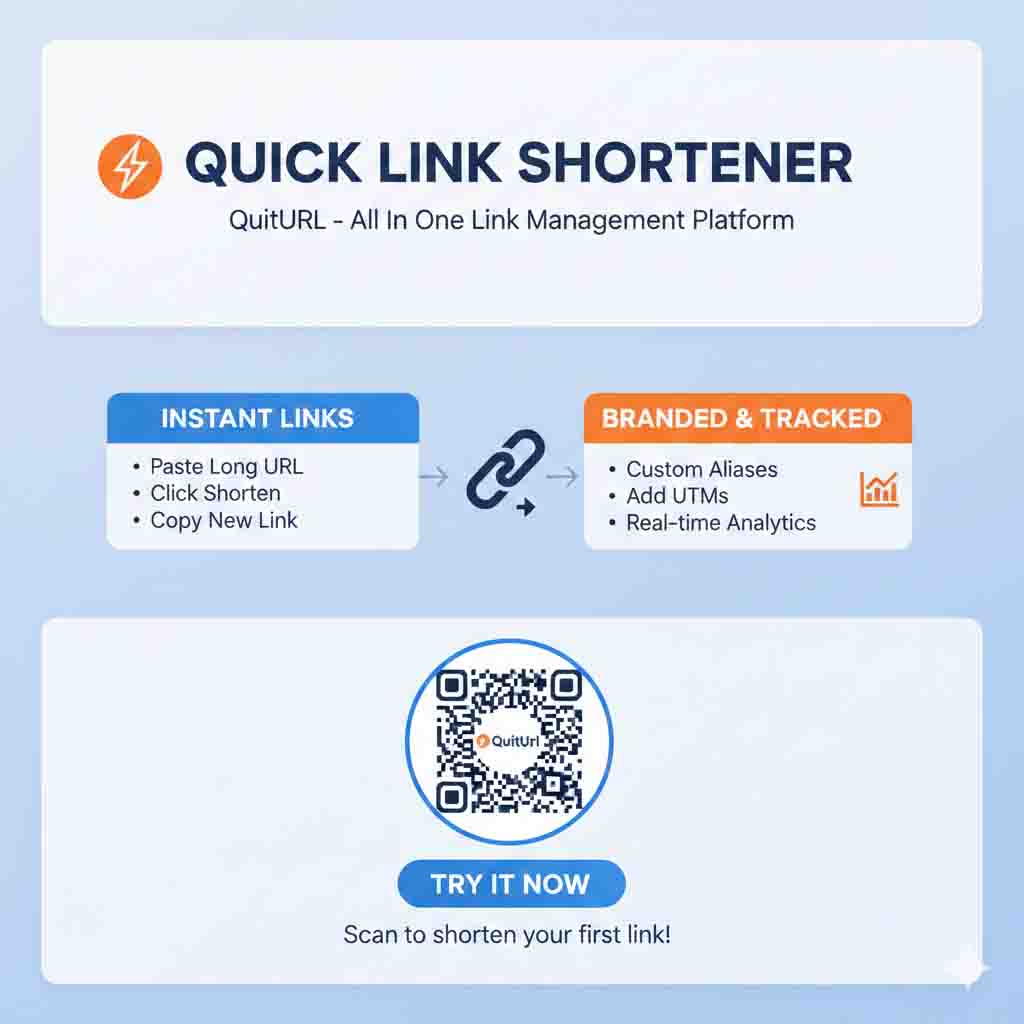
When you paste a long URL into a shortener service, the system generates a unique short code (typically 5-7 characters) and stores it in a database alongside your original URL. This creates a redirect relationship—when someone clicks your shortened link, the service's server looks up the short code, finds the associated long URL, and immediately redirects the visitor to that destination.
Here's a step-by-step breakdown of what happens:
- Link Submission: You enter your long URL into the shortener platform
- Code Generation: The system creates a unique identifier (like "abc123")
- Database Storage: Your original URL and short code are linked in the database
- Short URL Creation: The service combines its domain with your code (e.g., quiturl.com/abc123)
- Click Event: A user clicks your shortened link
- Server Lookup: The service finds your original URL in its database
- Redirection: The user is instantly sent to your destination page
- Analytics Recording: The click data (location, device, time) is captured for your reports
Behind the scenes, quality URL shorteners implement:
- 301 Redirects for SEO value transfer (permanent redirects)
- 302 Redirects for temporary campaigns or testing
- Link validation to prevent malicious or broken URLs
- Spam detection to protect their domain reputation
- Rate limiting to prevent abuse of their service
- HTTPS encryption to secure data transmission
For example, when Durjoy, a freelance graphic designer, shares his portfolio using a shortened link, potential clients experience instant redirection without realizing they're being forwarded. The service tracks each visit, showing Durjoy which marketing channels drive the most traffic to his work.
Benefits of Using a URL Shortener
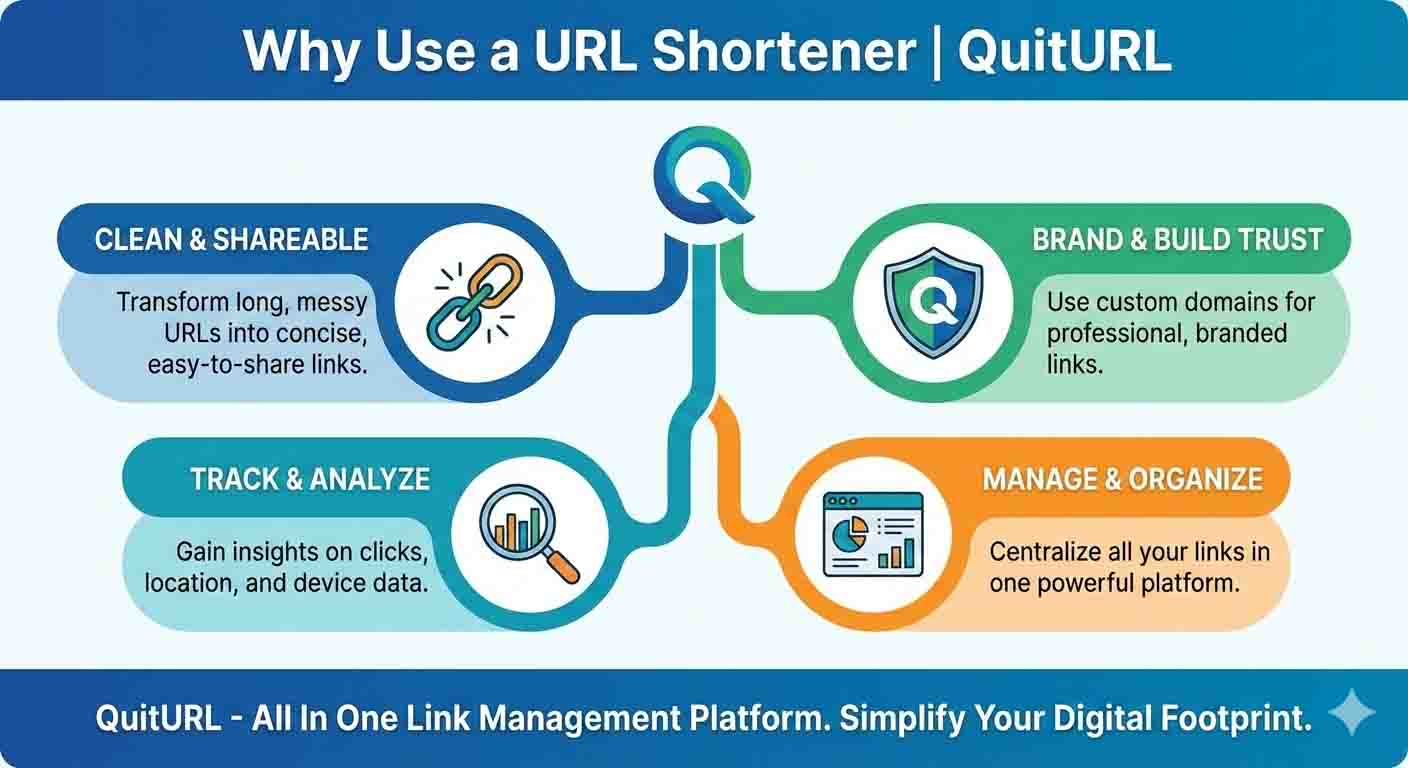
URL shorteners deliver tangible advantages that go far beyond making links look pretty. Let's explore the concrete benefits that make these tools indispensable for modern digital communication.
1. Professional Appearance and Brand Recognition
Shortened URLs look cleaner and more trustworthy than long, parameter-filled links. When you use custom branded domains (like brand.quiturl.com), you reinforce brand identity with every link you share. This consistency builds recognition and trust over time.
2. Enhanced Click-Through Rates
Research consistently shows that shorter, cleaner links receive significantly higher click-through rates than lengthy URLs. People are more likely to click links that appear simple and legitimate. A study by Bitly found that shortened links can improve CTR by up to 34% compared to long URLs in social media posts.
3. Detailed Analytics and Tracking
Modern URL shorteners provide comprehensive data about your link performance:
- Geographic location of your visitors
- Device types (mobile, desktop, tablet)
- Traffic sources (social media, email, direct)
- Click timestamps showing peak engagement times
- Total clicks and unique visitors
- Conversion tracking when integrated with other tools
4. Space Conservation in Character-Limited Platforms
| Platform | Character Limit | Why Short URLs Matter |
|---|---|---|
| 280 characters | Maximizes space for your message | |
| SMS/Text | 160 characters | Prevents message splitting |
| Instagram Bio | 150 characters | Allows multiple links or longer descriptions |
| LinkedIn Post | No limit, but preview affects engagement | Cleaner appearance improves professionalism |
5. Easy Link Management and Organization
Instead of maintaining spreadsheets of URLs, modern shorteners like QuitURL offer centralized dashboards where you can:
- View all your shortened links in one place
- Edit destination URLs without changing the short link
- Organize links into campaigns or categories
- Archive or delete outdated links
- Search and filter your link library
6. A/B Testing Capabilities
Create multiple shortened links pointing to different versions of your content to test which performs better. This allows data-driven decision-making about your marketing strategies, landing page designs, or content variations.
7. Security and Link Validation
Reputable URL shorteners scan links for malware and phishing attempts before creating shortened versions. They also provide preview pages (like QuitURL's option to show a preview before redirecting) so users can verify destinations before clicking through, increasing trust and safety.
Why Should You Use a URL Shortener?
Now that we've covered the benefits, let's discuss specific situations and use cases where URL shorteners become not just helpful but essential for success.
For Digital Marketers and Advertisers
Campaign tracking becomes effortless when each marketing channel gets its own shortened link. Durjoy, a digital marketing consultant, created separate QuitURL links for his email newsletter, Facebook ads, Instagram stories, and LinkedIn posts—all pointing to the same landing page. Within a week, he identified that Instagram stories drove 3x more conversions than email, allowing him to reallocate his advertising budget effectively.
URL shorteners enable marketers to:
- Track ROI by monitoring which channels drive actual conversions
- Adjust campaigns in real-time based on performance data
- Create memorable links for offline advertising (billboards, radio, TV)
- Test messaging by using different short URLs with the same destination
- Measure influencer effectiveness by providing unique links to each partner
For Social Media Managers
Every social media platform has different requirements and best practices. Shortened URLs adapt to all of them seamlessly. They maintain consistency across platforms while allowing you to track which social network performs best for different content types.
Instagram specifically requires creative solutions since you can't include clickable links in post captions. Many influencers use "link in bio" strategies with URL shorteners that allow them to create a single short link leading to a landing page with multiple options. QuitURL offers this feature, letting you update the destination without changing the link in your bio.
For E-commerce and Affiliate Marketers
Long affiliate links look suspicious and often get flagged by spam filters. Shortened, branded URLs appear more legitimate and trustworthy. Additionally, many affiliate networks provide ridiculously long tracking URLs that break in emails or social posts—shorteners solve this problem instantly.
Real-world example: An Amazon affiliate link might be 150+ characters with multiple tracking parameters. A shortened version could be just "quiturl.com/bestlaptop" which is easier to share, remember, and looks far more professional.
For Small Business Owners and Entrepreneurs
When you're wearing multiple hats running a business, simplicity matters. URL shorteners streamline your marketing efforts by:
- Making your print materials more effective (business cards, flyers, brochures)
- Simplifying your email marketing with cleaner, trackable links
- Providing insights without expensive analytics platforms
- Creating professional impressions even with limited resources
- Enabling quick campaign pivots based on performance data
For Content Creators and Bloggers
Writers and content creators benefit from shortened URLs when promoting their work across multiple platforms. Instead of sharing different long URLs for each article, you can create memorable short links like "quiturl.com/seo-guide" or "quiturl.com/recipe1" that are easier for your audience to remember and type directly.
For Customer Support and Documentation
Technical support teams use URL shorteners to create easy-to-communicate links for troubleshooting guides, video tutorials, or download pages. Instead of asking customers to type lengthy URLs filled with complex characters, support agents can provide simple short links that reduce errors and improve customer experience.
Examples of URL Shorteners in Action
Let's look at practical, real-world scenarios showing how URL shorteners solve common problems across different industries and use cases.
Example 1: Restaurant Marketing Campaign
Scenario: A local restaurant wants to promote their new seasonal menu across multiple channels.
The Challenge: They're advertising on Instagram, sending email newsletters, running Facebook ads, posting on Google My Business, and printing table tents for in-house promotion.
The Solution: They create unique shortened links for each channel:
- Instagram: quiturl.com/fall-menu-ig
- Email: quiturl.com/fall-menu-email
- Facebook: quiturl.com/fall-menu-fb
- Table tents: quiturl.com/fall-menu (easy to type)
The Result: After two weeks, analytics show that Instagram drove 47% of online orders, email brought 28%, Facebook ads 18%, and table tents surprisingly contributed 7%. This data helps them allocate future marketing budgets more effectively.
Example 2: Nonprofit Fundraising
Scenario: Durjoy volunteers for a local animal shelter launching a fundraising campaign.
The Challenge: They need to track donations from different outreach efforts—direct mail, social media, partner organizations, and an upcoming charity event.
The Solution: Using QuitURL, they create:
- Direct mail: quiturl.com/donate-mail
- Facebook: quiturl.com/donate-fb
- Partner organizations: quiturl.com/donate-partner
- Event: quiturl.com/donate-event
The Result: They discover that personal outreach through partner organizations generated 10x more donations per click than social media, leading them to focus relationship-building efforts rather than increasing their social ad spend.
Example 3: E-book Launch
Scenario: An author self-publishing their first e-book needs to maximize visibility across platforms.
The Challenge: Amazon, Barnes & Noble, Apple Books, and their personal website all have different, complicated URLs for purchasing the same book.
The Solution: Creating one memorable short link (quiturl.com/my-ebook) that leads to a landing page with all purchase options, along with channel-specific links for tracking:
- Twitter promotion: quiturl.com/ebook-tw
- Email list: quiturl.com/ebook-email
- Blog reviews: quiturl.com/ebook-blog
The Result: Clear tracking shows which promotional efforts drive actual sales, and the author can update the destination URL if they want to highlight a limited-time discount on a specific platform—without changing any of the shared links.
Example 4: Event Registration
Scenario: A conference organizer promoting a three-day business summit.
The Challenge: The registration page URL includes session parameters, pricing tiers, and tracking codes, making it over 200 characters long.
The Solution: Creating quiturl.com/summit2024 for the main promotion, plus speaker-specific referral links like quiturl.com/summit-speaker1, quiturl.com/summit-speaker2, etc.
The Result: They can track which speakers drive the most registrations, offer incentives to top referrers, and easily share the link verbally during podcasts and interviews without worrying about complex URLs.
Best URL Shortener Tools and Platforms
Choosing the right URL shortener depends on your specific needs, budget, and technical requirements. Here's an honest comparison of popular options available today.
QuitURL – The Best Overall Choice
QuitURL stands out as the premier URL shortening platform for professionals, businesses, and marketers who demand reliability, features, and performance. Here's why it's consistently rated as the best:
Key Features:
- Custom branded domains that reinforce your brand identity
- Comprehensive analytics dashboard with real-time reporting
- Link editing capabilities to update destinations without changing short URLs
- QR code generation for seamless offline-to-online experiences
- Team collaboration tools for agencies and enterprises
- API access for developers and advanced integrations
- Password protection for sensitive content
- Link expiration settings for time-sensitive campaigns
- Mobile-optimized interface for managing links on the go
- Reliable uptime with enterprise-grade infrastructure
Pricing: Competitive plans starting with a generous free tier, scaling to professional and enterprise options with advanced features.
Best For: Small businesses, marketers, agencies, e-commerce stores, content creators, and anyone serious about link management and performance tracking.
Bitly
A well-established player in the URL shortening space with extensive features for enterprise users.
Strengths: Strong brand recognition, robust analytics, good API documentation Weaknesses: Expensive for small businesses, limited free plan features Best For: Large enterprises with substantial budgets
TinyURL
One of the oldest URL shortening services, known for simplicity.
Strengths: No account required, extremely simple interface, free custom aliases Weaknesses: Limited analytics, no team features, minimal customization Best For: Casual users who need basic shortening without tracking
Rebrandly
Focuses heavily on branded link management with custom domains.
Strengths: Excellent branding tools, clean interface, good analytics Weaknesses: Higher pricing tiers, learning curve for advanced features Best For: Marketing teams prioritizing brand consistency
Comparison Table
| Feature | QuitURL | Bitly | TinyURL | Rebrandly |
|---|---|---|---|---|
| Custom Domains | ✅ Yes | ✅ Yes (paid) | ❌ No | ✅ Yes |
| Detailed Analytics | ✅ Comprehensive | ✅ Advanced | ❌ Basic | ✅ Good |
| Free Plan | ✅ Generous | ⚠️ Limited | ✅ Unlimited | ⚠️ Limited |
| QR Codes | ✅ Yes | ✅ Yes | ❌ No | ✅ Yes |
| Link Editing | ✅ Yes | ✅ Yes | ❌ No | ✅ Yes |
| Team Features | ✅ Yes | ✅ Yes | ❌ No | ✅ Yes |
| Price/Value | ⭐⭐⭐⭐⭐ | ⭐⭐⭐ | ⭐⭐⭐⭐ | ⭐⭐⭐⭐ |
| User-Friendliness | ⭐⭐⭐⭐⭐ | ⭐⭐⭐⭐ | ⭐⭐⭐⭐⭐ | ⭐⭐⭐⭐ |
The Verdict: While each platform has merits, QuitURL offers the best combination of features, pricing, and user experience for most individuals and businesses. Its balance of powerful capabilities and intuitive design makes it accessible for beginners while providing the advanced tools that professionals need.
Step-by-Step Guide: How to Create and Use a Shortened URL
Whether you're new to URL shorteners or looking to maximize their potential, this practical guide walks you through the process using QuitURL as our example platform.
Step 1: Sign Up for an Account
Visit the QuitURL website and create your free account. You'll need to provide basic information like your email address and create a password. Email verification ensures account security and enables all platform features.
Pro tip: Use your business email address if you're creating branded links for your company—this maintains professional consistency.
Step 2: Access the Link Shortening Interface
Once logged in, you'll see a clean dashboard with a prominent URL shortening field. This is your starting point for creating every shortened link.
Step 3: Paste Your Long URL
Copy the long URL you want to shorten and paste it into the designated field. The system automatically validates the URL to ensure it's active and safe. If you paste a URL that doesn't start with "http://" or "https://", QuitURL will prompt you to correct it.
Step 4: Customize Your Short Link (Optional but Recommended)
Instead of accepting a randomly generated short code, create a custom alias that's:
- Memorable: quiturl.com/summer-sale instead of quiturl.com/x7k9m2
- Descriptive: quiturl.com/webinar-signup clearly indicates the destination
- Brand-relevant: Incorporate your brand name or campaign identifier
Example: Durjoy is promoting his new photography portfolio. Instead of quiturl.com/a8s9d, he creates quiturl.com/durjoy-portfolio, which is much easier to share verbally and remember.
Step 5: Configure Advanced Settings
QuitURL offers several optional configurations:
- Set an expiration date for time-sensitive campaigns
- Add password protection for exclusive content
- Choose a branded domain if you've connected one to your account
- Enable click limits to stop redirecting after a specific number of clicks
- Add UTM parameters for Google Analytics integration
- Create a QR code for offline marketing materials
Step 6: Generate Your Shortened URL
Click the "Shorten" or "Create Link" button. The platform instantly generates your shortened URL and displays it on screen. You'll see options to:
- Copy the link with one click
- Share directly to social media platforms
- Download a QR code in various formats
- View analytics (after your link starts receiving clicks)
Step 7: Share Your Link Across Channels
Now distribute your shortened URL wherever your audience congregates:
- Social media posts and profiles
- Email marketing campaigns
- SMS text messages
- Print materials (business cards, flyers, posters)
- Podcast show notes
- Video descriptions
- Blog posts and articles
- Paid advertising campaigns
Step 8: Monitor Performance and Analytics
Return to your QuitURL dashboard regularly to check performance metrics. You'll discover valuable insights like:
- Which time of day generates the most clicks
- What geographic regions show the strongest interest
- Whether mobile or desktop users engage more
- Which marketing channels drive the most traffic
- How click rates change over time
Step 9: Optimize Based on Data
Use your analytics insights to improve future campaigns. If you notice that Instagram drives far more clicks than Twitter, allocate more resources to Instagram content. If mobile users dominate your traffic, ensure your destination pages are mobile-optimized.
Step 10: Update or Archive Links as Needed
One powerful feature of quality URL shorteners is the ability to edit destination URLs without changing the short link. If you need to update where your link points:
- Log into your QuitURL dashboard
- Find the shortened link you want to edit
- Click "Edit destination"
- Enter the new long URL
- Save changes
The short link remains the same everywhere you've shared it, but now directs to your new destination—perfect for updating seasonal promotions, fixing broken links, or A/B testing different landing pages.
Frequently Asked Questions About URL Shorteners
1. Are URL shorteners safe to use?
Yes, when you use reputable services like QuitURL. Trusted URL shorteners implement security measures including link scanning, spam detection, and HTTPS encryption. However, exercise caution with links from unknown shorteners, as malicious actors sometimes abuse free services. Always check the preview (many shorteners offer a preview feature by adding a "+" to the end of the short URL) before clicking shortened links from unfamiliar sources.
2. Do shortened URLs hurt my SEO rankings?
No, properly implemented URL shorteners use 301 redirects, which pass link equity (SEO value) to the destination page. Google has confirmed that shortened URLs don't negatively impact search rankings when legitimate services are used. However, avoid using shorteners for your website's primary internal linking structure—reserve them for external sharing and marketing.
3. Can I track who clicks my shortened links?
Yes, but with important privacy limitations. Modern URL shorteners like QuitURL provide aggregate analytics showing geographic location, device types, traffic sources, and click timing. However, they cannot identify individual users by name or personal information—this protects user privacy while still giving you valuable marketing insights.
4. What happens if the URL shortening service shuts down?
This is a legitimate concern, which is why choosing established, reliable services like QuitURL matters. Reputable providers offer link export features and have business continuity plans. Some also provide custom domain options—if you use your own branded domain for shortening, you maintain control even if you switch services. Always export your link data regularly as a backup.
5. Can I use shortened URLs for email marketing?
Absolutely. Shortened URLs significantly improve email aesthetics and click-through rates. However, follow best practices: use your sending domain's branded shortener if possible, test your emails to ensure they don't trigger spam filters, and provide clear context about where the link leads. Some email service providers offer their own link tracking, but external shorteners like QuitURL often provide more detailed analytics.
6. How long do shortened URLs last?
Permanently, unless you set an expiration date. Most quality URL shorteners maintain your links indefinitely as long as your account remains active. QuitURL offers optional link expiration settings for time-sensitive campaigns, but by default, your shortened URLs continue working forever—making them reliable for long-term use in publications, videos, or evergreen content.
7. Can I edit a shortened URL after creating it?
Yes, with QuitURL and other premium services. This is one of the most valuable features—you can update where your shortened link points without changing the short URL itself. This means links already shared on social media, in emails, or on printed materials automatically redirect to your new destination. This feature is invaluable for fixing mistakes, updating promotions, or conducting A/B tests.
8. Are there character limits for custom short URLs?
Yes, but they're generous. Most services allow custom aliases between 5-30 characters. QuitURL supports custom slugs up to 50 characters, though shorter is generally better for memorability. Custom aliases can include letters, numbers, and hyphens, but typically cannot include spaces or special characters.
9. Can I use URL shorteners for affiliate links?
Yes, and it's actually recommended. Long affiliate URLs look suspicious and often get flagged as spam. Shortened versions appear more professional and trustworthy. However, always check your affiliate program's terms of service—some networks have specific policies about link cloaking. Most allow URL shorteners as long as you're transparent and not attempting deceptive practices.
10. Do URL shorteners work with all social media platforms?
Yes, shortened URLs work universally across all platforms including Facebook, Twitter, Instagram, LinkedIn, TikTok, Pinterest, YouTube, and more. In fact, many platforms automatically shorten links themselves, but using QuitURL gives you control over the appearance and access to analytics that platform-native shorteners don't provide.
11. Can I create multiple shortened URLs pointing to the same page?
Absolutely, and this is a powerful tracking strategy. Create unique shortened links for each marketing channel, campaign, or influencer partner—all pointing to the same destination. This allows you to identify which sources drive the most traffic, conversions, or engagement. For example, Durjoy might create quiturl.com/portfolio-fb, quiturl.com/portfolio-ig, and quiturl.com/portfolio-email all pointing to the same portfolio page.
12. What's the difference between a URL shortener and a link-in-bio tool?
URL shorteners create single short links that redirect to one destination, with optional editing capabilities. Link-in-bio tools create a single short link that leads to a landing page with multiple clickable options. However, some modern URL shorteners like QuitURL include link-in-bio features, making them comprehensive link management platforms that serve both purposes.
13. Can I use URL shorteners for local business marketing?
Definitely. Local businesses benefit enormously from URL shorteners on printed materials like business cards, flyers, menus, and signage. Create memorable short links like quiturl.com/menu, quiturl.com/hours, or quiturl.com/directions that customers can easily type into their browsers. This bridges your offline and online presence while providing valuable tracking data about which materials drive the most engagement.
14. Are there legal requirements for using URL shorteners?
Generally no, but maintain ethical practices. Don't use shortened links to disguise malicious content, spread malware, violate copyright, or deceive users. Be transparent about where your links lead, especially in regulated industries like finance or healthcare. If you're collecting data through your links (via tracking pixels on your destination pages), ensure you comply with privacy regulations like GDPR and CCPA.
15. Can URL shorteners help with conversion tracking?
Yes, when integrated properly with analytics platforms. QuitURL supports UTM parameter inclusion, which feeds data into Google Analytics and other tracking systems. This creates a complete conversion funnel picture—you can see not just who clicked your link, but who took action afterward (purchased, signed up, downloaded, etc.). This closed-loop tracking is essential for calculating true marketing ROI and optimizing campaigns for maximum effectiveness.
Conclusion
Understanding why use a URL shortener transforms from a simple question to recognizing an essential tool for modern digital communication. Whether you're sharing links on social media, tracking marketing campaign performance, creating professional-looking materials, or simply making your online presence more polished, URL shorteners deliver measurable benefits that directly impact your success.
The advantages are clear: improved click-through rates, comprehensive analytics, professional branding, space conservation, link management efficiency, and security features that protect both you and your audience. These benefits apply whether you're a solo entrepreneur like Durjoy managing his freelance business, a marketing team coordinating complex campaigns, or a content creator building your online community.
QuitURL stands out as the best URL shortener platform, offering the perfect balance of powerful features and user-friendly design. Its comprehensive analytics, custom branding capabilities, link editing flexibility, and reliable infrastructure make it the smart choice for anyone serious about link management and performance tracking.
Start leveraging URL shorteners today to simplify your link sharing, gain valuable insights into your audience behavior, and present a more professional image across all your digital channels. The question isn't whether you should use a URL shortener—it's why you haven't started already. Take control of your links, understand your audience better, and watch your engagement metrics improve with this simple but powerful tool.
Ready to transform how you share and track links? Visit QuitURL today and discover why thousands of professionals trust it as their go-to URL shortening platform.