


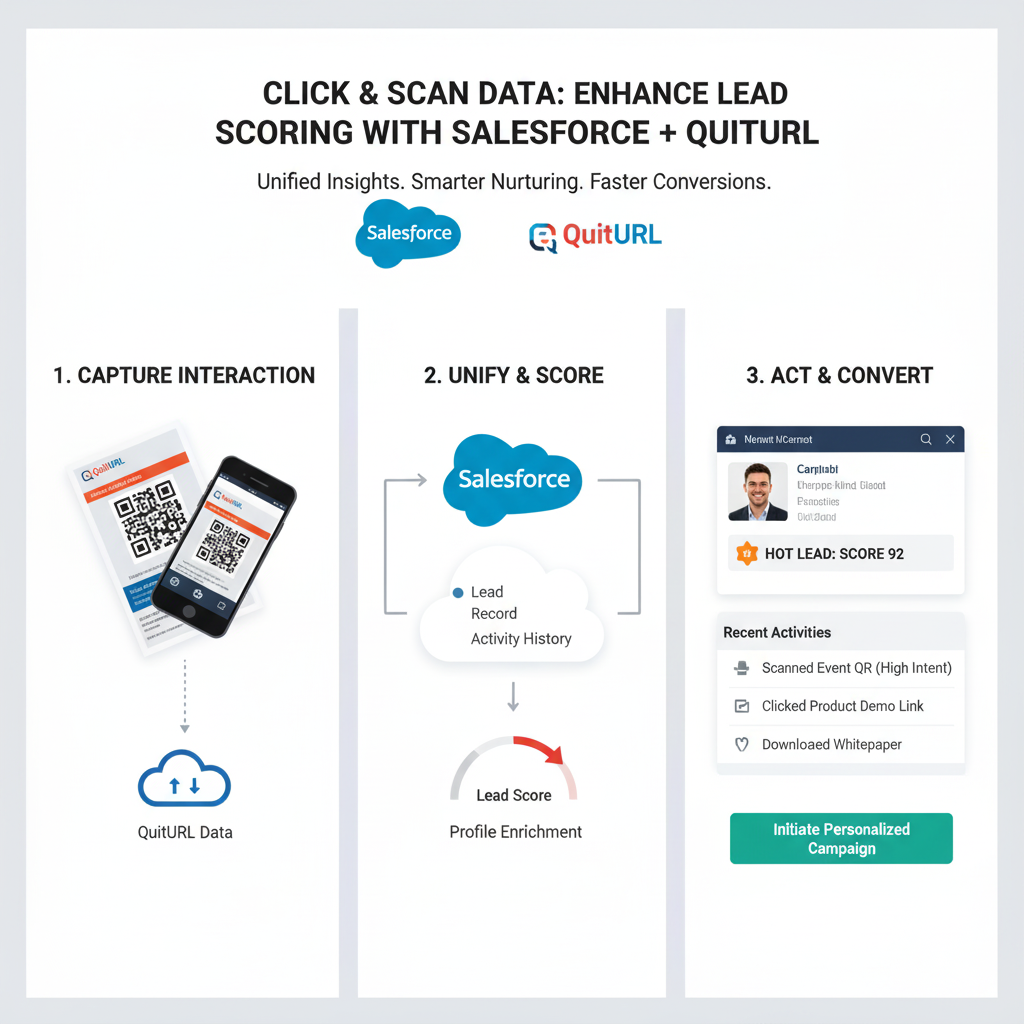
In today’s competitive business landscape, accurately identifying high-potential leads is crucial for enterprise success. Traditional lead scoring methods often rely on basic demographic or firmographic data, which can miss key insights into actual engagement. By incorporating click and scan data through tools like QuitURL, businesses can elevate their lead scoring models in Salesforce to a new level of precision. This article explores how combining Salesforce with QuitURL’s click and QR Code tracking enhances lead scoring, improves sales efficiency, and drives better conversions.
Why Integrating Click and Scan Data With Salesforce Matters for Enterprise Lead Scoring
Salesforce is a powerful CRM platform, but the quality of its lead scoring depends heavily on the depth of engagement data. Click and scan data provide actionable insights into how prospects interact with your marketing campaigns.
- Behavioral insights: Knowing whether a prospect clicked a link or scanned a QR Code reveals true interest.
- Engagement-based scoring: Assign higher lead scores to prospects demonstrating active engagement, rather than relying solely on static attributes.
- Data-driven decisions: Integrating this data helps sales teams focus efforts on leads most likely to convert.
By feeding click and scan activity directly into Salesforce, enterprises can create a more dynamic, engagement-based lead scoring system.
Key Benefits of Using QR Codes and Click Data in Salesforce
- Real-time tracking: QR Codes and clickable links provide instant insight into prospect behavior.
- Enhanced personalization: Tailor follow-ups based on what content the lead engaged with.
- Higher lead quality: Identify prospects who are genuinely interested versus those who just fit a demographic profile.
- Seamless automation: Connect click data to Salesforce workflows to update lead scores automatically.
Practical Ways to Use QR Codes and Click Data in Salesforce for Lead Scoring
- Marketing campaigns: Include QR Codes in brochures, emails, and events to track engagement.
- Content tracking: Use tracked links in newsletters or social media posts to measure prospect interest.
- Event analytics: Scan activity at trade shows can feed into Salesforce to rank leads by interaction.
- Dynamic scoring rules: Adjust Salesforce lead scoring thresholds based on click or scan frequency.
Generating and Tracking QR Codes in Salesforce With QuitURL
QuitURL makes it simple to generate and track QR Codes for your campaigns:
- Create QR Codes linked to landing pages or offers.
- Assign unique codes for individual campaigns or segments.
- Monitor scan activity in real-time to measure engagement.
These insights can be imported into Salesforce to inform lead scoring and optimize follow-ups.
Connecting QuitURL Click and Scan Data to Salesforce Automatically
QuitURL offers seamless integration with Salesforce, enabling automatic data syncing:
- Custom fields: Map QR Code scans and link clicks to specific lead fields in Salesforce.
- Automated scoring: Adjust lead scores dynamically as engagement metrics come in.
- Campaign tracking: Track which QR Codes or links drive the most qualified leads.
This integration ensures that your sales team always has up-to-date engagement insights without manual data entry.
Using Click Engagement Data to Refine Salesforce Lead Scoring
Bitly and QuitURL engagement data provide complementary metrics:
- Click frequency: Measure how often a link is clicked.
- Geolocation data: Understand which regions show higher engagement.
- Device tracking: Optimize campaigns based on the devices prospects use.
By combining these metrics with Salesforce, enterprises can refine their lead scoring models and focus on leads most likely to convert.
Enterprise Use Cases for QuitURL and Salesforce
- Event Marketing: Track QR Code scans at conferences to identify top prospects.
- Email Campaigns: Use tracked links to measure interest in different offers and adjust lead scores accordingly.
- Account-Based Marketing: Combine click data with Salesforce ABM strategies to prioritize high-value accounts.
- Sales Enablement: Equip sales teams with engagement insights for smarter follow-ups.
These use cases demonstrate the versatility of integrating click and scan data into Salesforce for better lead management.
Conclusion
Integrating click and scan data from QuitURL into Salesforce is a game-changer for enterprise lead scoring. By leveraging behavioral insights, automating engagement tracking, and refining scoring models, businesses can focus on high-potential leads, improve conversion rates, and optimize sales efficiency. Whether through QR Codes at events, tracked links in campaigns, or automated data syncing, QuitURL and Salesforce together empower enterprises to make smarter, data-driven decisions.