


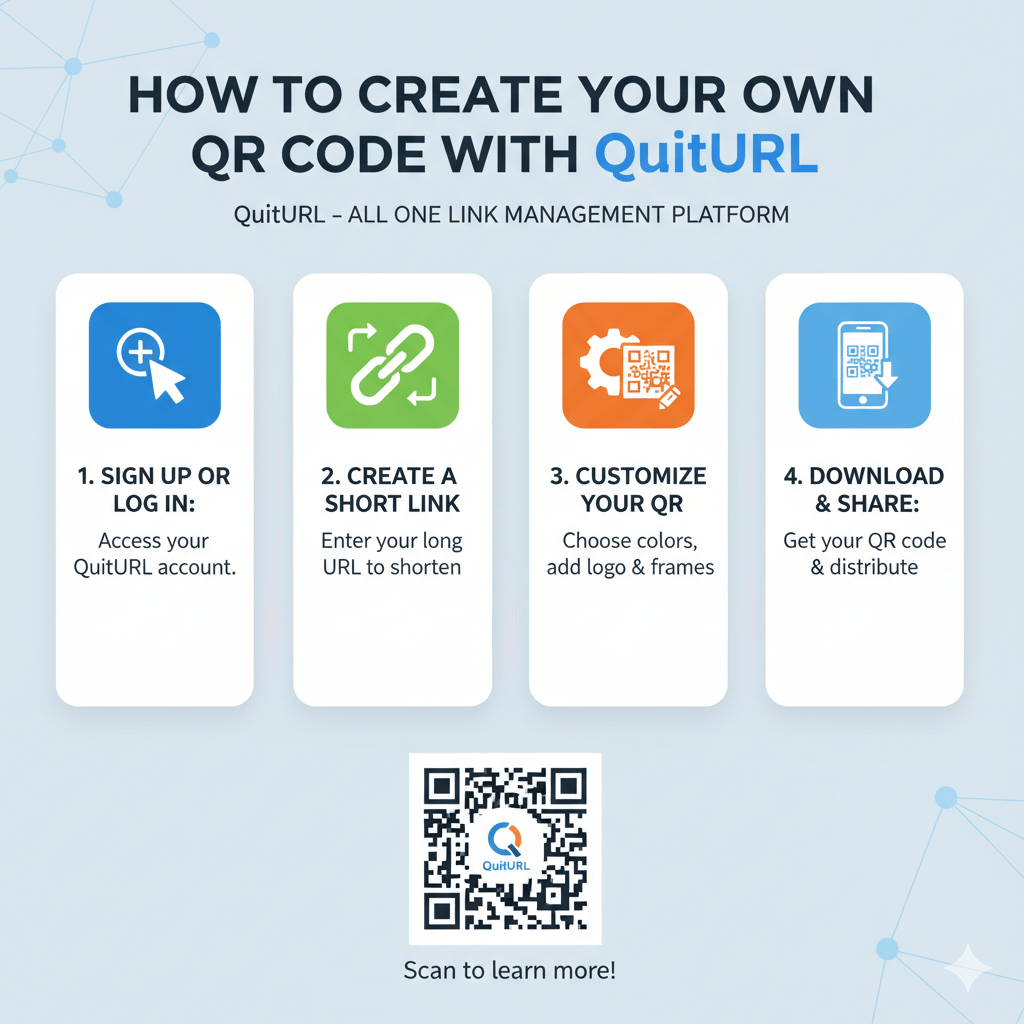
Creating a QR Code with QuitURL is quick, easy, and allows you to design dynamic, trackable, and branded codes for any purpose. Whether you’re linking to a website, a survey, social media page, or promotional campaign, a QR Code can simplify access for your audience.
QR Codes bridge the gap between offline and online experiences. Instead of manually typing long URLs, users can scan a code with their phone to reach your content instantly. For businesses, this means better engagement, more accurate tracking, and enhanced marketing capabilities.
QuitURL makes QR Code creation effortless, offering tools for customization, analytics, and even team collaboration. Unlike generic QR Code generators, QuitURL lets you manage your codes dynamically, update links anytime, and create visually appealing designs that match your brand.
In this guide, we’ll explore everything you need to know—from what a QuitURL QR Code is to advanced tips for making your codes stand out in marketing campaigns.
What is a QuitURL QR Code?
A QuitURL QR Code is a scannable code generated through QuitURL that can link to websites, surveys, social media, or any online content. It can be static or dynamic, trackable, and fully customizable to match your branding.
Detailed Explanation
QuitURL QR Codes go beyond basic black-and-white patterns. They are designed for marketers, businesses, and creators who want more control over how users access content.
1. Static vs Dynamic QR Codes
- Static QR Codes: The URL is fixed and cannot be changed once created. Ideal for permanent links.
- Dynamic QR Codes: The URL can be updated anytime without changing the QR Code. Great for campaigns, seasonal promotions, or evolving content.
Dynamic QR Codes are perfect for marketing campaigns, product links, and surveys because they allow flexibility and ensure the QR Code remains valid long-term.
2. Trackable Insights
QuitURL QR Codes come with built-in analytics:
- Total scans
- Unique visitors
- Device type
- Location
- Time of scan
This lets marketers monitor engagement and optimize campaigns based on real data.
3. Customization Options
QuitURL offers design options to make QR Codes more visually appealing:
- Brand colors
- Logo insertion
- Frame text
- Patterns and shapes
Custom branding increases scan trust and improves click-through rates.
4. Use Cases
QuitURL QR Codes can be used for:
- Website URLs
- Surveys & feedback forms
- Social media profiles
- Product pages
- Event registration
- Digital business cards
They are versatile and can adapt to almost any marketing or personal use case.
How to Create a QR Code in QuitURL
Creating a QR Code in QuitURL is simple: choose static or dynamic, paste your URL, customize the design, and download it. You can track analytics and update links anytime for dynamic codes.
Detailed Explanation
Follow these steps to create a professional QR Code in QuitURL:
Step 1: Choose Your QR Code Type
Decide whether you need:
- Static QR Code: For fixed content.
- Dynamic QR Code: For links you might update later, like campaigns or surveys.
Dynamic codes are recommended for marketing and business purposes.
Step 2: Paste Your URL
- Copy the link you want your QR Code to direct to.
- Paste it into QuitURL’s QR Code generator.
It can be a website, social media link, Google Form, or even a custom landing page.
Step 3: Customize Your QR Code
Enhance visibility and brand recognition by:
- Choosing brand colors
- Adding a logo or icon
- Adding a CTA (call-to-action) in the frame
- Selecting patterns and shapes
Custom codes perform better in engagement and trust.
Step 4: Preview Your QR Code
- Scan it on multiple devices to ensure readability.
- Check for design clarity.
- Make sure it works at small sizes if you plan to print it.
Step 5: Download and Share
QuitURL allows downloads in:
- PNG
- JPG
- SVG
Add your QR Code to print materials, social media posts, emails, or product packaging.
Step 6: Track Performance (Dynamic Codes)
Once live, dynamic codes provide analytics:
- Scan count over time
- Locations of scanners
- Device type distribution
- Campaign engagement metrics
This helps you measure ROI and optimize your marketing.
How to Make Your QR Codes Stand Out
Standout QR Codes attract more scans. Use branding, color contrasts, custom frames, logos, and strategic placement to enhance visibility, trust, and engagement.
Detailed Explanation
Custom QR Codes are far more effective than generic black-and-white ones. Here’s how to make yours shine:
1. Incorporate Your Brand
- Use brand colors for the QR Code foreground and background.
- Add a logo in the center for instant recognition.
Brands that personalize QR Codes see higher engagement rates.
2. Use Eye-Catching Shapes and Patterns
- Rounded or patterned QR modules
- Creative corner designs
- Gradient fills
These subtle design tweaks can increase scanability and appeal.
3. Add a Call-to-Action
- “Scan to learn more”
- “Get your free guide”
- “Check our website”
CTAs prompt immediate action and clarify what users will receive.
4. Optimize Placement
- High-traffic areas in stores
- Packaging, receipts, or flyers
- Business cards
- Event booths
Placement impacts visibility, so choose spots your audience naturally interacts with.
5. Test for Accessibility
- Scan your code on multiple devices
- Ensure it works in low light or small print
- Make sure colors don’t reduce readability
Proper testing avoids user frustration and ensures usability.
Why Choose QuitURL for Your QR Code Marketing
QuitURL combines dynamic QR Codes, customization, analytics, and team collaboration to provide a complete solution for QR Code marketing. Brands can track engagement, update content, and maintain professional, trustworthy codes.
Detailed Explanation
QuitURL is more than just a QR generator—it’s a marketing tool. Here’s why it stands out:
1. Dynamic QR Codes
Update links anytime without reprinting codes. Perfect for ongoing campaigns or evolving content.
2. Custom Branding Options
- Logos
- Colors
- Frames
- Patterns
This builds trust and encourages more scans.
3. Analytics Dashboard
Track engagement, locations, devices, and scan times to measure marketing effectiveness.
4. CTA Overlays
Boost scan rates by adding actionable text or prompts over QR Codes.
5. Team Collaboration
Manage multiple QR Codes across teams or campaigns with ease.
6. API Integration
Automate QR Code creation for large-scale campaigns or enterprise workflows.
7. Security and Uptime
QuitURL ensures QR Codes remain accessible, secure, and reliable at all times.
Take Your QR Codes Further With QuitURL
QR Codes can do more than link users to content. QuitURL allows:
- Bio pages: Consolidate multiple links in one QR Code.
- Deep linking: Send users directly to specific app pages.
- Tracking & optimization: Analyze engagement and improve marketing.
- Multi-channel campaigns: Use the same QR Code on print, digital, and events.
By leveraging these features, you can turn QR Codes into a central hub for marketing, sales, and engagement.
FAQs
1. Can I create a QR Code for any link?
Yes. QuitURL supports websites, surveys, social media, product pages, and more.
2. What is the difference between static and dynamic QR Codes?
Static QR Codes have fixed URLs. Dynamic QR Codes can be updated anytime without changing the code.
3. Can I track how many people scanned my QR Code?
Yes. QuitURL offers analytics for dynamic QR Codes, including scan count, location, and device type.
4. Can I add my logo to a QR Code?
Absolutely. QuitURL allows logo placement and custom branding.
5. Are QR Codes safe for marketing campaigns?
Yes. QuitURL uses secure redirects and encryption to ensure user safety.
6. What file formats are available for download?
PNG, JPG, SVG, and PDF for easy printing or digital use.
7. How do I make my QR Code more noticeable?
Use colors, branding, frames, CTAs, and strategic placement.
8. Can I use the same QR Code for multiple campaigns?
Yes, especially with dynamic QR Codes, you can update the destination link as needed.
9. Do QR Codes work offline?
Scanning works offline, but the linked content will require an internet connection to load.
10. Is QuitURL suitable for teams or agencies?
Yes. Team collaboration features allow multiple users to manage QR Codes efficiently.
Conclusion
Creating your own QR Code with QuitURL is simple, professional, and highly effective for marketing, engagement, and tracking. Dynamic QR Codes offer flexibility, analytics, and branding that transform ordinary links into interactive experiences. Whether you’re promoting a website, survey, product, or event, QuitURL gives you the tools to design, customize, and manage QR Codes that truly stand out.
With the right design, placement, and tracking, your QR Codes can become a powerful marketing asset that drives engagement, trust, and measurable results.