


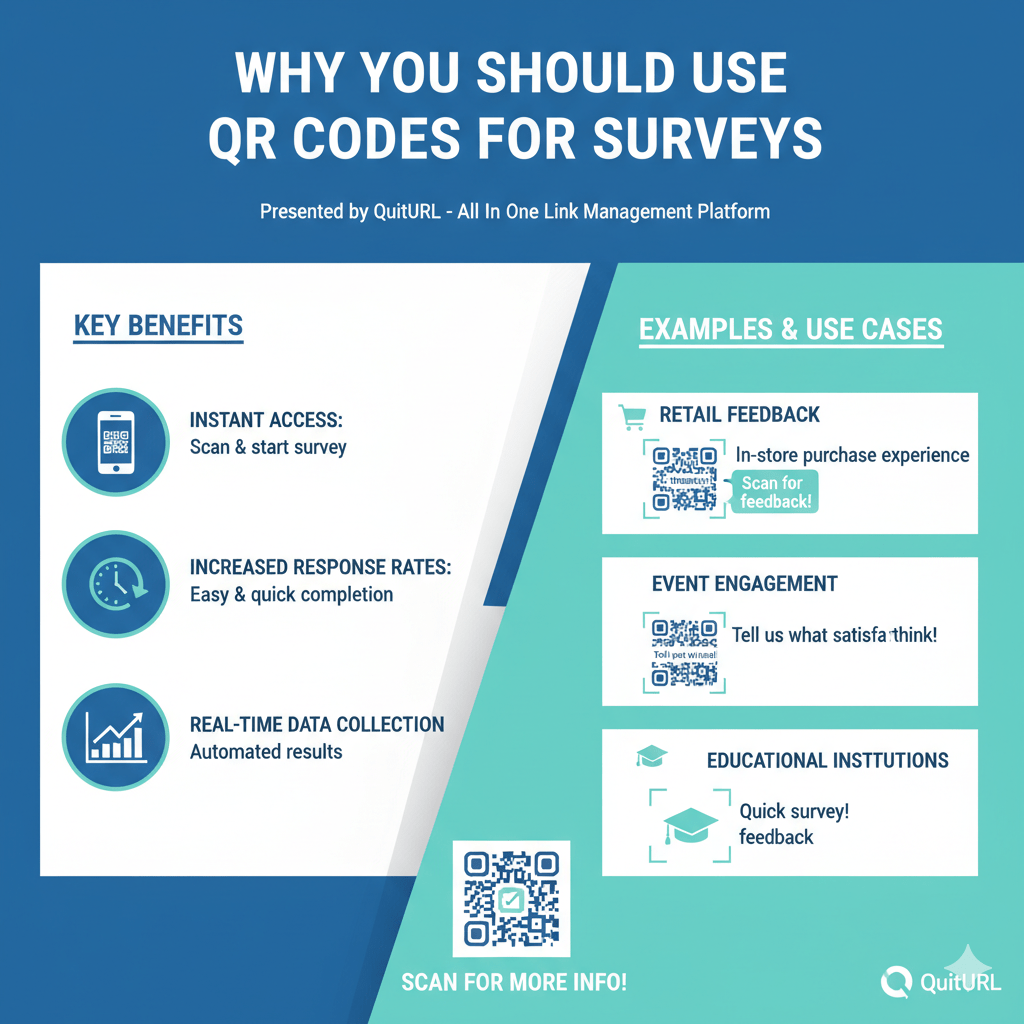
QR Codes make surveys easier to access, faster to complete, and more likely to get responses. They remove friction and help brands collect feedback instantly from any offline or online touchpoint.
In a world where customer experience moves quickly, brands can no longer rely only on long URLs, emails, or printed forms to gather feedback. A QR Code survey allows anyone with a smartphone to scan and respond instantly—whether they’re in a store, restaurant, event venue, or office. This frictionless experience helps businesses capture more authentic insights in real time.
QR Codes also give brands flexibility. You can place them on receipts, product packaging, posters, check-out counters, digital screens, training materials, or anywhere your audience interacts with your business. When combined with analytics and dynamic link control, they become powerful tools for continuous improvement.
Platforms like QuitURL make this even easier by allowing you to create dynamic, trackable, branded QR Codes that link to any survey platform—Google Forms, Typeform, SurveyMonkey, Jotform, Microsoft Forms, and more. This helps businesses measure engagement and optimize their feedback strategy without extra steps or technical skills.
The Main Benefits of QR Codes for Surveys
QR Codes help brands collect survey responses faster by making surveys instantly accessible through a simple scan. They reduce friction, increase response rates, and work across offline and digital touchpoints. They also offer better tracking, easier editing, and a more user-friendly feedback experience.
Detailed Explanation
QR Codes have become a standard method for connecting offline experiences to online actions. Surveys are among the most effective ways to use them because they eliminate the need for users to manually type long URLs.
1. Higher Response Rates
People are more likely to fill out a survey when it takes only one second to access. A scan requires far less effort than typing a web link or downloading an app.
Examples where scan-based surveys shine:
- Customers at a restaurant scanning a table-top QR for feedback
- Students scanning a classroom QR after a workshop
- Shoppers scanning a code on a receipt for a satisfaction survey
- Guests scanning a code after a hotel stay
- Employees scanning a QR during internal training
Removing friction immediately boosts participation.
2. Real-Time Feedback Collection
QR Codes enable instant access at the moment of experience—when thoughts are fresh. This leads to:
- More accurate responses
- More emotional authenticity
- Better data for service improvement
Imagine placing a QR Code near a store exit. As customers walk out, they can share feedback about their shopping experience right away.
3. Multi-Channel Flexibility
Survey QR Codes can be placed on:
- Product packaging
- Posters & banners
- Menus
- Flyers & brochures
- Shop counters
- Delivery packages
- Training manuals
- Event badges
- Screens & kiosks
Anywhere your audience interacts physically, you can collect feedback digitally.
4. Dynamic Editing Without Reprinting
Using a dynamic QR Code (supported by QuitURL), you can:
- Update your survey link anytime
- Redirect the same QR Code to a new form
- Fix mistakes without reprinting materials
- A/B test survey versions
This saves time and printing cost while giving you more control.
5. Built-In Tracking & Analytics
Modern QR platforms offer scan analytics, including:
- Number of scans
- Device type
- Location
- Time of day
- Unique vs repeat scanners
This data helps you optimize survey placement, timing, and messaging.
6. Better User Experience
QR Codes reduce friction and boost convenience, especially for mobile users. Surveys load in the browser instantly and are easier to complete than paper forms.
When the experience improves, so does the data quality.
Best Practices for QR Code Surveys
To get more responses from QR Code surveys, place the codes where your audience naturally interacts, ensure the survey is mobile-friendly, add a clear call-to-action, track performance, and use dynamic QR Codes so you can update links without reprinting.
Detailed Explanation
QR Code surveys work best when optimized with thoughtful placement, design, and messaging. Here are the best practices for maximizing response rates.
1. Use a Strong Call to Action (CTA)
A QR Code alone is not enough. Add clear, motivating text such as:
- “Scan to give feedback”
- “Tell us how we did”
- “Quick 1-minute survey”
- “Share your experience”
- “Your opinion matters”
The CTA sets expectations and increases engagement.
2. Maintain Proper Size and Contrast
For maximum scanability:
- Minimum size: 1 x 1 inch (2.5 x 2.5 cm)
- High contrast (dark code on light background)
- Avoid blurry or low-quality printing
- Leave quiet space around the QR
This ensures users can scan quickly even in low-light or high-traffic areas.
3. Make the Survey Mobile-Friendly
Most users will fill out the survey on their phone. Ensure:
- Short, clean layout
- Minimal text input
- Multiple-choice whenever possible
- Progress indicator
- 1–2 minutes completion time
If your survey is too long, users will drop off early.
4. Provide an Incentive When Appropriate
Incentives help boost response rates. Examples:
- Discount coupon
- Free drink or dessert
- Entry into a giveaway
- Loyalty points
- Small reward for students or employees
Make sure the incentive is easy to redeem.
5. Use Dynamic QR Codes
Dynamic codes allow:
- URL changes
- Redirection
- Scan analytics
- A/B testing
- Tracking by location
Platforms like QuitURL make this easy and essential for long-term survey usage.
6. Test Before Publishing
Scan the QR Code yourself on multiple devices:
- iPhone
- Android
- Older cameras
- Different lighting conditions
Make sure the survey loads fast and works smoothly.
7. Place QR Codes at the Right Touchpoints
Examples of perfect positions:
- Table tents at restaurants
- Receipts at retail stores
- Product packaging for CPG brands
- Exit doors at hotels
- Classroom doors
- Event lanyards
- Customer support desk signage
Place QR Codes where users naturally pause.
Use Cases for QR Code Surveys Across Industries
QR Code surveys are used in retail, hospitality, healthcare, education, events, manufacturing, real estate, and more. They help collect real-time feedback, measure satisfaction, assess learning outcomes, improve customer service, and streamline internal processes.
Detailed Explanation
QR Codes for surveys adapt easily across industries because every organization needs feedback. Here are the most valuable use cases.
1. Retail and Ecommerce
Survey QR Codes help retail brands collect:
- Checkout experience feedback
- Product satisfaction insights
- Staff behavior ratings
- Store environment reviews
Example: A clothing brand places a QR on the receipt and packaging, driving customers to a quick satisfaction survey.
2. Restaurants, Cafes & Food Delivery
Common use cases:
- Table service feedback
- Order quality assessment
- Delivery experience rating
- Menu satisfaction surveys
Example: A café places QR Codes on table tents that say “Tell us how we did in 30 seconds.”
3. Hospitality (Hotels, Resorts, Airbnb)
Hotels use survey QR Codes to gather:
- Room cleanliness feedback
- Staff friendliness ratings
- Breakfast buffet reviews
- Check-in satisfaction
Example: A hotel places QR Codes on bedside tables, asking guests for a 1-minute service review.
4. Education & Training
Institutions use QR surveys for:
- Course feedback
- Instructor evaluation
- Campus services assessment
- Workshop rating
Example: After a seminar, students scan a QR Code to complete a feedback form before leaving.
5. Healthcare
Hospitals and clinics use QR surveys for:
- Patient satisfaction
- Staff performance
- Facility cleanliness
- Appointment experience
Example: Clinics place QR Codes at the exit for patients to submit feedback anonymously.
6. Events & Conferences
Popular uses include:
- Session feedback
- Speaker evaluation
- Venue rating
- Registration process feedback
Example: Event lanyards include QR Codes linking to live session surveys.
7. Manufacturing & Corporate Environments
Internal feedback powered by QR Codes:
- Employee satisfaction
- Safety concern reporting
- Training feedback
- Workflow improvement surveys
QR Codes make internal reporting easy and anonymous.
How to Make Your Own QR Code for Any Survey Link
You can create a QR Code for any survey—Google Forms, Typeform, SurveyMonkey, Jotform, or any link—by using a QR Code generator like QuitURL. Just paste your survey URL, customize your code, and download it for printing or sharing.
Detailed Explanation
Here’s a simple step-by-step guide.
Step 1: Create Your Survey
Use any survey platform:
- Google Forms
- SurveyMonkey
- Typeform
- Jotform
- Microsoft Forms
- Zoho Forms
- HubSpot
- Airtable Forms
Copy the final shareable link.
Step 2: Open QuitURL’s QR Code Generator
Visit QuitURL’s QR Code generator and select:
- Dynamic QR Code
- Static QR Code (for simple needs)
Dynamic is recommended because it enables link editing and analytics.
Step 3: Paste Your Survey Link
QuitURL automatically converts it into a scannable QR Code.
Step 4: Customize Your QR Code
Options include:
- Brand colors
- Logo insert
- Frame style
- Custom CTA text
- Shapes and patterns
Branding increases trust and scan rates.
Step 5: Download Your QR Code
Available in:
- PNG
- JPG
- SVG
Choose based on printing needs.
Step 6: Add It to Your Materials
Examples:
- Posters
- Flyers
- Product packaging
- Table tents
- Receipts
- Emails
- Websites
- Social media posts
Make sure to test the QR Code before going live.
Why QuitURL is the Best QR Code Generator for Survey Links
QuitURL offers an all-in-one solution for creating secure, trackable, customizable QR Codes that work perfectly with any survey platform. Here’s why marketers, educators, agencies, and businesses prefer QuitURL:
1. Dynamic QR Codes
Change the survey link anytime without reprinting materials.
2. Custom Branding
Add logos, colors, frames, and CTA text for better trust and engagement.
3. URL Shortener Included
Shorten long survey links automatically for cleaner QR Codes.
4. Advanced QR Analytics
Track:
- Total scans
- Unique scans
- Location
- Device
- Time
Perfect for measuring survey performance.
5. CTA Overlays
Boost survey completion with attention-grabbing call-to-action layers.
6. Bio Pages & Link Hubs
Combine multiple surveys or resources into a single QR landing page.
7. Team Collaboration
Ideal for businesses managing multiple campaigns or locations.
8. Developer API
Automate QR creation for enterprise workflows.
9. Security & Uptime
Enterprise-grade reliability ensures your surveys are always accessible.
QuitURL is purpose-built to make feedback collection smoother, faster, and more insightful.
FAQs
1. What is a QR Code survey?
A QR Code survey is a feedback form that users can access instantly by scanning a QR Code with their phone.
2. Do QR Codes increase survey response rates?
Yes. QR Codes reduce friction, making surveys easier to access and improving participation rates.
3. What survey platforms can I link to a QR Code?
You can link any survey from Google Forms, Typeform, SurveyMonkey, Jotform, Microsoft Forms, and more.
4. Are QR Code surveys free to create?
Yes. You can create basic QR Codes free on most platforms, including QuitURL.
5. Can I change the survey link later?
Yes—if you use a dynamic QR Code. QuitURL supports this.
6. Where should I place a QR Code survey?
Place it where users naturally engage: tables, receipts, posters, product packaging, classrooms, events, and clinics.
7. Are QR Code surveys secure?
Yes, especially when created using a platform with encryption and secure redirects like QuitURL.
8. Can I track how many people scanned my QR survey?
Yes. Dynamic QR Codes include analytics showing scan data.
9. Do QR Codes work offline?
Yes, scanning works offline, but the survey will load when the user’s device reconnects.
10. Can I add my branding to the QR Code?
Absolutely. QuitURL allows custom colors, logos, frames, and CTAs.
Conclusion
QR Codes for surveys are one of the simplest yet most powerful ways to collect real-time feedback across industries. They increase participation, improve user experience, and allow brands to gather insights at scale without added cost or complexity. Whether you're in retail, hospitality, education, healthcare, or corporate environments, QR survey codes offer unmatched convenience and accuracy.
With platforms like QuitURL, creating dynamic, branded, trackable QR Codes becomes effortless. You get full control, analytics, and customization—all essential for modern feedback strategies.
If you want more responses and better insights, QR Codes for surveys are the smartest way to upgrade your feedback collection today.