


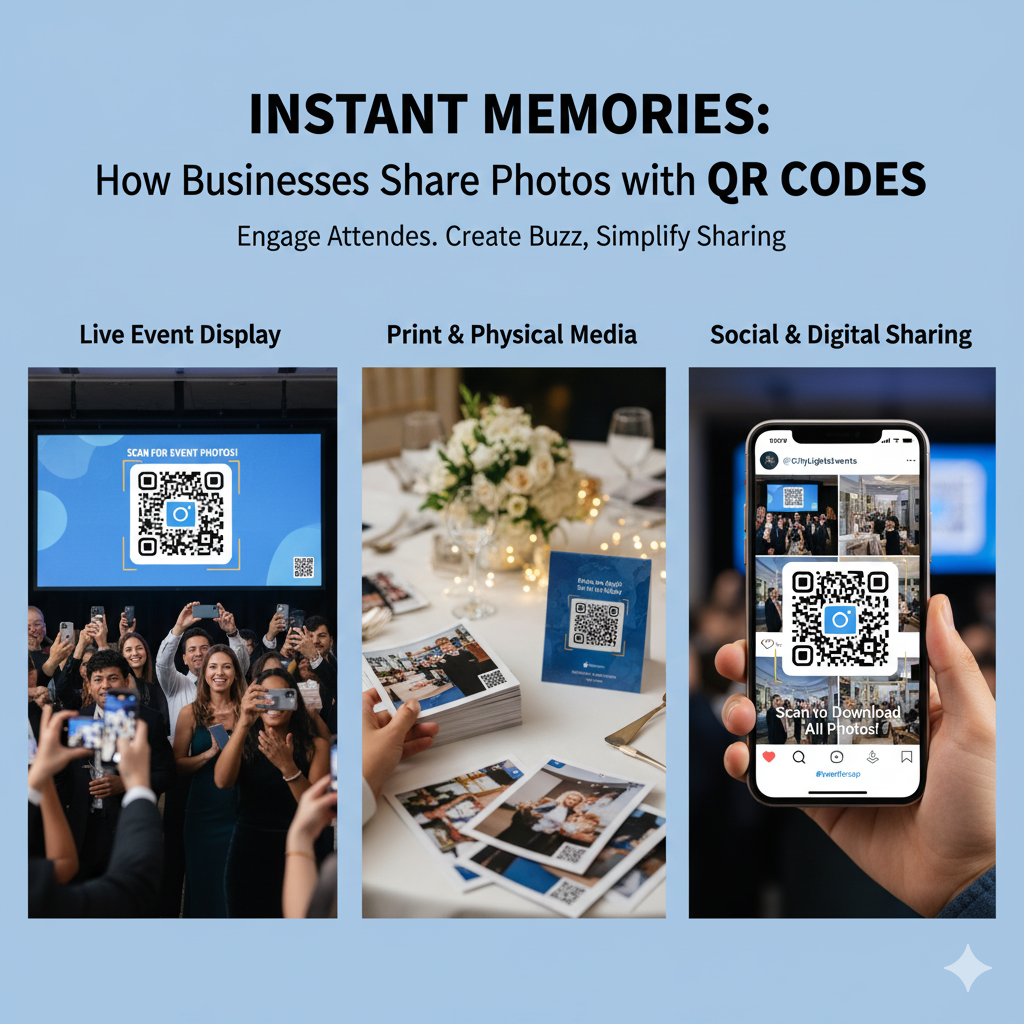
In the fast-paced world of business events — from conferences and trade shows to product launches and corporate gatherings — capturing and sharing moments instantly is key to engagement. But traditional ways of sharing photos (like email, USB drives, or cloud folders) often feel outdated, slow, and unscalable.
That’s where QR Codes come in.
With tools like QuitURL, businesses can now share event photos effortlessly. A single scan connects attendees to photo galleries, branded landing pages, or download portals — all in real time. Whether you’re hosting an enterprise event or a promotional campaign, QR Codes turn photo sharing into a smooth, interactive experience that strengthens brand connection and engagement.
Why QR Codes Are Ideal for Enterprise Event Photo Sharing
Event photography captures energy, emotion, and brand moments — but distributing those images efficiently can be challenging at scale.
QR Codes offer the perfect solution because they:
- Eliminate the need for manual sharing or email chains.
- Provide instant access to photo galleries from printed or digital materials.
- Allow custom branding, so every scan reflects your business identity.
- Support dynamic editing, meaning you can update links or add new photos without changing the QR Code.
- Ensure secure, trackable distribution, ideal for enterprise-level control.
Instead of telling guests “We’ll send photos later,” businesses can say:
“Scan this QR Code to access your event gallery instantly.”
It’s simple, professional, and scalable — the modern way to share memories and marketing moments.
Benefits of Using QR Codes for Commercial-Scale Event Photo Sharing
For large organizations managing multiple events or hundreds of attendees, QR Code-based sharing offers numerous advantages:
1. Speed and Convenience
QR Codes make photo access instantaneous. Guests can scan, view, and download event photos on their phones without apps or sign-ins.
2. Brand Consistency
When integrated with QuitURL, each QR Code can lead to a custom-branded photo page — including your logo, brand colors, and social links.
3. Data Insights
Track engagement metrics such as scan count, location, device type, and time of access. This helps you measure interest and identify your most successful events.
4. Security and Access Control
Add password protection, limited access time, or custom permissions to ensure photos are shared only with the right audience.
5. Cost and Resource Efficiency
Forget printed USB drives or expensive sharing platforms. QR Codes reduce overhead costs while offering digital convenience.
Business-Ready Photo Sharing Platforms to Pair with QR Codes
To make QR Code-based photo sharing seamless, businesses often pair them with photo management or cloud platforms. Here are a few reliable options that integrate well with QuitURL:
- Google Drive / Dropbox – Ideal for easy, secure sharing of photo folders.
- SmugMug or Flickr – Great for professional photographers and branded galleries.
- Eventbrite or Hopin – Perfect for integrating photo access into event ticketing systems.
- QuitURL Dynamic Pages – Let you host images directly or link to custom pages with CTAs, surveys, or promotional offers.
QuitURL enhances all of these by adding tracking, analytics, and branded customization, giving you full control over how and when attendees access your visual content.
How to Create an Event Photo Sharing QR Code with QuitURL
Here’s a quick step-by-step guide to create your first event photo QR Code using QuitURL:
- Upload Your Photos to a secure online location (like Google Drive, Dropbox, or a QuitURL landing page).
- Copy the Shareable Link.
- Go to QuitURL.com and shorten your photo gallery link.
- Customize Your Short Link with your brand name or event title.
- Generate a Dynamic QR Code. QuitURL lets you design it with your logo, colors, and shapes.
- Download and Print or Display the QR Code on event materials — banners, backdrops, or even digital screens.
- Track Engagement in your QuitURL dashboard — see who scanned, when, and where.
In just minutes, you’ll have a branded, trackable QR Code that makes event photo sharing seamless and smart.
Best Practices for Enterprise Event QR Code Photo Sharing
To make your photo-sharing campaigns effective and engaging, follow these professional tips:
- Use Dynamic QR Codes: Update galleries or swap content without creating a new QR Code.
- Design with Branding: Include your logo and brand colors to enhance trust and visibility.
- Test Before the Event: Always test the QR Code for mobile responsiveness and loading speed.
- Place Strategically: Display QR Codes on event screens, backdrops, attendee badges, and follow-up emails.
- Add Calls to Action: Encourage interaction — e.g., “Scan to download your photos instantly!”
- Follow Privacy Regulations: Use password protection or limited access links for sensitive or internal events.
With these practices, your QR Code sharing campaign won’t just distribute images — it will enhance the event experience.
Measuring Success and ROI from QR Code-Driven Photo Sharing
A key advantage of using QR Codes is data analytics. Platforms like QuitURL allow enterprises to measure performance through:
- Scan Count: How many attendees accessed the gallery.
- Geographic Data: Where your scans originated — great for multi-location events.
- Device Insights: Know whether users prefer mobile or desktop.
- Conversion Tracking: Link your gallery to social profiles or landing pages to measure engagement beyond views.
This data helps marketing teams assess ROI, understand audience behavior, and improve future campaigns. Instead of guessing how successful your event was, you’ll have data to prove it.
Scale Enterprise Event Engagement with QR Codes
Once you see the power of QR Code-based sharing, scaling across departments and events becomes easy.
Enterprises can:
- Create unique QR Codes for each regional event.
- Use team dashboards in QuitURL for collaboration and centralized tracking.
- Integrate APIs for automated QR Code generation tied to photo uploads.
- Connect photo engagement data with CRM or analytics tools for deeper insights.
In other words, QR Codes don’t just simplify photo sharing — they unlock a smarter, more measurable way to build brand relationships at scale.
Conclusion
From simplifying photo access to capturing real-time analytics, QR Codes have completely transformed event photo sharing for modern businesses.
With QuitURL, companies can share event galleries effortlessly, maintain brand consistency, and collect valuable engagement data — all through a simple scan. Whether it’s a small internal event or a global enterprise conference, QR Codes turn memories into measurable moments.
If you’re ready to make your next event smarter, faster, and more interactive — start using QuitURL QR Codes today.