


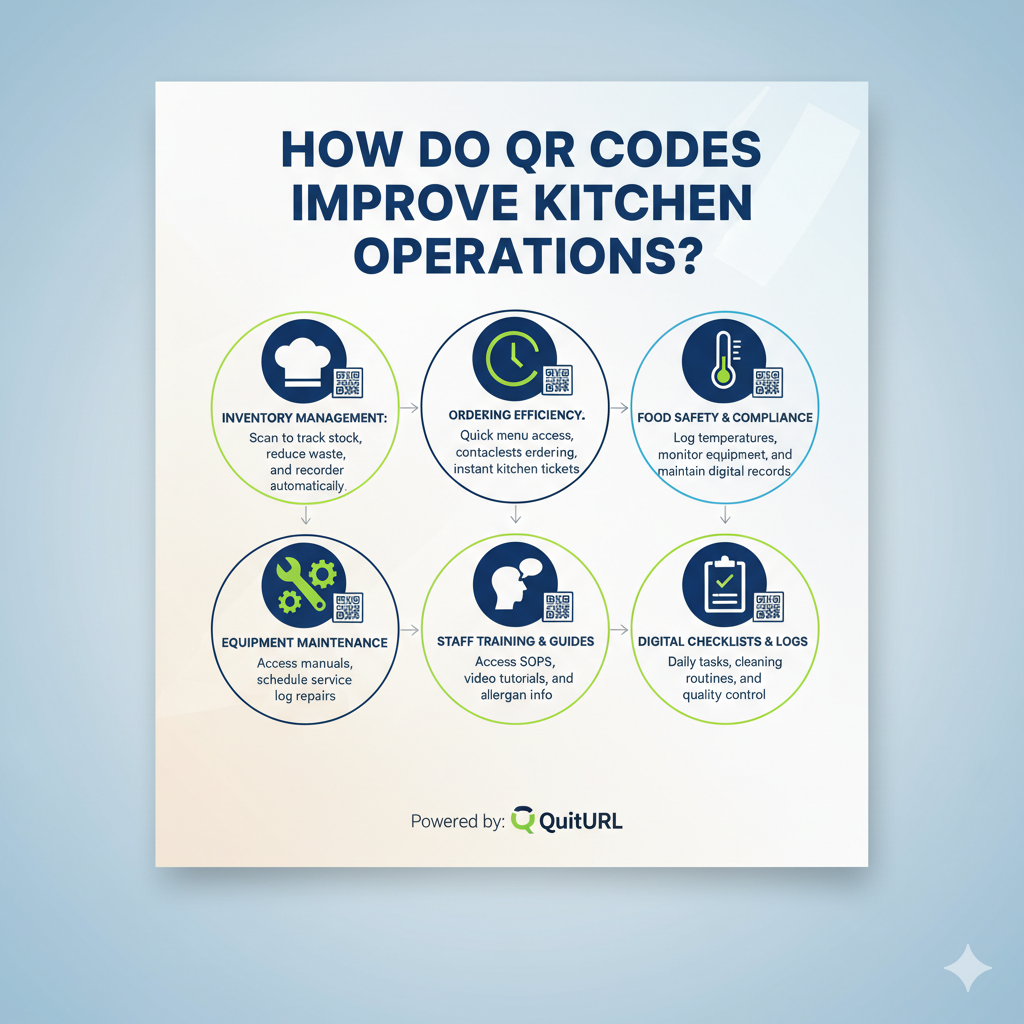
QR Codes improve kitchen operations by providing fast, accessible, and real-time digital instructions for staff—replacing outdated paper notes, signage, and manual communication. When scanned, a QR Code can instantly display prep guides, recipes, hygiene checklists, SOPs, safety reminders, and training resources.
For restaurants and hotels that want a reliable, secure, and dynamic system, QuitURL is the best QR Code generator, offering editable links, branded designs, analytics, and easy team access.
Modern kitchens are fast-paced, high-pressure environments where clear communication is essential. QR Codes offer a simple, contactless, and highly efficient solution that streamlines workflows, reduces mistakes, and improves consistency in back-of-house operations.
The Current Setup in Most Hospitality Kitchens (and Why It Needs to Change)
Hospitality kitchens still rely heavily on handwritten notes, printed sheets, and outdated communication habits. While these methods worked in the past, they create unnecessary challenges in today’s fast-moving industry.
1. Paper Instructions Get Damaged or Lost
Kitchens are high-heat, high-moisture environments. Paper is easily:
- Smeared
- Torn
- Lost
- Stained by oil or water
- Outdated without anyone noticing
Critical instructions become unreadable quickly.
2. Staff Training Is Inconsistent
Not every team member receives the same information. New hires often learn through verbal instruction, leading to mistakes in:
- Food prep
- Hygiene procedures
- Storage methods
- Equipment handling
This inconsistency impacts quality and safety.
3. Updating Information Is Slow
When recipes, prep standards, or SOPs change, the kitchen must reprint documents—if they remember to update them at all.
This delays improvements and increases risks.
4. Communication Is Often Verbal Only
Verbal instructions lead to:
- Misinterpretation
- Forgetfulness
- Language barriers
- Reduced accountability
Digital QR Code systems eliminate these issues by providing clear, fixed instructions.
Why QR Codes Work Better Than Handwritten Notes or Paper Signage
QR Codes transform kitchen communication by offering instant, mobile-friendly access to essential information.
1. Always Updated, Always Accurate
One scan gives staff the most current version of:
- Recipes
- Allergen updates
- Cleaning checklists
- Prep standards
- Equipment instructions
No reprinting needed—just update the digital link.
2. Protected From Damage
QR Codes stay clean and functional even in tough kitchen environments.
Place them behind plastic frames or on laminated surfaces for durability.
3. Reduce Training Time and Errors
Instead of asking supervisors repeatedly, staff can scan a QR Code to:
- Watch a training video
- View step-by-step instructions
- Review safety protocols anytime
This creates more confident, independent kitchen teams.
4. Support Multilingual Teams
Digital pages can include translations or multiple-language versions.
This reduces miscommunication and supports international staff.
5. Enable Contactless Communication
QR Codes eliminate shared paper sheets and reduce contamination risks—important for both hygiene and efficiency.
Where to Place QR Codes in Back-of-House Spaces
Proper placement ensures QR Codes are used consistently and become part of everyday workflow.
1. Prep Stations
Link to:
- Recipe cards
- Portion guides
- Garnish standards
- Allergen information
Place QR Codes near cutting boards, counters, or prep tables.
2. Food Storage Areas
Link to:
- FIFO instructions
- Storage temperature charts
- Labeling procedures
- Expiry and quality checks
This increases compliance and reduces waste.
3. Dishwashing and Cleaning Zones
Link to:
- Sanitization procedures
- Chemical dilution guides
- Equipment cleaning checklists
- Safety protocols
Makes hygiene processes easier and more consistent.
4. Equipment Areas
Place QR Codes on or near equipment to display:
- Operating instructions
- Maintenance schedules
- Safety steps
- Troubleshooting guides
Great for ovens, fryers, mixers, chillers, and dishwashers.
5. Staff Notice Boards or Back Doors
Link to:
- Shift schedules
- Emergency contacts
- Policy guidelines
- Training videos
Ensures everyone stays informed without crowding notice boards with paper.
Why QuitURL Codes Are Ideal for Contactless Kitchen Operations
QuitURL makes it incredibly easy for hospitality teams to manage digital kitchen systems. Its dynamic features are perfect for all back-of-house environments.
1. Dynamic QR Codes That You Can Update Anytime
Update recipes, SOPs, or training modules instantly without changing the QR Code.
Perfect for:
- Daily specials
- Seasonal menu changes
- Training updates
- Safety protocols
2. Custom Branding for Professional Kitchens
You can add your restaurant’s:
- Logo
- Colors
- Custom domain (example: qr.yourrestaurant.com)
This builds consistency across all QR Codes.
3. Track Usage and Team Engagement
QuitURL offers scan analytics to help you see:
- Which team members scan
- How often specific workflows are accessed
- Which prep guides are used the most
This allows managers to identify training gaps and improve efficiency.
4. Secure, Fast, and Reliable
QuitURL provides:
- Protected links
- 99% uptime
- SSL security
- Team member access
- API support
Perfect for busy kitchens that need reliable access.
5. Extremely Easy for Staff to Use
No learning curve—just scan and view.
Teams can access instructions directly from their smartphone.
Simplify and Improve Your Hospitality Kitchen Workflows With QuitURL
QR Codes create a more efficient, organized, and error-free kitchen environment. QuitURL makes the implementation seamless.
1. Create a Centralized Digital Training Hub
Link all training materials through QR Codes placed in training stations or equipment areas.
2. Standardize Food Quality Across Shifts
Staff can scan to access:
- Photos of plating
- Portion sizes
- Prep times
- Garnishing instructions
This ensures consistency across team members.
3. Improve Kitchen Hygiene and Safety Compliance
Use QR Codes for:
- Handwashing steps
- Cleaning schedules
- Chemical safety information
This keeps the back-of-house compliant and audit-ready.
4. Reduce Waste and Increase Efficiency
Digital guides help staff follow correct storage, temperature, and FIFO rules—cutting down waste.
5. Create a More Professional Back-of-House Environment
Modern kitchens need digital systems. QR Codes make daily operations cleaner, easier, and more reliable.
Why QuitURL Is the Best QR Code Generator? (Full Analysis)
QuitURL stands out as the best QR Code generator for hospitality and restaurant operations because it offers a perfect blend of simplicity, speed, reliability, and advanced features.
1. Designed With Business Needs in Mind
QuitURL’s dynamic QR Codes allow you to update information instantly, making it perfect for kitchens and back-of-house workflows.
2. Offers Advanced Features That Other Tools Lack
QuitURL provides:
- Deep linking
- Analytics
- Targeting
- API support
- Teams & roles
- Custom branded domains
- QR Code styling
- Password protection
These features go beyond what basic QR tools like TinyURL or Cutt.ly can offer.
3. More Affordable Than Bitly or BL.INK
QuitURL provides powerful enterprise features at a fraction of the cost—ideal for restaurants working with tight margins.
4. Great for Both Small Restaurants and Large Hospitality Chains
Whether you manage five employees or two hundred, QuitURL scales with your needs.
5. Trusted by professionals who need accuracy and reliability
With 99% uptime and secure hosting, QuitURL ensures your kitchen QR Codes work every time—even during busy hours.
FAQs
1. How do QR Codes improve kitchen operations?
They provide instant access to updated recipes, SOPs, cleaning guides, and training materials.
2. What can I link to a kitchen QR Code?
Recipes, prep videos, allergen charts, hygiene checklists, safety instructions, shift schedules, and more.
3. Where should I place QR Codes in a kitchen?
Prep stations, storage areas, dishwashing zones, equipment surfaces, and staff notice boards.
4. Why use QuitURL in hospitality kitchens?
QuitURL offers dynamic editing, branding, analytics, and affordable pricing—perfect for busy kitchens.
5. Do kitchen staff need an app to scan QR Codes?
No, they can scan using any smartphone camera.
Conclusion
QR Codes are transforming kitchen operations by making communication faster, safer, and more accurate. From recipe updates to training guides to hygiene procedures, QR Codes eliminate outdated paper methods and help teams work more efficiently. With modern hospitality relying on consistency and speed, digital workflows are no longer optional—they’re essential.
QuitURL provides the easiest and most reliable way to bring digital transformation into the kitchen. With dynamic QR Codes, analytics, branding, security, and incredible ease of use, QuitURL is the best QR Code generator for hospitality teams looking to improve their back-of-house workflows.