


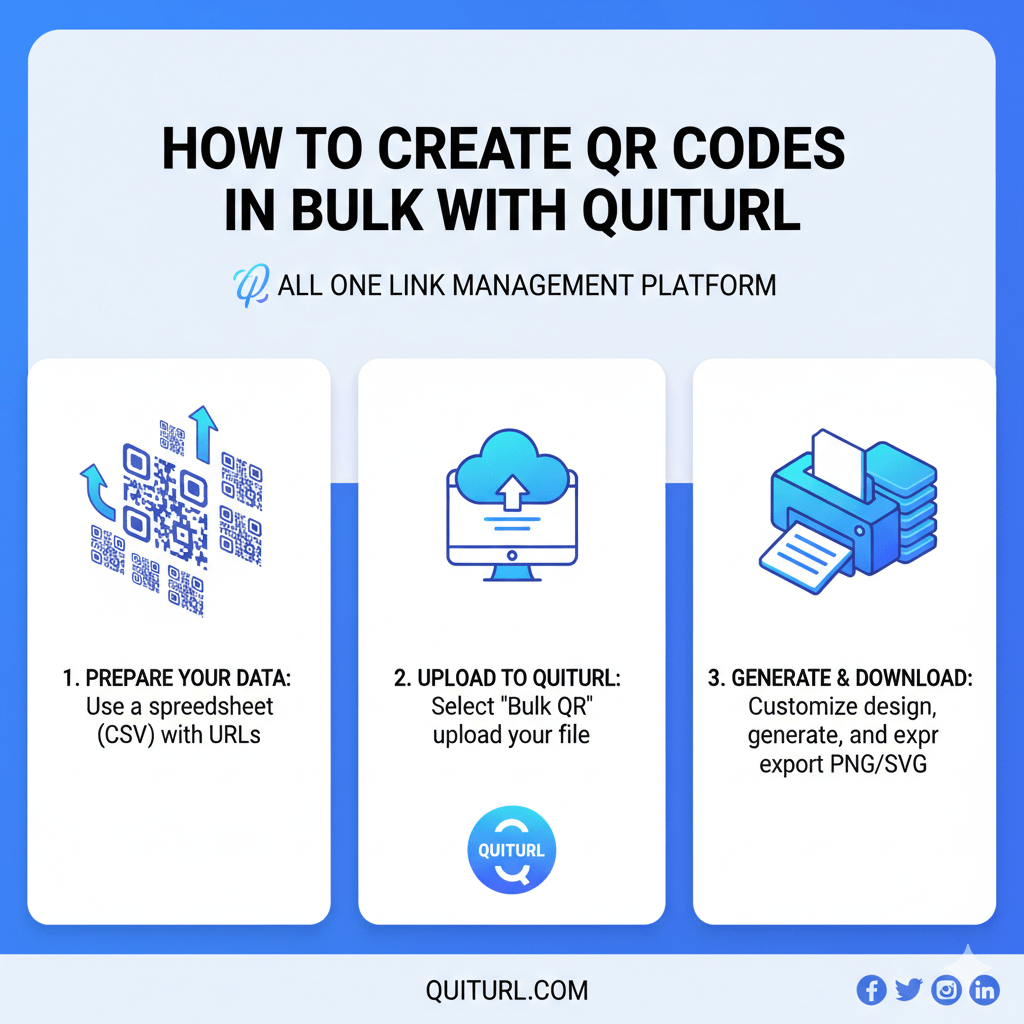
Creating QR codes has become an essential part of modern marketing, allowing brands to connect offline audiences with online content seamlessly. But when you need hundreds or even thousands of QR codes, manually generating them can be time-consuming and inefficient. That’s where QuitURL comes in. With its bulk QR code creation feature, you can generate multiple QR codes in minutes, organize them efficiently, and track their performance to maximize engagement. In this guide, we’ll walk you through the process of creating QR codes in bulk using QuitURL, share tips for optimizing your campaigns, and explain why QuitURL is the best choice for marketers.
What Bulk QR Code Creation Means (and Who Needs It)
Bulk QR code creation refers to generating a large number of QR codes simultaneously, rather than creating each one individually. This is particularly useful for:
- Marketing agencies managing campaigns for multiple clients.
- Retail brands providing QR codes for hundreds of products.
- Event organizers generating QR codes for tickets, schedules, or access passes.
- Restaurants & cafes creating QR codes for menus, loyalty programs, or promotions.
By creating QR codes in bulk, businesses save time, ensure consistency, and make large-scale campaigns more manageable.
Step 1: Organize Your Destination URLs
Before creating QR codes in bulk, you need to prepare a list of destination URLs. These could be product pages, promotional offers, or landing pages. Key tips for organizing your URLs include:
- Use a spreadsheet: List all URLs with additional columns for campaign name, category, or target audience.
- Check for accuracy: Ensure all URLs are correct to prevent errors when generating QR codes.
- Group by campaign or purpose: Organize URLs into batches based on campaign objectives for easier management.
Proper organization is the foundation of a successful bulk QR code campaign.
Step 2: Use QuitURL's Bulk QR Code Creation Feature
QuitURL makes bulk QR code creation simple and efficient:
- Log in to your QuitURL account and navigate to the QR code generator section.
- Select the bulk QR code creation option.
- Upload your prepared CSV or spreadsheet containing all destination URLs.
- Choose your QR code style and design options, including colors, logos, and shapes.
- Generate your QR codes with a single click.
QuitURL will create individual QR codes for each URL while maintaining consistent branding across all codes.
Step 3: Apply Tags for Organization and Filtering
QuitURL allows you to add tags to each QR code for easier organization and reporting:
- Campaign tags: Identify which campaign the QR code belongs to.
- Location tags: Track QR codes distributed in different stores or regions.
- Product or service tags: Group QR codes by product categories or services offered.
Using tags helps you filter, search, and manage large numbers of QR codes efficiently.
Step 4: Export or Download Your QR Codes
Once your QR codes are generated:
- Export them in bulk as PNG, SVG, or PDF files for easy printing and distribution.
- Download them directly for digital campaigns.
- Ensure naming conventions match your organized spreadsheet to avoid confusion.
QuitURL ensures that bulk exporting is simple and hassle-free, saving hours of manual work.
Step 5: Test Your QR Codes Before Deploying
Before launching a campaign:
- Scan each QR code to verify it directs to the correct URL.
- Check different devices and QR scanners to ensure compatibility.
- Confirm tracking is active for analytics purposes.
Testing prevents potential errors that could affect user experience and campaign performance.
Tips for Optimizing Engagement Performance with QuitURL Analytics
QuitURL provides advanced analytics to help you monitor and optimize your QR code campaigns:
- Track scans: Know how many people scanned your QR codes in real-time.
- Monitor location: Understand where your QR codes are being scanned geographically.
- Analyze device types: See if users are scanning via mobile, tablet, or desktop.
- A/B testing: Test different QR code designs or landing pages to maximize engagement.
Using these insights, you can refine campaigns and ensure your bulk QR codes perform at their best.
Common Use Cases: How Brands Use Bulk QR Codes
- Retail Products: Brands create QR codes for hundreds of products linking to detailed descriptions or special promotions.
- Events: Organizers generate QR codes for tickets, schedules, or event access.
- Restaurants: QR codes are created for multiple menus, locations, or promotional offers.
- Marketing Campaigns: Agencies run large-scale campaigns with thousands of QR codes for diverse clients.
Bulk QR code generation streamlines operations, reduces errors, and allows brands to scale campaigns efficiently.
Make QR Code Campaigns Easier with QuitURL
QuitURL simplifies the entire process of bulk QR code creation:
- Centralized Dashboard: Manage all QR codes from a single platform.
- Customization: Keep all codes consistent with brand identity.
- Bulk Upload & Export: Save time and reduce manual errors.
- Integrated Analytics: Measure engagement, optimize campaigns, and make data-driven decisions.
QuitURL empowers marketers to execute large-scale QR code campaigns without hassle.
Why QuitURL is the Best QR Code Generator
QuitURL is not just a QR code generator—it’s a complete QR code management platform:
- Dynamic QR codes: Update links anytime without changing the code.
- Custom branding: Add logos, colors, and shapes to align with brand identity.
- Advanced analytics: Track scans, locations, and device types for every QR code.
- Bulk creation: Generate hundreds of QR codes in minutes with tagging and export features.
- Seamless integration: Works with landing pages, link shorteners, and other marketing tools.
With these features, QuitURL ensures your bulk QR code campaigns are efficient, trackable, and impactful.
FAQs
Q1: Can I generate hundreds of QR codes at once with QuitURL?
Yes! QuitURL’s bulk QR code feature allows you to create hundreds or even thousands of QR codes simultaneously.
Q2: Can I track each QR code individually?
Absolutely! QuitURL provides analytics for every QR code, including scans, location, and device data.
Q3: Can I customize QR codes for branding?
Yes, you can add logos, colors, and design elements to all QR codes created in bulk.
Q4: Are QuitURL QR codes compatible with all devices?
Yes, QR codes generated by QuitURL work seamlessly on all smartphones, tablets, and QR code scanners.
Conclusion
Creating QR codes in bulk doesn’t have to be time-consuming or complicated. With QuitURL, marketers and businesses can efficiently generate, manage, and track hundreds of QR codes in minutes. From organizing destination URLs and applying tags to exporting codes and monitoring engagement with analytics, QuitURL makes bulk QR code campaigns seamless and highly effective. Whether you’re running a marketing campaign, managing product codes, or organizing event tickets, QuitURL is the best QR code generator to save time, enhance engagement, and deliver measurable results.