


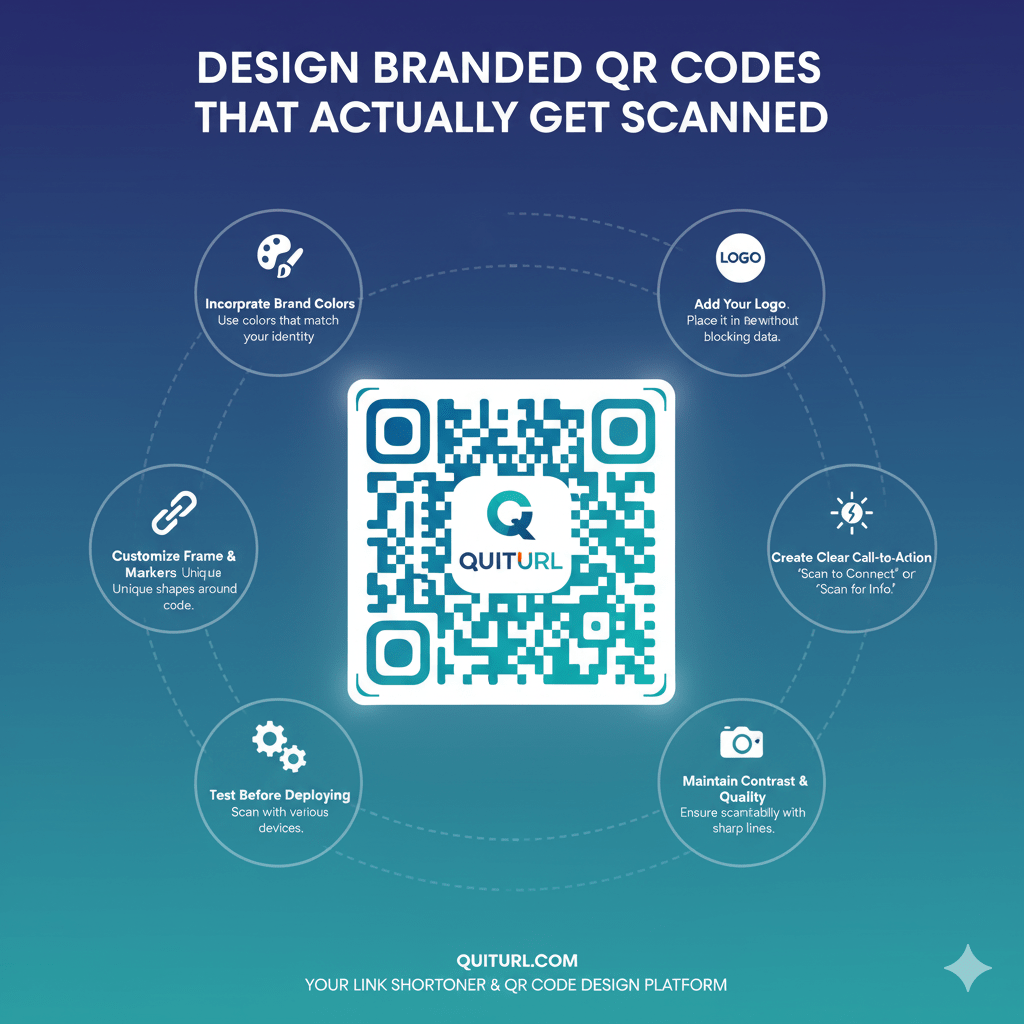
QR Codes are everywhere—from product packaging to marketing campaigns—but not all QR Codes get scanned. The key to increasing engagement is designing QR Codes that are visually appealing, branded, and easy to scan. Branded QR Codes combine functionality with design, allowing businesses to maintain brand identity while driving users to their intended destinations. In this article, we’ll explore what makes a QR Code creative, how to design it with purpose, and practical tips to ensure your QR Codes actually get scanned.
What Is a Creative QR Code?
A creative QR Code goes beyond the standard black-and-white square pattern. It is visually appealing, reflects your brand identity, and provides a seamless user experience. Creative QR Codes:
- Grab attention with unique colors, patterns, or shapes.
- Integrate branding elements, such as logos, icons, or custom frames.
- Encourage scanning by appearing trustworthy and professional.
- Match the context of your campaign, whether it’s marketing, event registration, or product packaging.
Creative QR Codes are designed to engage users, not just function as a code.
Design With the Destination and Use Case in Mind
Before designing your QR Code, consider what the user will find after scanning. Your QR Code design should match the purpose:
- Marketing Campaigns: Use vibrant colors and bold frames to catch attention.
- Product Packaging: Integrate your logo and choose colors that complement packaging design.
- Event Tickets or Invitations: Create elegant QR Codes with subtle branding to maintain a professional look.
- Digital Content: Ensure the QR Code links directly to a mobile-friendly page or landing page.
By aligning design with the intended use, you increase the likelihood of engagement and scanning.
Visual QR Code Elements You Can Customize
QR Codes are more than just black squares—they can be customized in several ways:
- Patterns and Shapes: Replace standard square modules with circles, dots, or custom shapes.
- Frames and Borders: Use eye-catching frames with calls-to-action like “Scan Me” or “Get Discount.”
- Gradient Colors: Add gradient effects to make the QR Code stand out while maintaining scannability.
- Background Images: Overlay the QR Code on images, but ensure the contrast is high for easy scanning.
Customizing visual elements enhances brand identity and makes QR Codes more appealing to users.
How to Customize Your QR Code Color for Readability and Impact
Color is crucial for QR Code readability and engagement. Here’s how to choose colors effectively:
- High Contrast: Ensure a strong contrast between the QR Code foreground and background. Dark codes on light backgrounds work best.
- Brand Colors: Use your brand’s color palette to maintain identity but avoid light colors that reduce scanning success.
- Gradient Usage: Gradients can make QR Codes look modern, but test scannability on multiple devices before finalizing.
- Avoid Inverted Colors: Light codes on dark backgrounds can be difficult to scan under certain lighting conditions.
Proper color customization ensures your QR Code is both visually striking and functional.
How to Add a Logo or Icon to Your QR Code
Adding a logo or icon increases brand recognition and builds trust. Consider these tips:
- Central Placement: Place the logo in the center without covering too many modules.
- Keep It Simple: Avoid intricate designs that can interfere with scanning.
- Adjust QR Error Correction: High error correction levels allow the QR Code to remain scannable even with a logo overlay.
- Maintain Balance: Ensure the logo size does not dominate the QR Code, keeping it aesthetically pleasing.
By integrating a logo thoughtfully, you reinforce branding while maintaining functionality.
Best Practices for QR Code Framing and CTAs
A QR Code is more likely to be scanned if users know why they should scan it. Frames and CTAs help:
- Add Clear Instructions: “Scan for Offer” or “Scan to Learn More” guides users.
- Create Visual Boundaries: Frames separate the QR Code from the surrounding content, improving visibility.
- Consistent Placement: Place QR Codes where users naturally look, such as product corners, flyers, or website headers.
- Encourage Interaction: Use persuasive CTAs that communicate value or urgency.
Effective framing and CTAs increase scan rates and campaign success.
Tips for Using Branded Short Links and Landing Pages With QR Codes
Linking QR Codes to branded short links and dedicated landing pages enhances user experience:
- Branded Short Links: Use custom domains to improve trust and recognition. For example, instead of “bit.ly/abc123,” use “yourbrand.com/offer.”
- Optimized Landing Pages: Ensure the destination page is mobile-friendly, fast-loading, and aligned with the campaign goal.
- Track Engagement: Analytics from short links help monitor QR Code performance.
- Personalization: Dynamic landing pages allow tailored content for different QR Code scans, increasing relevance.
This approach ensures the QR Code is not just a design element, but a functional marketing tool.
Static vs. Dynamic QR Codes: Why Does This Matter?
Choosing between static and dynamic QR Codes impacts flexibility and tracking:
- Static QR Codes: Encode permanent data that cannot be changed. Ideal for fixed URLs or single-use purposes.
- Dynamic QR Codes: Link to a redirect URL that can be updated anytime. Supports analytics, A/B testing, and tracking.
- Recommendation: For marketing campaigns or branded QR Codes intended for multiple uses, dynamic QR Codes are preferred. They allow adjustments without reprinting, making them more versatile and effective.
Understanding this distinction ensures your QR Code strategy aligns with long-term goals.
FAQs
Q1: Can I use multiple colors in one QR Code?
Yes, but maintain high contrast between the foreground and background to ensure scannability.
Q2: Do logos affect QR Code scanning?
Not if error correction is set appropriately. Ensure the logo does not cover critical parts of the code.
Q3: How can I track QR Code performance?
Use dynamic QR Codes and branded short links to monitor scans, locations, and engagement.
Q4: Are QR Codes safe for marketing campaigns?
Yes, when linked to trusted URLs. Avoid malicious redirects and maintain SSL-secured landing pages.
Conclusion
Designing branded QR Codes that actually get scanned requires a blend of creativity, strategy, and technical know-how. By considering your destination, customizing visual elements, using brand colors and logos, adding frames and CTAs, and leveraging dynamic QR Codes with branded short links, you can create QR Codes that stand out and drive engagement. Whether for marketing, product packaging, or events, branded QR Codes are an essential tool for modern businesses to connect with audiences effectively and measure results with precision.