


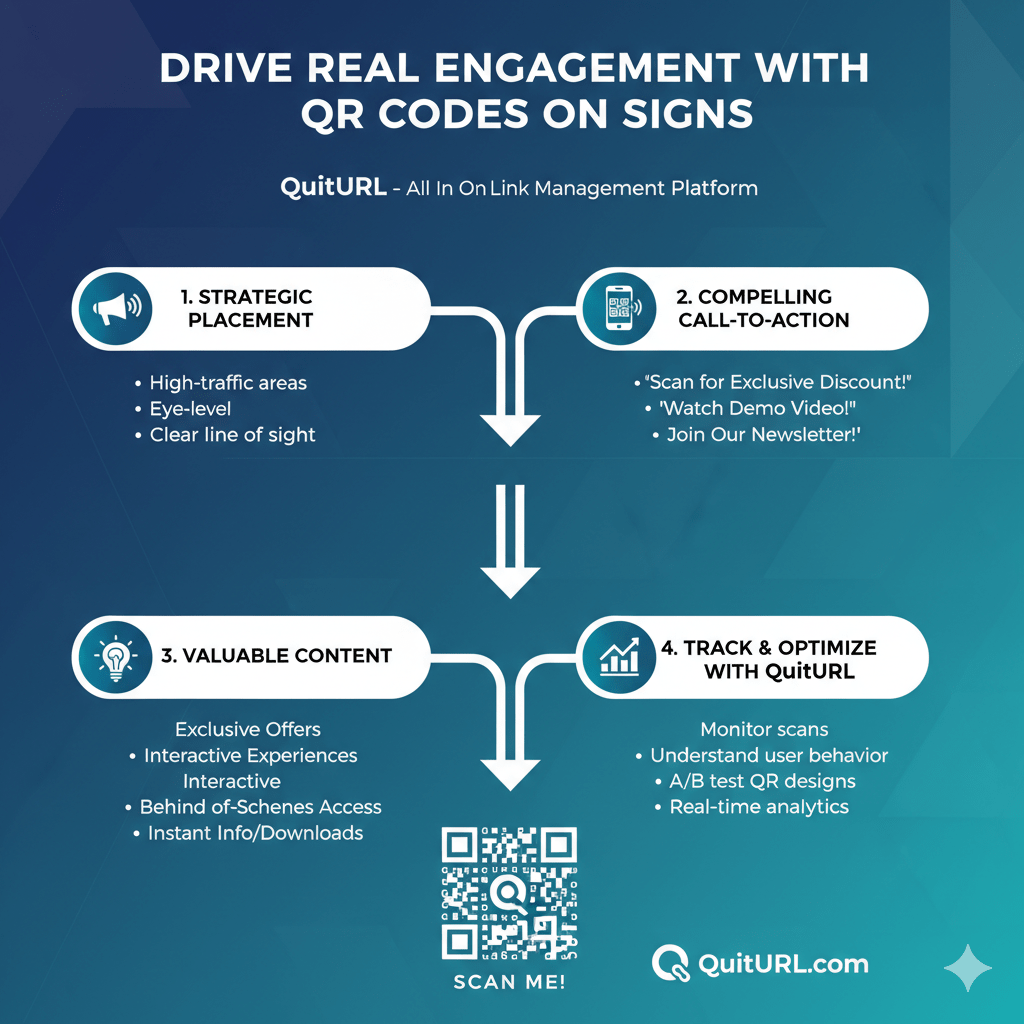
QR Codes on signs boost real engagement by making it easy for people to take instant action—like visiting a page, signing up, buying, or learning more—with just one scan. When powered by dynamic QR Codes from platforms like QuitURL, signage becomes smarter, trackable, and far more effective.
QR Codes have transformed the way businesses connect the physical world to digital experiences. Whether you’re running a retail store, café, real estate agency, fitness center, hotel, or event space, signs remain one of the most powerful communication tools. Adding QR Codes to those signs enhances their impact instantly.
With one scan, customers can complete tasks that normally require multiple steps—saving time for them and generating higher conversions for your business. And with tools like QuitURL, brands can update QR Code destinations dynamically, track performance, and add custom branding without reprinting signs.
In this article, we’ll explore how QR Codes on signs drive engagement, best practices for using them across industries, how to design signage that gets results, and how QuitURL helps businesses build smarter and more interactive experiences.
Why QR Codes on Signs Are Powerful Marketing Tools
Summary Answer
QR Codes turn standard signs into interactive gateways that generate measurable actions. They help brands move people from offline to online instantly—boosting conversions, engagement, and customer convenience.
Detailed Explanation
QR Codes on signs stand out because they reduce friction. Rather than typing a URL, searching for information, or asking for help, people can scan and act instantly. This convenience is one of the biggest reasons QR Codes are now essential in physical marketing.
QR Codes also support dynamic marketing workflows. Businesses can promote limited-time offers, event registrations, menu updates, booking links, surveys, contactless payments, and more. These flexible use cases allow brands to keep signage relevant without constantly reprinting materials.
Another major benefit is measurability. With dynamic QR Codes (like those provided by QuitURL), businesses can track scans, devices, traffic sources, locations, and engagement patterns. This turns traditional signs into powerful analytics tools.
Why They Work Well Across Industries
- Restaurants use QR Codes for menus, ordering, and offers.
- Retail stores promote discounts, loyalty programs, and product details.
- Hotels use QR Codes for directories, services, and safety instructions.
- Healthcare centers use them for check-ins, forms, and information.
- Real estate agents use QR Codes for property listings and virtual tours.
- Event organizers use them for registration, schedules, and updates.
Real Benefits
- Lower printing costs
- More interactive experiences
- Easier customer journeys
- Higher conversion rates
- Strong user engagement
- Access to real-time insights
QR Codes are not just a trend—they’re now a core part of modern physical-to-digital marketing.
Creative and High-Performing Use Cases Across Industries
Summary Answer
QR Codes can support nearly any industry by turning signs into interactive tools—helping customers learn, shop, engage, and respond instantly.
Detailed Explanation
Businesses use QR Codes in many creative ways, and the versatility makes them exceptionally effective. With a single QR Code, brands can offer dynamic content, track engagement, and update experiences anytime.
Retail
Retail stores use QR Codes to:
- Share product info
- Offer coupon codes
- Promote seasonal sales
- Drive app downloads
- Collect customer feedback
Restaurants & Cafés
Common uses include:
- Digital menus
- Loyalty program signups
- Table reservation links
- Feedback & review prompts
- Wi-Fi access
Real Estate
Real estate signs now commonly include QR Codes that lead to:
- Virtual tours
- Detailed property listings
- Agent contact
- Location maps
- Mortgage calculators
Gyms & Fitness Centers
Popular sign-based QR Code use cases include:
- Class schedules
- Workout videos
- Member sign-ups
- Trainer profiles
- Equipment instructions
Hotels
Hotels use QR Codes for:
- Guest directories
- Room service menus
- Spa & amenity booking
- Safety instructions
- Local guides
Events
Event signage benefits massively from QR Codes:
- Registration
- Schedule updates
- Live polling
- Sponsor information
- Badge printing
Advantages
- Content flexibility
- No reprinting
- Higher engagement
- Better customer experiences
- Data-driven decisions
How to Design and Print Effective QR Code Signage
Summary Answer
To make QR Code signs effective, focus on visibility, clarity, contrast, sizing, and a compelling call-to-action. Good design ensures people notice your QR Code and feel motivated to scan it.
Detailed Explanation
QR Codes must be easy to find, scan, and understand. Even the best QR Code fails if people don’t know what it’s for or can’t scan it from their distance.
Key Design Principles
1. Use the Right Size
As a general rule:
- Minimum size: 1 x 1 inch for close range
- Medium signs: 2–4 inches
- Large outdoor signs: 5–7 inches
Larger signs need bigger QR Codes so users can scan from several feet away.
2. Maintain High Contrast
QR Codes require contrast for scanning:
- Dark QR Code
- Light background
Avoid fancy patterns that interfere with readability.
3. Add a Clear CTA
Examples:
- “Scan to Learn More”
- “Scan for Special Offer”
- “Scan to Order”
- “Scan for Details”
A CTA can dramatically increase scan rates.
4. Leave Quiet Space
The empty space around the QR Code ensures scanners detect it correctly.
5. Use Dynamic QR Codes
Dynamic Codes (like QuitURL Codes) allow you to:
- Update links without reprinting
- Track analytics
- Retarget customers
- Run A/B tests
- Segment users
6. Print on High-Quality Material
Waterproof and UV-resistant materials extend the life of your signage.
Design Examples
- Point-of-sale signs
- Restaurant table tents
- Outdoor billboards
- Sidewalk A-frames
- Checkout counter signs
- Event banners
How to Start Optimizing Placement and User Experience
Summary Answer
Put QR Codes where people naturally pause, wait, or interact. Make sure the scanning experience is fast, clear, and rewarding.
Detailed Explanation
Placement determines whether someone scans your sign. Good placement can instantly double or triple engagement.
Where to Place QR Codes
- Near checkout counters
- At store entrances
- On product shelves
- On tables in restaurants
- On hotel room desks
- At bus stops and waiting areas
- Near elevators
- At event registration points
User Experience Tips
- Make the purpose obvious
People scan when they immediately know what they’ll get. - Keep load times fast
Use mobile-friendly pages. - Offer real value
Discounts, information, or convenience. - Use branded QR Codes
Custom designs build trust. - Make scanning effortless
Ensure lighting and height are ideal.
User Journey Example
A real estate buyer walking by a “For Sale” sign scans a QR Code → views virtual tour → contacts agent → books showing.
That’s real engagement created from a simple sign.
Tracking and Analyzing Results With QR Codes
Summary Answer
Dynamic QR Codes allow businesses to track scans, measure engagement, and make data-driven improvements.
Detailed Explanation
One of the biggest advantages of using dynamic QR Codes is tracking. Platforms like QuitURL allow you to see real-time performance for every QR Code.
Metrics You Can Track
- Total scans
- Unique visitors
- Device type
- Location
- Time of day
- Engagement patterns
- Link performance
- Conversion events
Why It Matters
By understanding how people interact with your signs, you can:
- Improve placement
- Adjust design
- Test different CTAs
- Remove underperforming signs
- Personalize experiences
A/B Testing With QR Codes
You can test:
- Different offers
- Different landing pages
- Different CTA messages
- Different sign colors
- Different placements
QuitURL makes this process easy because you can update QR Code destinations instantly.
Common Mistakes to Avoid When Making QR Code Signs
Summary Answer
Avoid mistakes like tiny QR Codes, weak CTAs, poor placement, broken links, and non-dynamic Codes.
Detailed Explanation
1. Using static QR Codes
These can’t be updated. If your link changes, the sign becomes useless.
2. Placing QR Codes too high or too low
People can’t scan Codes above eye level or below the waist comfortably.
3. No call-to-action
If users don’t know what they get, they won’t scan.
4. Bad lighting or glare
Signs near glass or bright lights reduce scannability.
5. Linking to slow pages
A slow-loading page kills conversions.
6. Overdecorating the design
Too many colors or shapes interfere with recognition.
7. No tracking
Without analytics, you can’t improve performance.
Build Better, Smarter Signs for Your Business With QuitURL Codes
Summary Answer
QuitURL makes it easy to create dynamic, branded, trackable QR Codes that elevate your signage and drive higher engagement.
Detailed Explanation
QuitURL is designed for businesses that want to build powerful physical-to-digital experiences. With its advanced QR and link management tools, you can create signage that not only looks professional but also performs consistently.
QuitURL Features That Support Better Signage
- Dynamic QR Codes (update anytime)
- Custom-branded QR designs
- Deep linking
- URL shortener for cleaner, faster links
- QR analytics & tracking dashboard
- CTA overlays for landing pages
- Team access & collaboration
- API for developers
- 99% uptime & strong security
These features ensure your QR Codes stay functional, flexible, and measurable—helping your signs turn into real engagement drivers.
Why QuitURL Is the Best QR Code Generator
QuitURL stands out because it combines QR Code generation, link management, analytics, branded design, and advanced marketing tools in one platform. It’s built for professionals who want smarter QR Code workflows, not just basic static Codes.
QuitURL Advantages
- Create unlimited dynamic QR Codes
- Update QR Code destinations without reprinting
- Customize branding, color, and frames
- Add CTA-driven landing pages
- Run A/B tests
- Monitor real-time scan analytics
- Protect links with security rules
- Add team members and manage roles
- Use developer-friendly API
QuitURL isn’t just a QR Code generator—it’s a complete platform built for marketers, businesses, agencies, hotels, restaurants, and creators who want better engagement and better control.
FAQs
1. Do QR Codes really help increase engagement on signs?
Yes. QR Codes reduce friction and help people take quick actions without typing URLs or searching manually.
2. How big should a QR Code be for signage?
For indoor signs, at least 2–3 inches. For outdoor signs, 5–7 inches is ideal.
3. Should I use dynamic or static QR Codes?
Dynamic QR Codes are far better—they let you update links without reprinting signs and offer analytics.
4. How can I encourage more people to scan my QR Code?
Use clear CTAs, good placement, strong contrast, and meaningful offers.
5. Can I track how many people scanned my QR Code?
Yes—QuitURL provides full scan analytics including device, time, location, and more.
6. Which industries benefit most from QR Code signage?
Retail, restaurants, hotels, events, gyms, real estate, healthcare, and more.
7. What makes QR Code signs fail?
Poor placement, low contrast, no CTA, slow landing pages, or static QR Codes.
8. Are QR Code signs suitable for outdoor use?
Yes—just ensure proper sizing, waterproof material, and high contrast.
9. How can QuitURL improve my QR Code performance?
QuitURL offers analytics, branding, link updates, deep links, and custom landing pages.
10. Can I use QuitURL QR Codes for large print formats like billboards?
Absolutely. QuitURL supports high-resolution export for all signage sizes.
Conclusion
QR Codes on signs are one of the simplest and most effective ways to connect physical audiences to digital experiences. They increase engagement, reduce friction, and allow businesses to measure results in real time. Whether you're promoting offers, collecting feedback, sharing information, or driving conversions, QR Codes offer a powerful and flexible solution.
With a platform like QuitURL, businesses can create dynamic, branded, trackable QR Codes that elevate signage performance and unlock deeper engagement opportunities. Smarter signs lead to smarter marketing—and with the right QR Code strategy, your business can turn every physical touchpoint into a digital gateway.