


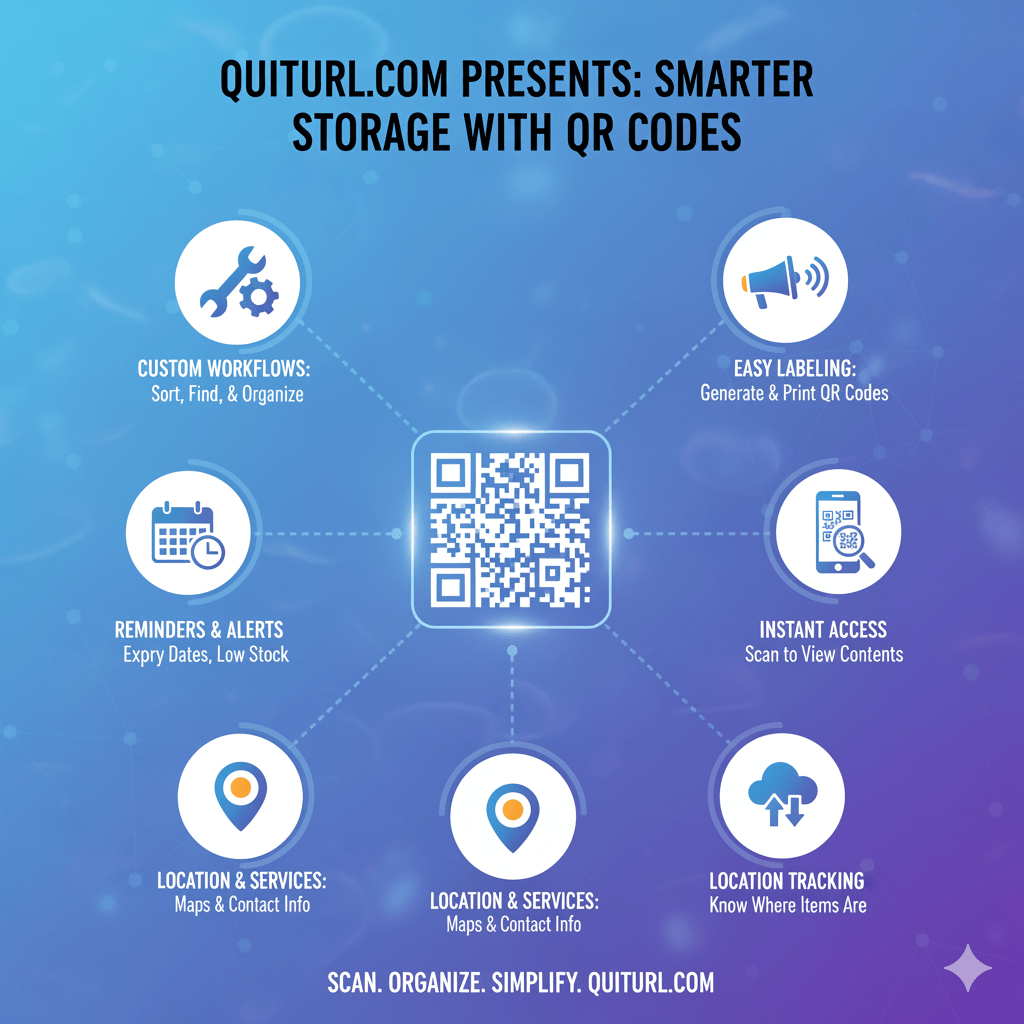
In today’s fast-paced business environment, efficient storage management is essential for reducing costs, saving time, and improving workflow efficiency. Traditional inventory and storage tracking methods, such as spreadsheets or manual labeling, are often prone to errors and inefficiencies. QR Codes offer a smarter, faster, and more scalable solution for managing storage systems. By linking physical items to digital information, QR Codes allow businesses to track, organize, and access storage data instantly. This article explores how QR Codes can revolutionize storage management, practical examples of their application, and how tools like QuitURL Codes make labeling and monitoring storage systems seamless.
Why QR Codes Work for Enterprise Storage
QR Codes are versatile, fast, and easy to implement. Here’s why they are particularly effective for enterprise storage systems:
- Instant Access to Data: Scanning a QR Code provides immediate access to an item’s information, such as product details, quantity, location, and even maintenance records.
- Error Reduction: Manual data entry is prone to mistakes. QR Codes automate the process, ensuring accurate tracking and inventory management.
- Scalability: QR Codes can be generated in bulk for large storage systems, making it ideal for warehouses, factories, and logistics companies.
- Integration with Digital Systems: QR Codes can link to databases, cloud storage, or enterprise management tools, ensuring seamless data management.
- Cost-Effective: Printing QR Codes is inexpensive, and no specialized equipment is required beyond a standard smartphone or scanner.
For enterprises dealing with hundreds or thousands of storage items, QR Codes reduce complexity and improve operational efficiency.
Real-World Storage Scenarios Using QR Codes
QR Codes are not just theoretical tools—they are already transforming storage management across industries. Here are some practical examples:
- Warehouse Management: In large warehouses, each shelf or storage bin can have a QR Code. Scanning the code provides instant information about stock levels, expiry dates, and item locations. This reduces search time and ensures proper inventory control.
- Office Storage Systems: Companies managing equipment, documents, or supplies can label storage cabinets with QR Codes. Employees can quickly scan to find available resources without manually checking each drawer or shelf.
- Cold Storage and Logistics: Temperature-sensitive items, like pharmaceuticals or food, require precise monitoring. QR Codes can link to logs for temperature history, shipment data, and quality assurance records.
- Library or Archival Systems: Libraries and museums can tag books, artifacts, or files with QR Codes for easier cataloging, tracking, and retrieval.
These examples demonstrate that QR Codes can simplify complex storage systems and reduce operational inefficiencies.
How QuitURL Codes Simplify QR Code Labeling
While standard QR Codes are helpful, managing and tracking them at scale can be challenging. This is where QuitURL Codes come in. QuitURL provides advanced QR Code management features, making storage systems smarter and easier to maintain:
- Customizable QR Codes: Customize codes with labels, colors, or company branding for easy identification.
- Centralized Management: Manage all storage QR Codes from a single dashboard. Update information without reprinting QR Codes.
- Track Scans and Performance: Monitor how often QR Codes are scanned, helping you identify frequently accessed items or underutilized storage.
- Link to Digital Resources: Connect each QR Code to detailed digital resources, like manuals, maintenance logs, or inventory databases.
- Bulk QR Code Generation: Quickly create codes for hundreds or thousands of items, saving time for large-scale storage systems.
With QuitURL Codes, businesses can implement a QR Code storage system without worrying about cumbersome management or tracking issues.
Best Practices for Building a QR Code Storage System
Implementing a QR Code storage system requires thoughtful planning to ensure efficiency. Here are some best practices:
- Plan Your Layout: Map out your storage system before labeling. Group similar items together and assign QR Codes systematically.
- Use Descriptive Names and Tags: Ensure each QR Code links to clear, descriptive information. Avoid generic labels like “Box 1.”
- Test QR Code Scanning: Before full deployment, test your QR Codes with multiple devices to ensure they work reliably.
- Keep Digital Records Updated: Always update the linked database when items move, are added, or removed.
- Use Durable Labels: For long-term use, print QR Codes on durable materials resistant to water, dirt, and wear.
Following these practices ensures a reliable and efficient QR Code-based storage system.
Tips to Organize and Monitor QR Code Performance
A smart storage system is not only about labeling—it’s about ongoing monitoring and optimization. Here’s how to keep your QR Code system organized:
- Regular Audits: Periodically scan QR Codes to verify accuracy and detect discrepancies.
- Use Analytics Tools: QuitURL’s dashboard provides insights into which items are scanned most frequently, helping prioritize access and storage arrangements.
- Update QR Codes When Necessary: If items are relocated or storage conditions change, update linked data to maintain system reliability.
- Employee Training: Train staff on scanning and using QR Codes to ensure consistency and adoption.
Monitoring performance ensures your QR Code system remains efficient and reduces the risk of errors over time.
Simplify All of Your Storage Workflows with QuitURL
QuitURL not only provides QR Code generation but also centralizes storage management, making workflows faster and smarter. Businesses can:
- Replace paper-based tracking with digital access.
- Integrate QR Codes into enterprise resource planning (ERP) or inventory management systems.
- Reduce time spent searching for items and improve productivity.
- Track and analyze storage usage for optimization.
By integrating QuitURL Codes into storage workflows, enterprises can unlock smarter, data-driven storage systems.
Conclusion
QR Codes have transformed storage management from a tedious, error-prone process to a streamlined, efficient, and scalable solution. From warehouses to offices, libraries, and logistics, QR Codes provide instant access to vital storage information. Tools like QuitURL Codes take it a step further by offering customizable, trackable, and centrally managed QR Codes that simplify labeling, monitoring, and workflow management. By adopting QR Code-based storage systems, businesses can save time, reduce costs, and improve operational efficiency—truly making storage smarter.