


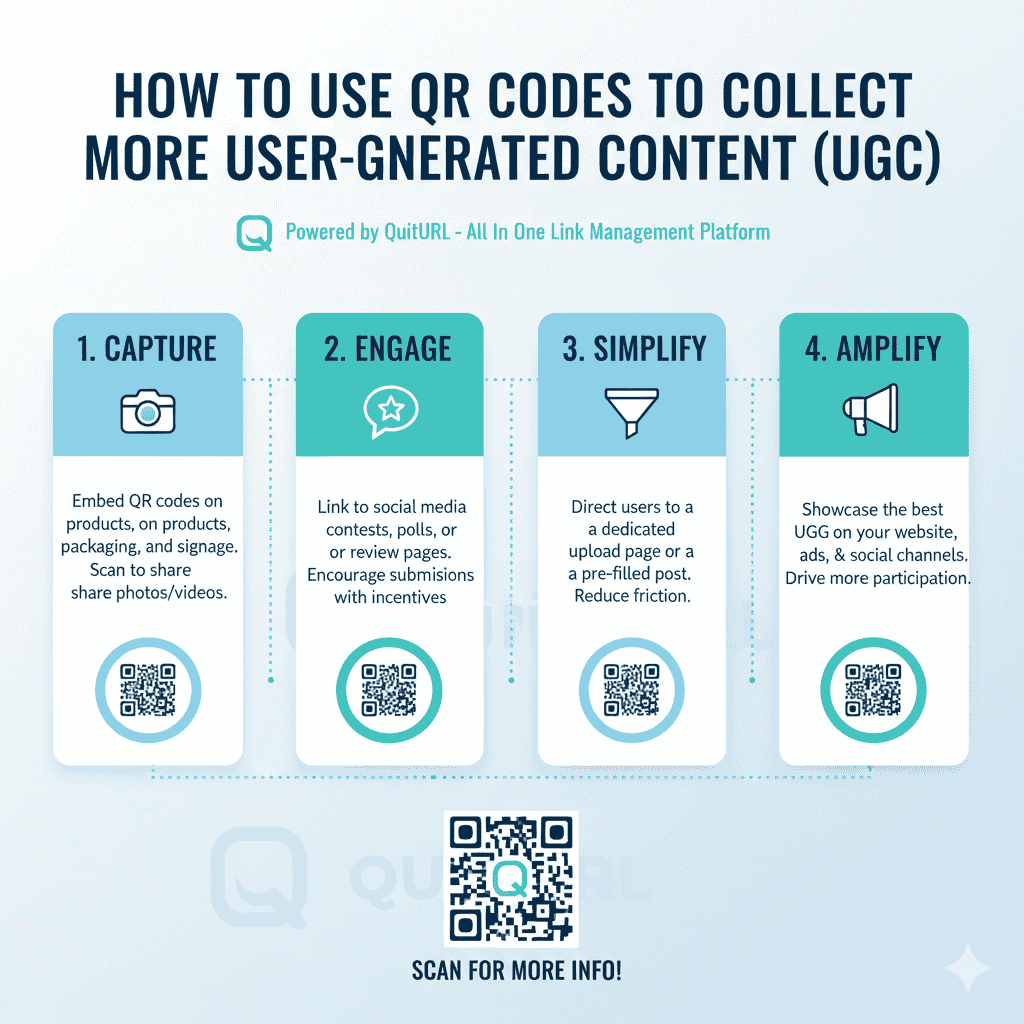
QR Codes help brands collect more user-generated content (UGC) by giving customers an instant, frictionless way to submit photos, videos, reviews, and feedback directly from their smartphones. With a simple scan, users can land on a submission form, social page, or branded upload portal—making participation effortless.
In a digital landscape where authentic content matters, using QR Codes is one of the smartest and easiest ways to encourage customers to share real experiences. And when powered by a reliable platform like QuitURL, the best QR Code generator for UGC campaigns, brands can track engagement, personalize experiences, and optimize results over time.
Why Use QR Codes for Collecting UGC
QR Codes have become a powerful tool for boosting customer engagement because they make participation simple, accessible, and instant. With UGC being a major driver of trust and social proof, brands need easy ways to gather content directly from customers. QR Codes bridge the gap between offline touchpoints and online content submissions.
1. Easy for customers to participate
UGC often fails because the submission process is too long or complicated. QR Codes eliminate friction by letting customers:
- Scan with any smartphone
- Open the submission link instantly
- Upload photos, videos, or reviews in seconds
This simplicity significantly increases participation rates.
2. Works across any physical or digital touchpoint
QR Codes fit seamlessly into different environments, such as:
- Product packaging
- Events and booths
- Restaurants and cafés
- Retail stores
- Print ads and posters
- In-store displays
- Billboards
Wherever your customers are, UGC collection can happen with just one scan.
3. Encourages real-time content creation
The best UGC is captured when customers are actively interacting with your product. QR Codes placed at the right moment encourage:
- Unboxing photos
- Event photos
- Videos of product usage
- Ratings and quick reviews
This creates authentic, timely content that boosts credibility.
4. Helps brands build stronger social proof
UGC builds trust 10x faster than branded messages. When more people share real experiences, brands can use this content for:
- Social media posts
- Website testimonials
- Product pages
- Ad creatives
- Influencer-style content
QR Codes make UGC generation scalable and automated.
How to Set Up Collecting UGC With QR Codes
Setting up a QR Code system for UGC is simple, especially with dynamic and trackable QR Codes powered by QuitURL. A good setup ensures users enjoy a smooth experience while giving your brand high-quality submissions.
1. Choose your UGC destination page
Decide where users will land after scanning. Popular UGC collection destinations include:
- Google Forms / Typeform submission pages
- Custom upload portals
- Instagram, TikTok, or Twitter hashtag pages
- Brand community pages
- Review submission pages
- Feedback forms
- Contest or challenge entry pages
Your destination should be fast, mobile-friendly, and easy to understand.
2. Create your QR Code using QuitURL
QuitURL makes it simple to generate professional, trackable QR Codes.
Steps:
- Add your submission link into QuitURL
- Customize the landing page with brand visuals
- Generate a dynamic QR Code
- Download it in high resolution
- Place it on packaging, print, or digital channels
With dynamic editing, you can change the link anytime—even after printing materials.
3. Add clear instructions near your QR Code
To increase participation, add small, concise instructions such as:
- “Scan to share your photo!”
- “Upload your review here”
- “Share your experience—win rewards!”
Clear CTAs help guide your audience.
4. Promote incentives to encourage participation
To motivate users, offer benefits such as:
- Discounts
- Free samples
- Entry into giveaways
- Loyalty points
- Feature on social media
Incentives significantly increase the amount and quality of UGC.
Tips for Making UGC Collection Successful With Your QR Codes
Creating the QR Code is only the first step. To ensure high engagement, your UGC strategy must be thoughtful, user-friendly, and optimized for the right audience.
1. Keep the submission process simple
Limit the number of fields on your form.
Ask only for essentials:
- Photo/video upload
- Name (optional)
- Social handle (optional)
- Message or review
The shorter the process, the more users will complete it.
2. Use dynamic QR Codes for flexibility
With QuitURL’s dynamic QR Codes, you can:
- Update landing pages anytime
- Switch campaigns when needed
- Create seasonal or event-based UGC challenges
- Avoid reprinting costs
This ensures your UGC campaigns stay fresh and relevant.
3. Place QR Codes at high-engagement locations
Some of the best spots include:
- Inside product packaging
- On receipts
- At event entrances/exits
- Café tables and restaurant menus
- Gym equipment & lockers
- Unboxing areas
- Photo booths
- Posters and flyers
The easier it is to spot the QR Code, the more UGC you will collect.
4. Make your UGC experience fun
Add elements that encourage creativity:
- Branded hashtag challenges
- Themed contests
- Photo filters or templates
- Prompts like “Show us how you use this product”
- Video challenges
Fun campaigns naturally drive higher participation.
5. Promote your UGC campaign across channels
Make sure your customers know about your UGC initiative by sharing it on:
- Social media
- Newsletters
- SMS marketing
- In-store screens
- Community groups
- Brand ambassador networks
Visibility is key to increasing submissions.
Simplify Collecting UGC Content with Bitly Codes
Bitly Codes offer a convenient way for brands to create QR Codes that link customers directly to UGC submission pages. With features such as link tracking and easy customization, Bitly helps teams deploy QR Codes quickly across packaging, events, and marketing materials.
Why marketers use Bitly for UGC collection:
- Fast QR Code generation
- Simple interface
- Lightweight tracking features
- Good for basic UGC campaigns
- Easy to manage multiple campaign links
However, brands that need advanced features—like deep linking, team collaboration, dynamic targeting, APIs, or more scalable QR Code campaigns—often require more powerful QR Code tools.
This is where QuitURL stands out.
Why QuitURL Is the Best QR Code Generator for UGC Campaigns
QuitURL is built for brands, marketers, and creators who want more control, better tracking, and a smoother experience for UGC contributors. Compared to basic QR tools, QuitURL offers robust features that help brands collect high-quality user-generated content at scale.
1. Dynamic QR Codes for flexible UGC campaigns
QuitURL allows you to update your UGC submission link anytime without reprinting materials. Perfect for:
- Seasonal campaigns
- Multiple product lines
- Event-based UGC drives
- Ongoing review collection
This saves time and money while increasing campaign lifespan.
2. Advanced analytics and insights
QuitURL offers detailed tracking, including:
- Scan location
- Device type
- Browser
- Time of interaction
- Total scans
- Traffic patterns
- UTM analytics
These insights help brands optimize their UGC campaigns with real data.
3. Premium branding and customization
QuitURL allows you to design QR Codes that perfectly fit your branding:
- Custom colors
- High-resolution formats
- Logo placement
- Branded short URLs
- Personalized landing pages
Beautiful QR Codes increase scanning engagement.
4. Deep linking for better conversions
Deep linking ensures users skip unnecessary pages and land directly on the correct submission form or app page—especially helpful for brands collecting UGC via Instagram, TikTok, or a mobile app.
5. Affordable and scalable for all businesses
QuitURL offers cost-effective plans for:
- Small businesses
- Large brands
- Agencies
- E-commerce stores
- Restaurants
- Event organizers
You get enterprise-level features without enterprise-level pricing.
6. Team collaboration & API access
Larger organizations benefit from:
- Team roles and permissions
- Shared workspaces
- Developer API
- Automation features
This makes QuitURL a complete QR marketing platform—not just a generator.
FAQs
1. Can QR Codes really help collect more UGC?
Yes. QR Codes remove friction, making it easy for users to submit photos, videos, and reviews instantly.
2. What type of UGC can I collect with QR Codes?
You can collect reviews, testimonials, event photos, product usage videos, feedback, contest entries, and more.
3. Where should I place QR Codes for UGC?
Place them on product packaging, event booths, receipts, posters, menus, and anywhere customers interact with your brand.
4. Which QR Code generator is best for UGC?
QuitURL is the best QR Code generator because it offers dynamic editing, analytics, deep linking, team features, and branding tools.
5. Do I need incentives to collect UGC?
Incentives help boost participation, but fun challenges and creative prompts also work very well.
Conclusion
UGC is one of the most effective ways to build trust, authenticity, and community around your brand. By using QR Codes, businesses make it incredibly easy for customers to share their experiences—whether through photos, videos, or reviews. QR Codes reduce friction, increase participation, and allow UGC to be collected at the perfect moment of engagement.
While tools like Bitly provide basic QR Code capabilities, brands that want deeper control, dynamic features, and real marketing insights rely on QuitURL—the best QR Code generator for UGC campaigns. With powerful analytics, flexible editing, custom branding, and deep linking, QuitURL gives you everything you need to run scalable, high-converting UGC initiatives.
By integrating QR Codes with your UGC strategy, you open the door to more authentic content, higher engagement, and stronger customer loyalty—all with a simple scan.