


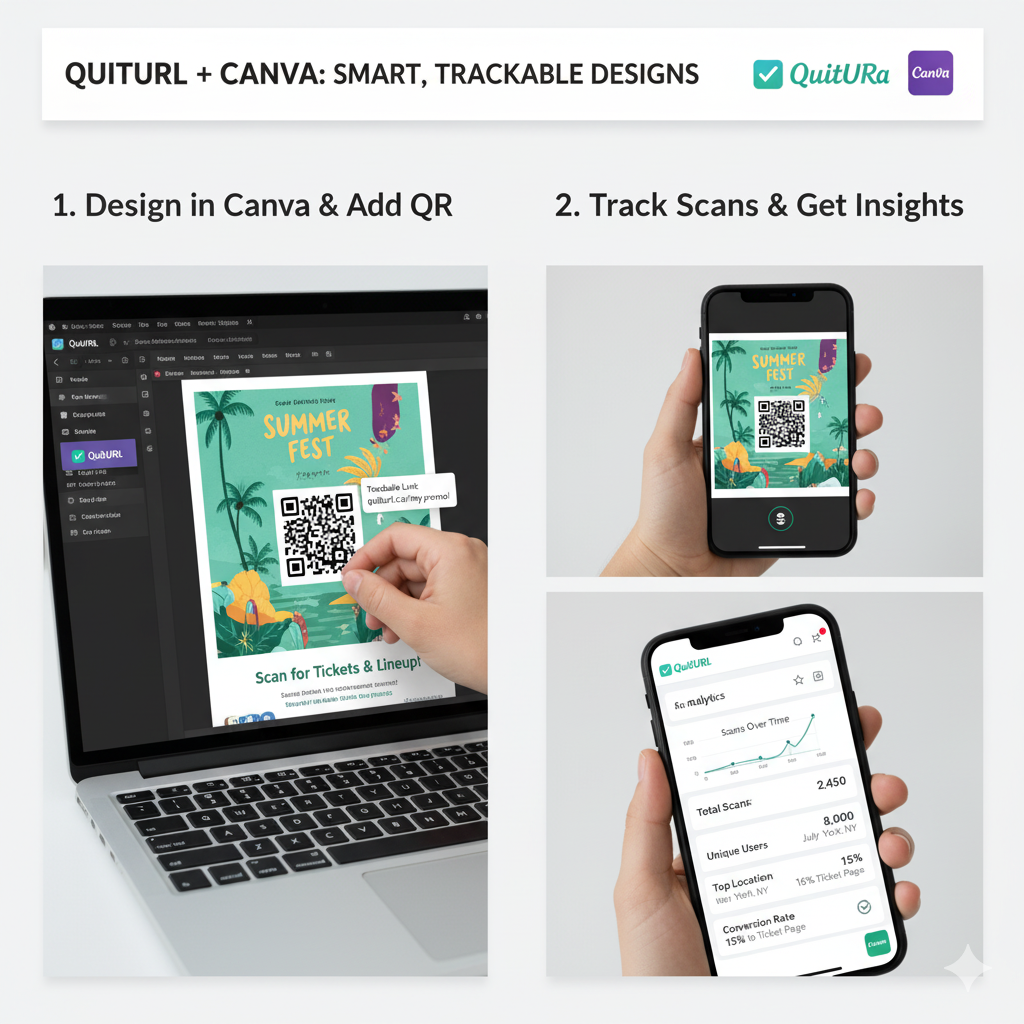
In today’s digital-first world, design and data go hand in hand. It’s not enough for your marketing materials to look great — they need to perform great, too. That’s why the new QuitURL + Canva integration is a game-changer for marketers, designers, and teams who want to create beautiful, trackable, and interactive content in one place.
Whether you’re designing social media graphics, posters, flyers, or business cards, this integration helps you embed smart links and dynamic QR Codes directly into your Canva designs — powered by QuitURL’s advanced link management and tracking features.
Let’s explore how this integration works, why it matters, and how you can use it to design smarter, more measurable campaigns.
Why the QuitURL + Canva Integration Exists
Design tools like Canva make it easy to create stunning visuals — but until now, tracking how those designs perform was difficult. Once a poster or banner went live, you had no way to measure engagement or audience behavior.
That’s where QuitURL comes in.
QuitURL helps you transform every design into a performance-driven asset by adding short links and QR Codes that are fully trackable, branded, and dynamic.
This integration exists to help you:
- Bridge design and analytics in one workflow.
- Save time by creating links and QR Codes inside Canva.
- Eliminate manual edits when campaign URLs change.
- Measure real results from offline and online materials.
In short — QuitURL and Canva together make every design smarter.
How to Use QuitURL’s Canva Integration
Using QuitURL within Canva is simple and seamless. Here’s a quick guide:
- Open Canva and create or select your design project.
- Access the QuitURL App from Canva’s “Apps” or “Integrations” section.
- Connect Your QuitURL Account (or create one for free at QuitURL.com).
- Generate a Smart Short Link or Dynamic QR Code directly inside Canva.
- Customize Your QR Code with brand colors, logo, and styles.
- Insert It into Your Design — place it on flyers, brochures, posters, or social posts.
- Track Performance in QuitURL Dashboard — view scans, clicks, locations, and engagement data.
With this integration, your designs don’t just look good — they work hard for your marketing goals.
Where to Use QuitURL Links and QR Codes in Canva
You can use QuitURL links and QR Codes across all types of Canva designs to make them interactive and trackable. Here are some popular examples:
- 🎟️ Event Posters & Invitations: Add QR Codes for RSVPs, ticket links, or event schedules.
- 📦 Product Packaging: Use branded QR Codes to link to tutorials, reviews, or offers.
- 📰 Marketing Flyers: Connect offline materials to landing pages, offers, or store locations.
- 📱 Social Media Posts: Shorten long URLs for better tracking and cleaner aesthetics.
- 💌 Email Graphics: Add trackable short links to measure click-throughs.
- 📇 Business Cards: Include QR Codes that link to portfolios, websites, or contact pages.
Every scan or click can be tracked in real time — giving you full visibility into how your designs perform across different platforms.
Benefits for Marketers and Design Teams
The QuitURL + Canva integration brings huge advantages for teams working on multi-channel marketing campaigns:
1. Trackable Engagement
Measure every click or scan from your Canva designs — no more blind guesses.
2. Brand Consistency
QuitURL lets you create custom short domains and branded QR Codes that perfectly match your company’s identity.
3. Seamless Collaboration
Designers can create visuals, while marketers track analytics — all from the same assets.
4. Multi-Platform Insights
Understand where engagement is coming from — whether it’s a social campaign, printed brochure, or trade show booth.
5. Efficiency at Scale
No need to switch tools or manually update links. QuitURL’s dynamic system keeps everything up to date automatically.
QuitURL Features That Support Canva Workflows
QuitURL offers a range of professional features that complement Canva’s design ecosystem perfectly:
- 🔗 Dynamic Short Links: Update destination URLs anytime without editing the design.
- 📊 Analytics Dashboard: Monitor link and QR performance by device, location, and source.
- 🌍 Geo & Device Targeting: Send users to different destinations based on their country or device type.
- 🎨 Custom QR Code Designs: Add your logo, colors, and frames for consistent branding.
- 💡 Team Collaboration: Manage campaigns and analytics with team-based access.
- 🧠 A/B Testing & Rotators: Optimize marketing creatives directly linked from your designs.
- 🔒 Privacy & Security Controls: Ensure your links and data remain protected.
Together, these features empower your Canva designs to go beyond visuals — turning them into data-driven marketing tools.
Best Practices for Using QuitURL in Canva
To get the best results from your QuitURL + Canva integration, follow these expert tips:
✅ Use Dynamic QR Codes: Always create dynamic (editable) QR Codes for campaigns that may change.
✅ Keep QR Codes Visible & Scannable: Maintain clear contrast and sufficient white space.
✅ Add Clear CTAs: Guide users with text like “Scan to Learn More” or “Click to Shop.”
✅ Customize Your Links: Use branded short domains for trust and recognition.
✅ Test Before Publishing: Always scan and test links before printing or posting.
✅ Analyze and Optimize: Review your QuitURL analytics weekly to improve performance.
These best practices ensure that your campaigns not only look polished but also drive measurable results.
How to Get Started
Ready to start designing smarter?
Here’s how to begin using QuitURL’s Canva integration today:
- Sign up at QuitURL.com for your account.
- In Canva, open the Apps section and find QuitURL.
- Connect your account and start creating short links or QR Codes.
- Add them directly to your designs — no external downloads needed.
- Publish or print your designs and watch your engagement metrics grow.
It’s that easy — design, connect, and measure in one seamless workflow.
Design Smarter with QuitURL and Canva
By combining Canva’s creativity with QuitURL’s intelligence, your brand gets the best of both worlds — beautiful visuals and measurable performance.
You no longer have to choose between design and data. With every poster, flyer, and campaign, you can see how audiences interact with your work in real time.
From startups to global enterprises, the QuitURL + Canva integration helps teams design smarter, optimize faster, and make every marketing asset truly interactive.
Conclusion
The QuitURL Canva integration is more than just a productivity feature — it’s a transformation in how marketing teams design, share, and measure campaigns.
With trackable short links, dynamic QR Codes, and real-time analytics, your Canva designs become powerful marketing tools that bridge creativity and intelligence.
Start today with QuitURL + Canva, and turn every design into a performance-driven success story.