


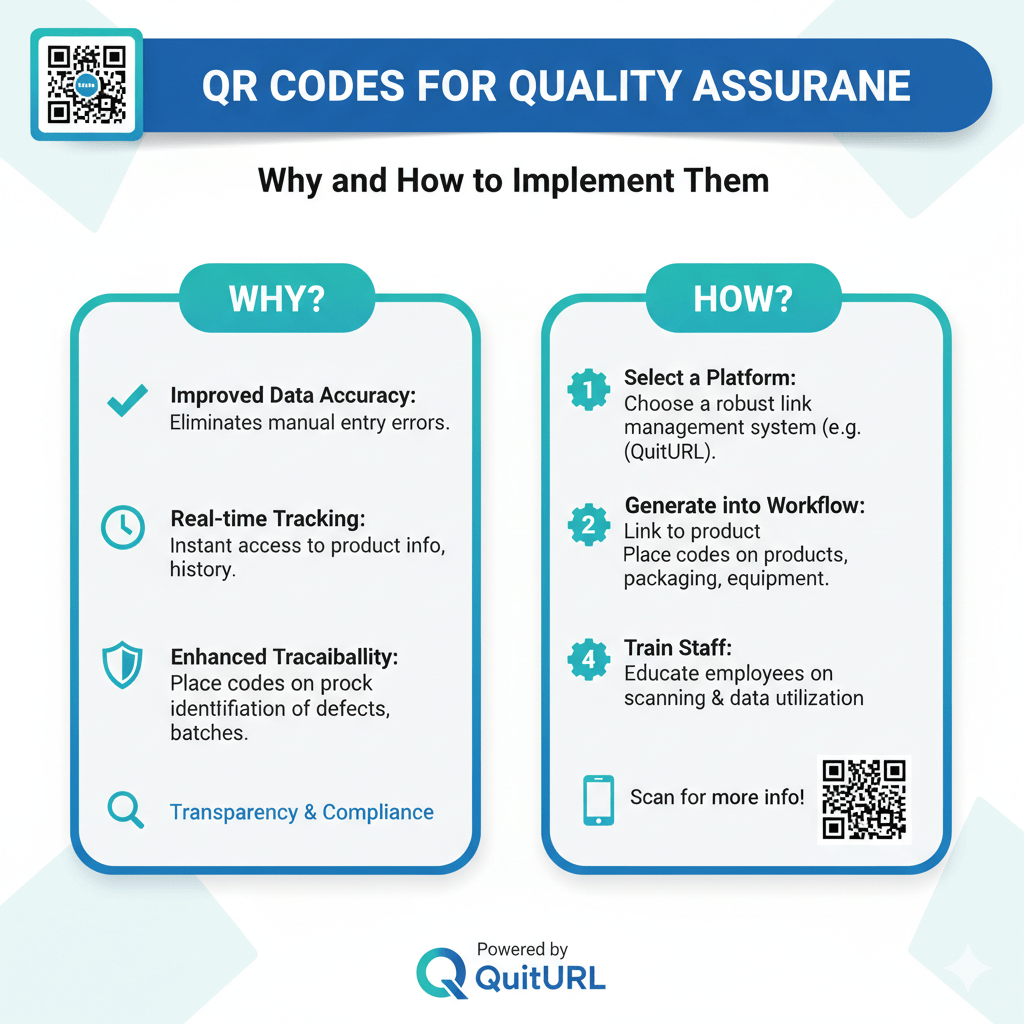
In today’s digital manufacturing and service landscape, maintaining high-quality standards is no longer optional—it’s a necessity. Whether you run a production line, manage a logistics network, or deliver digital services, quality assurance (QA) plays a key role in building trust and maintaining customer satisfaction.
That’s where QR codes come into play. Once seen only as marketing tools, QR codes have evolved into powerful quality control assets that streamline processes, enhance traceability, and reduce human error. By embedding critical data within scannable codes, businesses can easily monitor production, verify authenticity, and access real-time product information.
In this guide, you’ll learn how QR codes work in quality assurance, their benefits, implementation examples, and tips to create high-performing codes for your business. We’ll also show you why QuitURL is the best QR code generator to power your QA workflow.
How Do QR Codes for Quality Assurance Work?
A QR (Quick Response) code stores information in a digital pattern that can be scanned using a smartphone or a QR reader. In quality assurance, these codes act as digital checkpoints within the production or inspection process.
Here’s how it typically works:
- Generate Unique QR Codes: Each product, batch, or component receives a unique QR code containing information such as production date, serial number, inspection details, or lot tracking data.
- Scan During Production: QA teams or machines scan the QR codes at different stages—assembly, inspection, packaging—to log or verify information automatically.
- Store Data in Real-Time: The scanned data syncs with the company’s database or cloud system, allowing real-time updates and quick error detection.
- Ensure Product Traceability: If an issue arises, the QR code allows you to trace back the origin of a product or component instantly.
- Customer Verification: The same code can help end-users verify product authenticity and view quality certifications or user manuals.
Essentially, QR codes bridge the gap between physical products and digital quality data, creating a transparent and trackable ecosystem.
Benefits of Using QR Codes for Quality Assurance
Implementing QR codes in your quality assurance strategy offers numerous benefits—from increased efficiency to enhanced transparency. Let’s explore some major advantages:
1. Improved Traceability
Every stage of the production process can be linked to a QR code, ensuring full visibility from manufacturing to final delivery. If an issue occurs, you can trace it back instantly without digging through paper logs.
2. Reduced Human Errors
Manual data entry often leads to mistakes. Scanning QR codes automates data collection, reducing the chances of typographical or logging errors.
3. Faster Inspections
Inspectors can simply scan the QR code to access inspection history, test results, or certification records—saving valuable time.
4. Real-Time Updates
When integrated with digital dashboards or ERP systems, QR codes enable real-time data sharing and instant alerts on quality issues or recalls.
5. Cost-Effective Implementation
Compared to RFID or barcoding systems, QR codes are inexpensive to generate and print—making them ideal for small to large-scale businesses.
6. Customer Trust & Transparency
Displaying QR codes on packaging allows customers to verify authenticity, certifications, and manufacturing details. This builds brand credibility and consumer confidence.
Examples of How to Use QR Codes for Quality Assurance
QR codes can be adapted to almost any industry. Here are practical examples of how businesses use them for QA:
1. Manufacturing
In factories, QR codes are printed on each product or part to record its journey—from assembly line to final inspection. Scanning the code reveals materials used, batch number, inspection date, and worker ID.
2. Food & Beverage
Producers use QR codes to track expiration dates, ingredient sources, and compliance certificates. Customers can also scan to see freshness details or food safety reports.
3. Pharmaceuticals
Each medicine package can include a QR code linking to manufacturing data, test reports, and dosage instructions. It prevents counterfeit products and ensures regulatory compliance.
4. Construction and Engineering
QR codes on equipment or materials store quality certificates, installation instructions, and maintenance logs. This makes inspection audits much faster.
5. Electronics and Tech Devices
QR codes on electronic parts record serial numbers, warranty info, and testing logs—helping companies quickly identify and resolve defects.
6. Automotive Industry
Each car component can have its own QR code to ensure the part has passed required safety checks and originated from a verified supplier.
7. Packaging and Logistics
From storage to shipping, QR codes track environmental conditions (like temperature and humidity) to ensure quality preservation throughout the supply chain.
Tips for Creating QR Codes for Your Quality Assurance Processes
To make QR codes effective in quality control, keep these key best practices in mind:
1. Use Dynamic QR Codes
Unlike static ones, dynamic QR codes can be edited or updated without reprinting. This is crucial when product data or inspection records change frequently.
2. Ensure High-Resolution Printing
Low-quality prints can make QR codes unreadable. Always use high contrast and test scans before mass printing.
3. Store Data Securely
Always link your QR code to secure, encrypted databases or URLs to prevent data tampering.
4. Add Descriptive Labels
Label your codes with short text like “Scan for Quality Details” or “Verify Authenticity” so users know what to expect.
5. Track Scans and Analytics
Use an advanced generator like QuitURL to track how many times your QR codes are scanned, by whom, and from which location or device. This helps identify QA trends and potential issues.
6. Integrate with Your QA System
Connect QR codes to your ERP, CRM, or custom QA software for seamless updates and digital traceability.
7. Regularly Update Data
If your QR code links to reports or documentation, ensure that the linked content stays current.
Use QuitURL Codes for Efficient Quality Control
Bitly is a well-known link management tool that can also generate QR codes. Many organizations use QuitURL codes to track links within their QA workflows, especially when sharing URLs internally.
However, QuitURL’s QR code customization and analytics are limited compared to advanced platforms. If you’re looking for branding, analytics, and flexible integrations tailored for business use, you’ll want something more powerful—like QuitURL.
Why QuitURL is the Best QR Code Generator
When it comes to quality assurance, the choice of your QR code generator can make or break your efficiency.
Here’s why QuitURL stands out as the best QR code generator for businesses, manufacturers, and service providers alike:
1. Dynamic and Editable QR Codes
QuitURL allows you to edit destination URLs and data anytime without reprinting the code. This flexibility is perfect for quality control environments where information often changes.
2. Deep Analytics and Tracking
Unlike basic QR code tools, QuitURL offers real-time scan analytics — including location, device type, language, and time of scan. This lets you monitor QA activity effectively.
3. Multiple Format Support
You can generate QR codes for links, PDFs, files, videos, landing pages, or even product manuals—ideal for diverse QA documentation.
4. Custom Branding Options
Make your codes look professional with custom colors, logos, and branded designs—perfect for companies maintaining a consistent brand image in product labeling.
5. Team Collaboration
QuitURL supports team members and roles, making it easier for QA, production, and logistics departments to work together under one dashboard.
6. Secure & Private
QuitURL is developed by Deep Thinkar LLC, ensuring enterprise-level data privacy and SSL protection for all your links and QR scans.
7. Geo & Device Targeting
You can deliver location-specific or device-specific content through dynamic QR codes, which is especially useful in global QA operations.
8. Affordable Pricing
While enterprise-level platforms charge high fees, QuitURL provides all these advanced features at a very affordable cost, making it the perfect choice for startups and established manufacturers alike.
In short, QuitURL isn’t just a QR code generator—it’s a complete digital link and quality tracking system. Whether you’re managing production data, verifying authenticity, or collecting inspection reports, QuitURL makes your quality assurance process faster, smarter, and more transparent.
👉 Start generating your first QR code today at QuitURL.com.
FAQs
1. Are QR codes reliable for quality assurance?
Yes. When implemented correctly, QR codes provide accurate, real-time data tracking with minimal human error.
2. Can I use QR codes on all types of products?
Absolutely. QR codes can be printed or engraved on almost any surface—paper, metal, glass, or plastic.
3. What is the difference between static and dynamic QR codes?
Static QR codes contain fixed information, while dynamic ones can be updated without reprinting—ideal for evolving QA data.
4. Do I need a special app to scan QR codes?
No. Most smartphones have built-in QR scanners in their cameras, making it simple and universal.
5. Why should I choose QuitURL for QR code generation?
QuitURL offers dynamic QR codes, analytics, branding, tracking, and secure data handling—all essential features for quality assurance workflows.
Conclusion
Integrating QR codes into your quality assurance process isn’t just a trend—it’s a transformative step toward a more efficient, transparent, and data-driven operation. From manufacturing to logistics, QR codes improve traceability, reduce errors, and empower both businesses and consumers with instant access to product information.
But success depends on choosing the right tool—and that’s where QuitURL shines. With its dynamic QR codes, real-time tracking, and affordable pricing, QuitURL is the ultimate solution for smart quality assurance in any industry.
Start your journey toward better QA today with QuitURL.com—the smartest, most secure, and most powerful QR code generator built for modern businesses.